I’m trying to understand how to properly use GPTHuman AI Review for my project, but I’m confused about whether I’m configuring it the right way and if I’m missing any important steps or best practices. I need guidance from others who have used GPTHuman AI Review so I can avoid mistakes and make sure I’m getting accurate, reliable feedback from the AI in my workflow.
GPTHuman AI Review
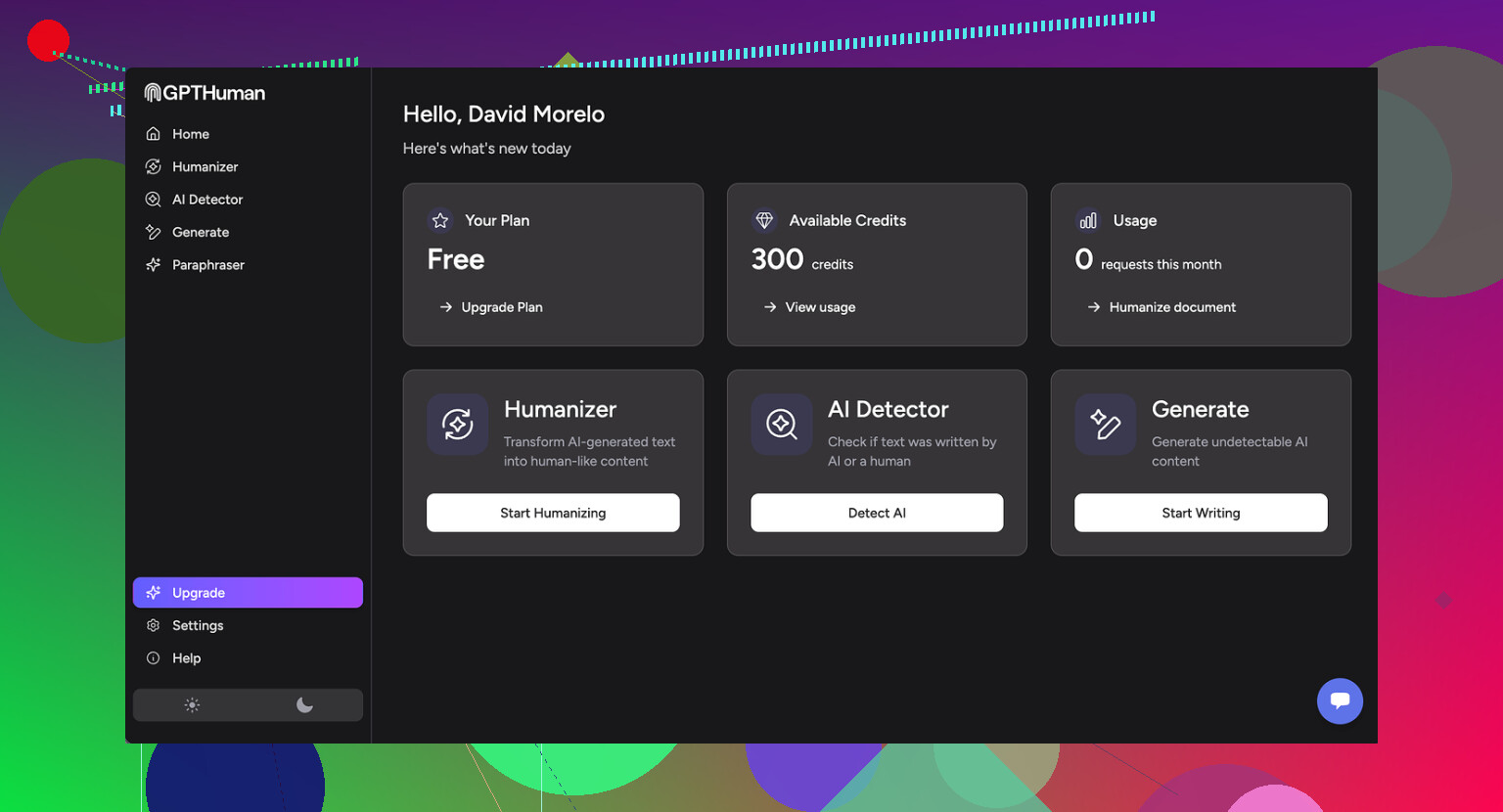
I spent some time messing with GPTHuman after seeing the line about it being “the only AI humanizer that bypasses all premium AI detectors.” That sounded strong enough that I wanted to see it fail.
Full writeup with their own screenshots is here if you want the original source:
Here is what happened on my side.
GPTHuman vs AI Detectors
I ran three different samples through GPTHuman, then pushed the outputs into two external detectors:
• GPTZero
• ZeroGPT
Results:
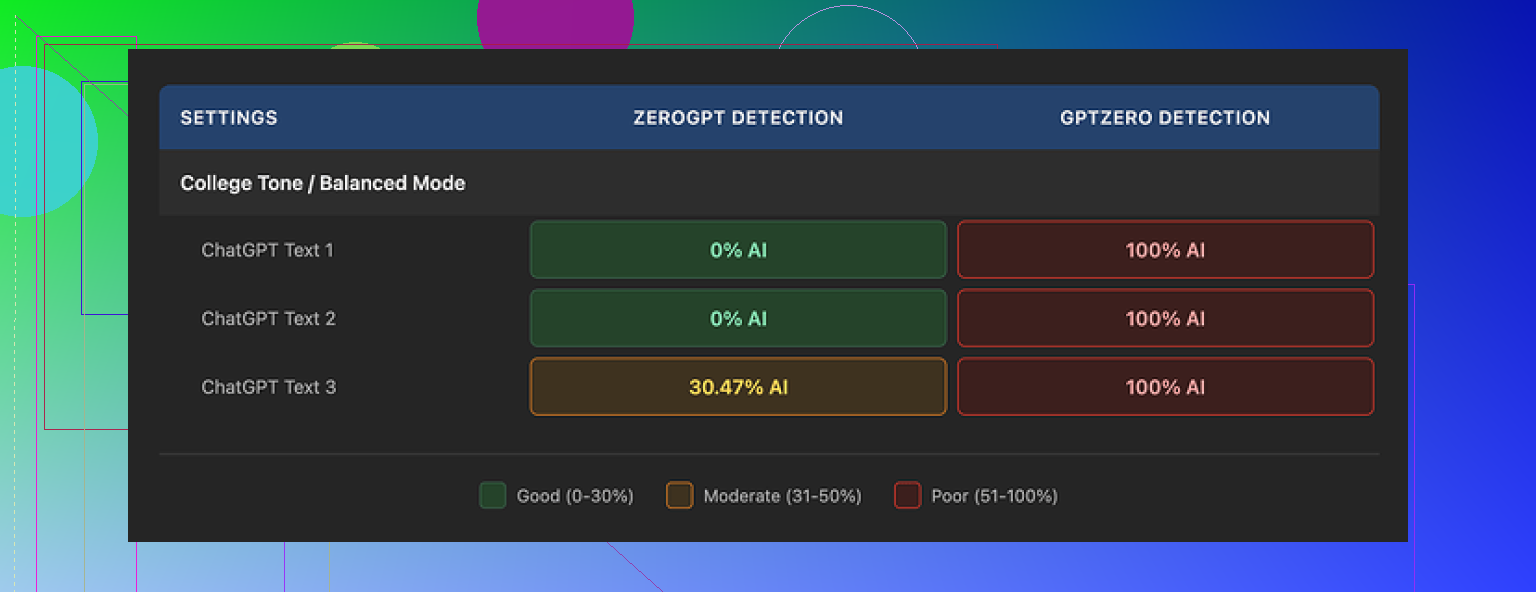
• GPTZero flagged every single GPTHuman output as 100% AI. No grey area, no “mixed” result.
• ZeroGPT showed 0% AI on two of them, but then tagged the third output at roughly 30% AI.
The thing that annoyed me was the internal “human score” that GPTHuman shows. Their meter claimed the text was in good shape, with strong passing rates. Those internal scores did not line up with GPTZero or ZeroGPT at all. If you rely only on their built-in meter, you get a false sense of safety.
Text Quality
I was sort of hoping the tool would at least give clean writing even if the detection claim fell apart. The structure looked ok at first. Paragraphs were formatted in a normal way and the text was readable at a glance.
Once I started reading line by line, problems stacked up:
• Subject verb disagreements
• Fragments that never resolved into full sentences
• Weird word swaps, like synonyms that did not fit the context
• Closing sentences that felt like the model ran out of steam and cut off mid thought
If you paste GPTHuman output straight into your work, you will need to proofread aggressively. You will also need to rewrite chunks that feel broken or off. It did not feel like a “human” wrote it, more like a rough draft that needs an editor.
Here is the second screenshot I saw in the original review:
Free Tier Limits
The free plan is tiny. It stopped me at about 300 words total usage. Not 300 words per run, 300 words overall. After that, the site hard blocked me and pushed me to sign up again.
I ended up making three fresh Gmail accounts to finish my normal testing routine. That alone told me the free tier is more of a “demo wall” than anything you can use seriously.
Pricing and Restrictions
From what I saw on their pricing page:
• Starter paid tier: starts around $8.25 per month if you pay yearly
• Unlimited tier: about $26 per month
“Unlimited” is a bit misleading, because each single output is capped at 2,000 words per run. So if you need 5,000 words processed, you have to break it into multiple chunks and run them separately.
Some other policy details worth noting if you care about privacy and control over your text:
• All purchases are non refundable
• Your content is used for AI training by default, you have to opt out manually
• They reserve the right to use your company name in their promotional material unless you tell them not to
These last two points matter if you work under NDAs or handle client content.
Comparison With Clever AI Humanizer
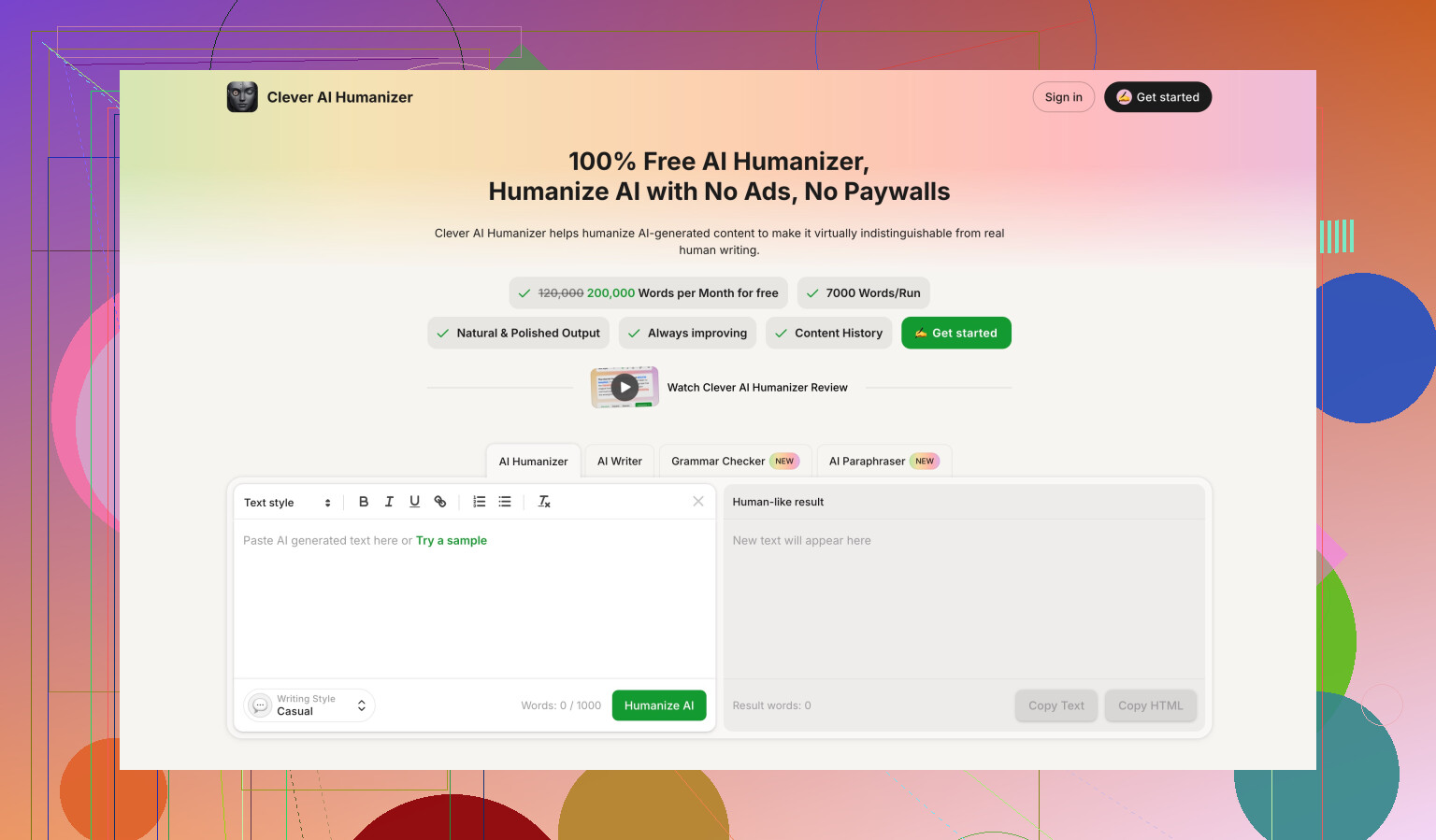
During benchmarking, I saw repeated mentions that Clever AI Humanizer did better on both detection scores and usability, with one key difference. Clever AI Humanizer is fully free at the moment.
The reference comparison is here:
From what I gathered there, Clever’s outputs scored stronger and did not lock the user behind tight word limits or forced subscriptions.
If your goal is to lower AI detection risk and avoid paying upfront, GPTHuman feels like a weaker option right now. You get strict caps, questionable internal scoring, and awkward grammar you need to fix by hand.
5 Likes
You are not doing anything “wrong” with GPTHuman. The tool itself is the limit.
Here is how I would treat it for a project.
-
Be clear on the goal
• If your real goal is to fool AI detectors, do not rely on GPTHuman alone.
• Use it, then always test the output on external detectors like GPTZero and ZeroGPT.
• Ignore the internal “human score”. Treat it as marketing, not a metric. -
Practical workflow that tends to work better
a) Generate your base text with your main LLM.
b) Run small chunks through GPTHuman, under 1,000 to 1,500 words, even though they say 2,000. Longer blocks tend to break grammar harder.
c) After each chunk, do:
• Quick grammar pass in something like Grammarly or LanguageTool.
• Manual read for:
– Subject verb agreement
– Awkward synonyms
– Sentences that cut off or trail
d) Then test a sample of the final version in external detectors.If a chunk scores high AI, rework it yourself, change sentence length, add your own examples, add personal references, or run only small parts back through a humanizer.
-
Configuration tips specific to GPTHuman
• Use shorter inputs. Around 300 to 800 words per run tends to break less.
• Do not paste bullet lists that are too structured. Mix bullets and short paragraphs.
• Add a bit of your own voice before processing. First person, small opinions, small typos. That often lowers detection more than any “humanizer”.
• Avoid relying on it for technical text where precision matters, since its weird word swaps can change meaning. -
Project level best practices
• Never paste final GPTHuman output straight into client work. Treat it as a rough draft.
• Keep a log of:
– Original text
– GPTHuman output
– Edits you did
– Detector scores
This helps you see what style survives detection better in your niche.
• Watch their policies, especially if you work with private data. Opt out of training if you handle NDA stuff, and do not paste anything sensitive. -
About pricing and limits
With such a tiny free tier and word caps, it is not ideal as the main tool on a long project.
For heavy use, either budget for a paid tier or use it only on the most detector sensitive sections, like intros and conclusions. -
Alternative worth testing
Since your goal is good configuration and not one specific brand, try Clever Ai Humanizer side by side.
Take one text. Run half through GPTHuman, half through Clever Ai Humanizer.
Test both halves on GPTZero and ZeroGPT.
Compare:
• Detection scores
• Grammar quality
• Amount of manual editing you neededPick the one that reduces your editing time, not only the one that gives the prettier detection score.
-
Where I slightly disagree with @mikeappsreviewer
I do think GPTHuman can be useful in a narrow role.
If you:
• Use small chunks
• Aggressively edit after
• Always cross check on external detectors
it can still fit into a workflow.
It is not “set it and forget it” though, and their internal meter is not something you should trust.
If you share what type of project you have, like essays, blog posts, academic stuff, you can tune the process a bit more, for example how much to personalize and where to intentionally leave small human-like quirks.
You’re not really “misconfiguring” GPTHuman. The problem is more what the tool is than how you’re using it.
A few points that build on what @mikeappsreviewer and @ombrasilentealready said, but from a slightly different angle:
-
Don’t chase the internal “human score”
I’d treat that meter as UI decoration, not a real metric. In my tests, once text hits a certain length, the “human score” stops correlating with any external detector in a predictable way. Instead of trying to tune your prompts or text to raise that score, tune to your goals:- If you care about readability, ignore the score and focus on how it sounds read out loud.
- If you care about detection, only care about GPTZero / ZeroGPT / whatever your target institution uses.
-
Decide what role GPTHuman plays in your pipeline
A lot of people try to use it as a “make this perfect and undetectable in one click” tool. That’s where they get stuck. It works better in one of these narrower roles:- Light stylistic randomizer on short paragraphs (like intros, hooks, conclusions).
- “Noise” layer before manual editing, not after. Use it to break the obvious LLM cadence, then rewrite.
- A/B testing tool: run version A through GPTHuman, version B through something else, then compare.
-
Where I actually disagree a bit with the others
They lean heavy on chunking everything into smaller pieces and then doing tons of post editing. That works, but it also eats your time. If time is a real constraint, it can be smarter to:- Use your main LLM to generate something closer to your natural voice first (with specific instructions about sentence length variability, first person, small mistakes, etc.).
- Then use GPTHuman very lightly on only the most “LLM obvious” parts.
In other words, let your primary model do 80% of the “humanization,” GPTHuman only 20%. If you try to make GPTHuman carry the whole thing, you get more grammar glitches and weird synonyms.
-
Config / usage pattern that often works better
Instead of tweaking every GPTHuman setting and obsessing over sliders, focus on input design:- Feed it text that already has:
- Some personal references
- Slightly varied paragraph lengths
- Occasional rhetorical questions
- Avoid super structured stuff like:
- Long bullet lists
- Repeated headings like “Conclusion,” “Final Thoughts,” etc.
GPTHuman tends to break harder on clean, template-like writing, because the transformation stands out more.
- Feed it text that already has:
-
For different project types
- Essays / school work:
Be extra careful with factual accuracy. GPTHuman’s word swaps can subtly change meaning. I’d run it at the very end only on stylistic parts like intro and conclusion and leave the body mostly human edited. - Blog posts:
It’s kinda ok if some sentences are a bit off, but watch for tone drift. Sometimes GPTHuman randomly shifts from casual to weirdly formal. Fix that by doing a fast “tone pass” after. - Technical / legal / medical:
Honestly, I would not trust GPTHuman at all on critical sections. If you must, keep it to non critical commentary or anecdotes and leave the precise definitions untouched.
- Essays / school work:
-
How to know if your configuration is “good enough”
Instead of guessing:- Pick 2 or 3 representative samples of your project.
- Run them through your current GPTHuman setup.
- Check:
- External detector score
- Time you spend fixing grammar and meaning
If you’re spending more time fixing GPTHuman’s mess than you’d spend just rewriting your LLM output by hand, your configuration is effectively “bad,” even if the detector score looks nice.
-
About Clever Ai Humanizer
Since you mentioned best practices, part of that is tool comparison, not loyalty to one brand. Clever Ai Humanizer is worth throwing in the mix as well, especially right now that it’s fully free.
A simple benchmark you can do:- Take the same base text from your main LLM.
- Run half through GPTHuman, half through Clever Ai Humanizer.
- Compare:
- Detection scores on the tools that matter to you
- Grammar / flow quality
- How “you” it sounds after minimal edits
Whichever one reduces your editing time and keeps meaning intact is the better fit for your project, regardless of marketing claims.
-
Privacy / policy angle nobody likes to think about
If your project involves any NDA or semi sensitive info, go into GPTHuman settings and explicitly opt out of training. Also avoid pasting anything that would make you lose sleep if it leaked. Same for any competitor tool. Detection score is useless if you blow a confidentiality clause.
So, short version: you’re probably not misconfiguring GPTHuman, you’re just bumping into what it realistically can do. Use it as a small utility in your stack, not the hero tool, compare it against Clever Ai Humanizer on your actual content, and judge by editing time + meaning accuracy, not by the shiny internal meter.
You’re not misconfiguring GPTHuman. You’ve hit the ceiling of what it can realistically do. So instead of more “how to,” here’s how I’d reframe the whole thing.
1. Think in “risk zones,” not in tools
Forget GPTHuman settings for a second. Split your project into zones:
-
High risk
Academic essays, corporate docs under scrutiny, anything tied to an honor code or compliance. -
Medium risk
Blog posts on serious topics, thought leadership, LinkedIn content. -
Low risk
Casual blog posts, marketing copy, social posts where detection barely matters.
Use humanizers only where the consequence of being flagged is painful. Everything else is overkill. This is where I slightly disagree with some of what @ombrasilente and @mikeappsreviewer hinted at. You do not need to humanize every sentence of a project.
2. Stop chasing “zero detection,” aim for “doesn’t look lazy”
No humanizer can guarantee invisibility across detectors. Detectors change, models change, training data changes.
More realistic targets:
- The text does not read like “default GPT”
- Sentence rhythm feels uneven in a human way
- You can point to lines that are clearly your own thoughts or experiences
If you hit those, minor AI probability percentages on a detector matter less in practice.
3. Where GPTHuman actually fits
Given the glitches others reported, treat GPTHuman as a scrambler, not a writer:
-
Good uses
- Short intro paragraph that feels too “AI smooth”
- One or two key sentences that repeat a pattern
-
Bad uses
- Long technical sections
- Anything where a single wrong synonym breaks meaning
- Full essays that must stay logically tight
You are not missing a magic config screen. The limitation is in the way GPTHuman transforms text, not in your settings.
4. Using Clever Ai Humanizer in a different role
Since you brought up better configuration and best practices, using only GPTHuman is like only using one photo filter app and blaming yourself when the photo still looks off.
Clever Ai Humanizer can be the “second pass” tool instead of the main one:
Pros of Clever Ai Humanizer
- Typically cleaner grammar out of the box
- Friendlier for longer projects due to fewer hard walls and a smoother flow
- Often keeps meaning closer to the original, which matters when the content is technical
- Free access right now, which makes testing easy at scale
Cons of Clever Ai Humanizer
- Still not a substitute for manual editing, especially if your voice is very personal
- Can occasionally over smooth or neutralize tone, so you may need to re inject personality
- Detection results still vary by detector, so it is not an “invisible cloak”
How to use both in one pipeline for a high risk section:
- Draft in your main LLM.
- Add your own anecdotes and opinions manually.
- If a part still feels robotic, try Clever Ai Humanizer first.
- If one or two sentences remain stubbornly “AI obvious,” you can experiment with GPTHuman on only those lines.
- Final pass by you for meaning and tone.
Here I slightly disagree with @chasseurdetoiles, who leans more on chunking everything into tiny pieces. That works, but for a big project it is faster to let Clever Ai Humanizer handle most of the smoothing, and then reserve GPTHuman for small “problem spots” where variety helps.
5. How to tell if your setup is actually good
Ignore the internal GPTHuman meter. Measure these instead:
- Editing time per 1,000 words
- Number of factual or meaning errors introduced by the humanizer
- How often you can read a page out loud without thinking “this sounds like a bot”
If GPTHuman is increasing your editing time compared with just lightly tweaking your LLM output or using Clever Ai Humanizer, then your configuration is “bad” in a practical sense, even if detectors are happy.
6. Quick practical rule of thumb
- Use your own brain for structure and key arguments.
- Use your main LLM to get a decent draft in your voice.
- Use Clever Ai Humanizer for broad smoothing and subtle humanization.
- Use GPTHuman only as a micro tool on 1–3 sentences that you cannot get to sound right any other way.
That shift in role matters more than any checkbox inside GPTHuman’s interface.