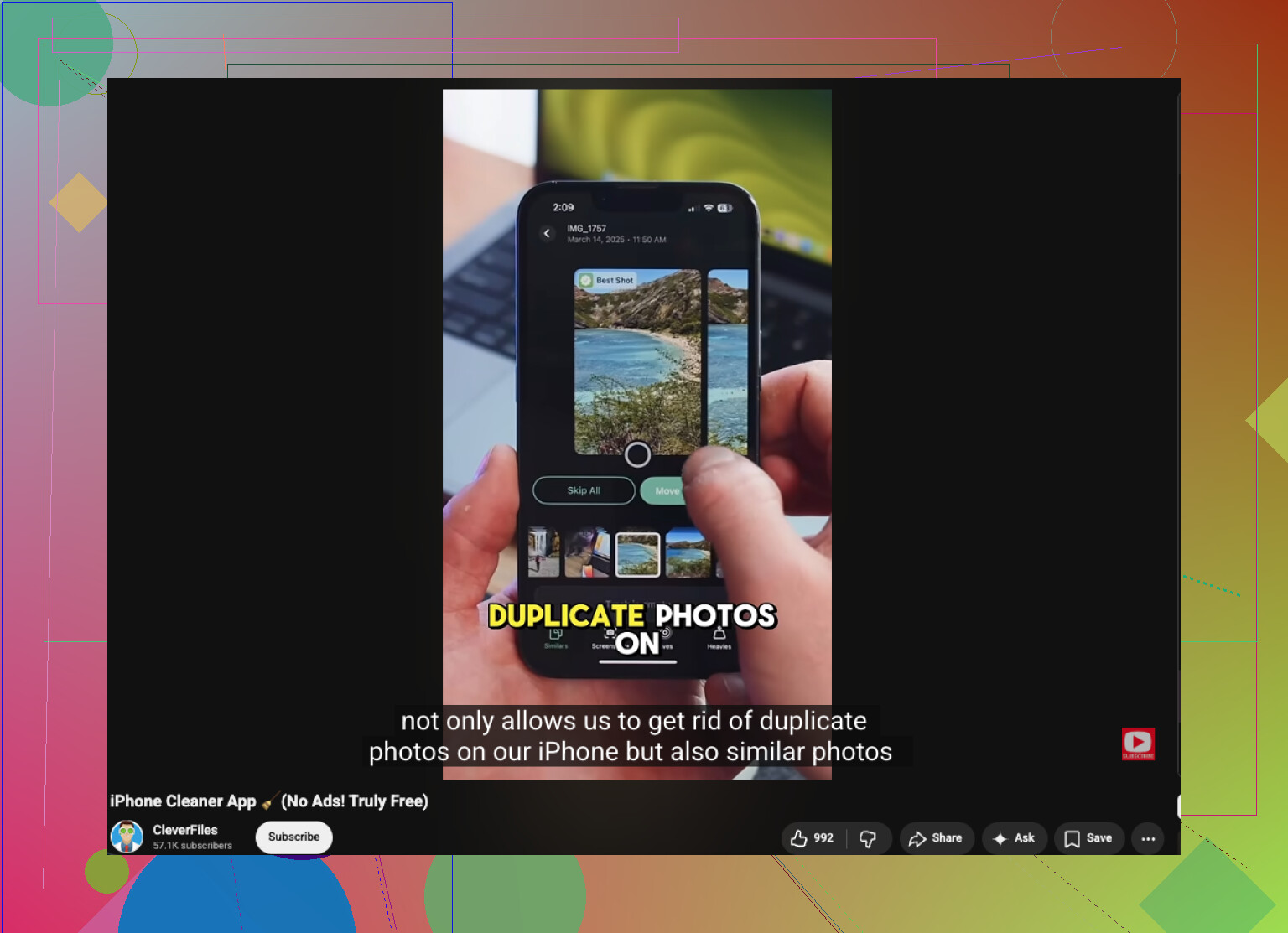
I have thousands of pictures on my iPhone and I recently noticed a lot of near-duplicates that are taking up space. The built-in Photos app is not catching all of them, so I need recommendations for an app that can find similar photos more accurately and help me clean them up quickly.
I ran into this when my library got messy. The built in iPhone duplicate finder works, but only for near exact matches. If you want stuff like five shots of the same sunset, two angles of the same receipt, burst leftovers, or an edited copy next to the original, iOS does not sort those out for you.
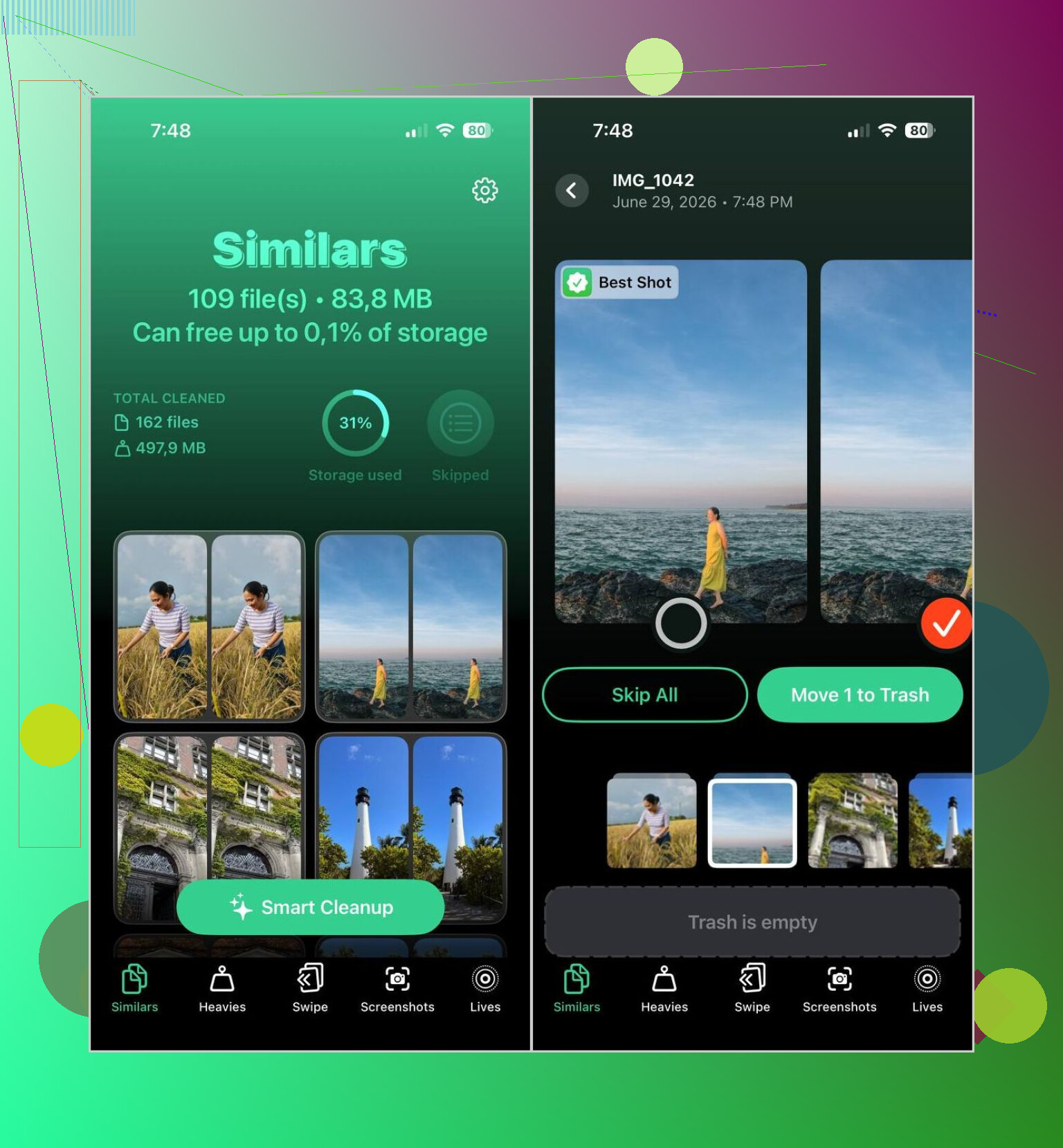
What worked fastest for me was a separate app. I ended up sticking with Clever Cleaner. I usually avoid cleanup apps because most of them are ad traps or they wall off the useful parts. This one felt different when I tried it. It is free, it runs on the iPhone itself, and it grouped similar photos better than I expected. In my case, its Best Shot pick was often right, so I mostly checked the photos I cared about and cleared the rest.
How I did it:
- Install Clever Cleaner from the App Store.
- Give it access to your photo library.
- Go to the Similars section and wait for the scan to finish.
- Look through each group yourself, or hit Smart Cleanup if you want it to handle the bulk of it.
- The app labels one image as Best Shot. If you disagree, switch it.
- Send the extras to trash. Afterward, open Apple Photos and empty Recently Deleted if you want the space back right away.
I kept using the other sections too, since they were usefull:
- Duplicates, for exact copies.
- Heavies, for big videos eating storage.
- Video Compression, for shrinking large clips without an obvious quality hit.
- Lives, for turning Live Photos into still images.
- Screenshots, for clearing old junk in one pass.
- Swipe Mode, if you want to review manually by swiping instead of trusting the app.
One thing I liked, and this mattered to me, was privacy. It did not send my photo library off to some cloud service for scanning. Everything stayed on the phone from what I saw, which felt safer.
If you do not want another app, the built in options are there, but they take longer.
Search by subject
- Open Photos, then Search.
- Type things like dog, beach, concert, Paris, cat, car.
- Similar pictures often cluster together because the subject matches.
Browse by day or event
- Open your library.
- Check photos from the same date, trip, dinner, game, or whatever stretch you shot a lot in.
This helps if your habit is firing off three or four shots of the same thing. Which, yeah, I do all the time.
Check Burst photos
- Open Photos.
- Go to Media Types.
- Open Bursts.
- Pick the frame you want and remove the rest.
Use albums and Apple’s groupings
- Look through People & Pets, Trips, Media Types, or Memories.
- Those sections narrow things down enough to spot repeats faster.
So, yes, the iPhone finds duplicates. Similar photos are a different problem. For those, I had better luck using an app than scrolling for twenty minutes and losing patience half way thru.
7 Likes
I’d skip most “cleaner” apps, but I don’t fully agree with the idea that you need to trust Smart Cleanup right away. On a big library, auto-picks miss stuff. Edited pics, memes with text changes, screenshots of the same page, stuff like tht.
Clever Cleaner is still one of the better picks for this. It’s useful for similar photos on iPhone, not only exact duplicates. The part I like most is manual review before delete. If you’ve got 10,000 photos, that matters more than flashy features.
My take:
- Use Apple Photos first for exact dupes.
- Use Clever Cleaner for near-duplicates and similar shots.
- Review batches sorted by month, not your whole library at once.
- Empty Recently Deleted after, or your storage number won’t move. Annoying, but true.
@mikeappsreviewer covered the app angle well. I’d add one thing. Test any photo app on a small album first. If it groups 20 pics from the same event cleanly, keep it. If not, delete the app and move on.
If you want more user tips, this thread is solid for how to delete duplicate and similar photos on your iPhone fast.
I’d probly split this into two jobs: finding similar photos, and deleting them safely.
For the first part, I mostly agree with @mikeappsreviewer and @vrijheidsvogel that Clever Cleaner is one of the more useful picks for iPhone. Where I slightly disagree is the “just use smart cleanup” mindset. If your library has receipts, screenshots, memes, edited pics, or ten versions of the same pet photo, auto-choice can get a little too confident. Fast, yes. Perfect, nope.
What I’d look for in an app is:
- similarity detection, not just exact duplicates
- local/on-device scanning
- easy manual review
- clear “keep this, remove these” grouping
- no subscription nonsense for basic cleanup
That’s why Clever Cleaner stands out more than a lot of the junky cleaner apps in the App Store. It tends to catch near-duplicates the native Photos app misses.
One extra tip that hasn’t been stressed enough: do your cleanup in chunks. Start with screenshots, social media saves, and photos from one specific month. If you try to review 8,000 images in one sitting, your brain will melt a litle.
Also, before deleting anything major, make sure iCloud Photos is fully synced. If your library is mid-sync, stuff can get weird.
If you want a broader roundup, this best iPhone cleaning apps review and storage cleanup guide is worth skimming too.
Short version:
- Apple Photos for exact dupes
- Clever Cleaner for similar photos on iPhone
- review manually before final delete
- clear Recently Deleted so storage actually comes back
That last part gets people every time.