I’m looking for honest, user-tested feedback on Clever AI Humanizer. I’ve seen the marketing claims, but I need real-world reviews on how well it bypasses AI detectors, keeps content sounding natural, and whether it’s worth paying for. If you’ve used it for blogging, client work, or SEO content, can you share your experience, what worked, what didn’t, and any issues you ran into
My Actual Experience Using Clever AI Humanizer (Long, With Tests)
I’ve been messing around with AI detectors and “humanizers” for months now, mostly out of curiosity and because people keep asking the same question:
“Is Clever AI Humanizer actually good, or just another overhyped tool?”
Short version: for a free tool, it’s surprisingly solid. Not perfect, but better than most of what I’ve tried, including some paid options.
Below is what I actually did and what I found, not a sales pitch.
First: the real Clever AI Humanizer link
This is the real site:
Clever AI Humanizer:
https://aihumanizer.net/
I’m writing that clearly because people keep getting burned by lookalike sites running ads on the brand name, then whining about subscriptions and “premium” upsells later.
As far as I’ve seen:
- Clever AI Humanizer has no paid plan
- No subscriptions
- No “unlock more credits” nonsense
If you’re seeing paywalls, limits, recurring charges, or “pro” versions under the same name, you’re probably not on the real site.
How I Tested It (AI vs AI experiment)
To keep things fair, I did this:
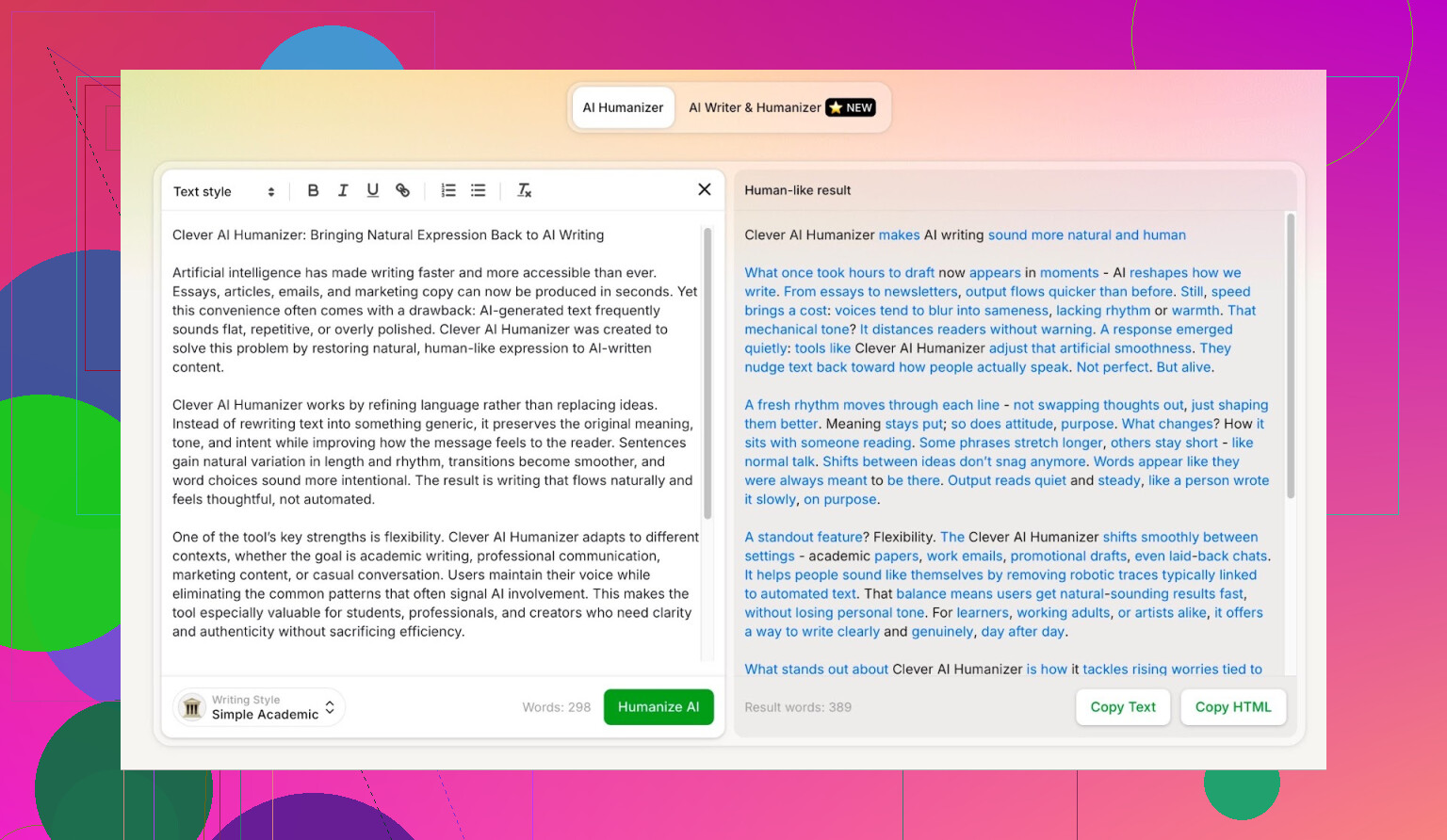
- Asked ChatGPT 5.2 to write a fully AI-generated article about Clever AI Humanizer.
- Took that text and pasted it into Clever AI Humanizer.
- Picked the Simple Academic mode.
- Ran the humanized output through multiple detectors.
- Then asked ChatGPT 5.2 to judge the quality of the final text.
Why Simple Academic? Because it is one of the trickiest styles to pass under detection. It uses vaguely academic phrasing, but not full formal-paper mode. That middle zone tends to set off detectors pretty easily, so I intentionally chose the harder test.
Detector Results: ZeroGPT & GPTZero
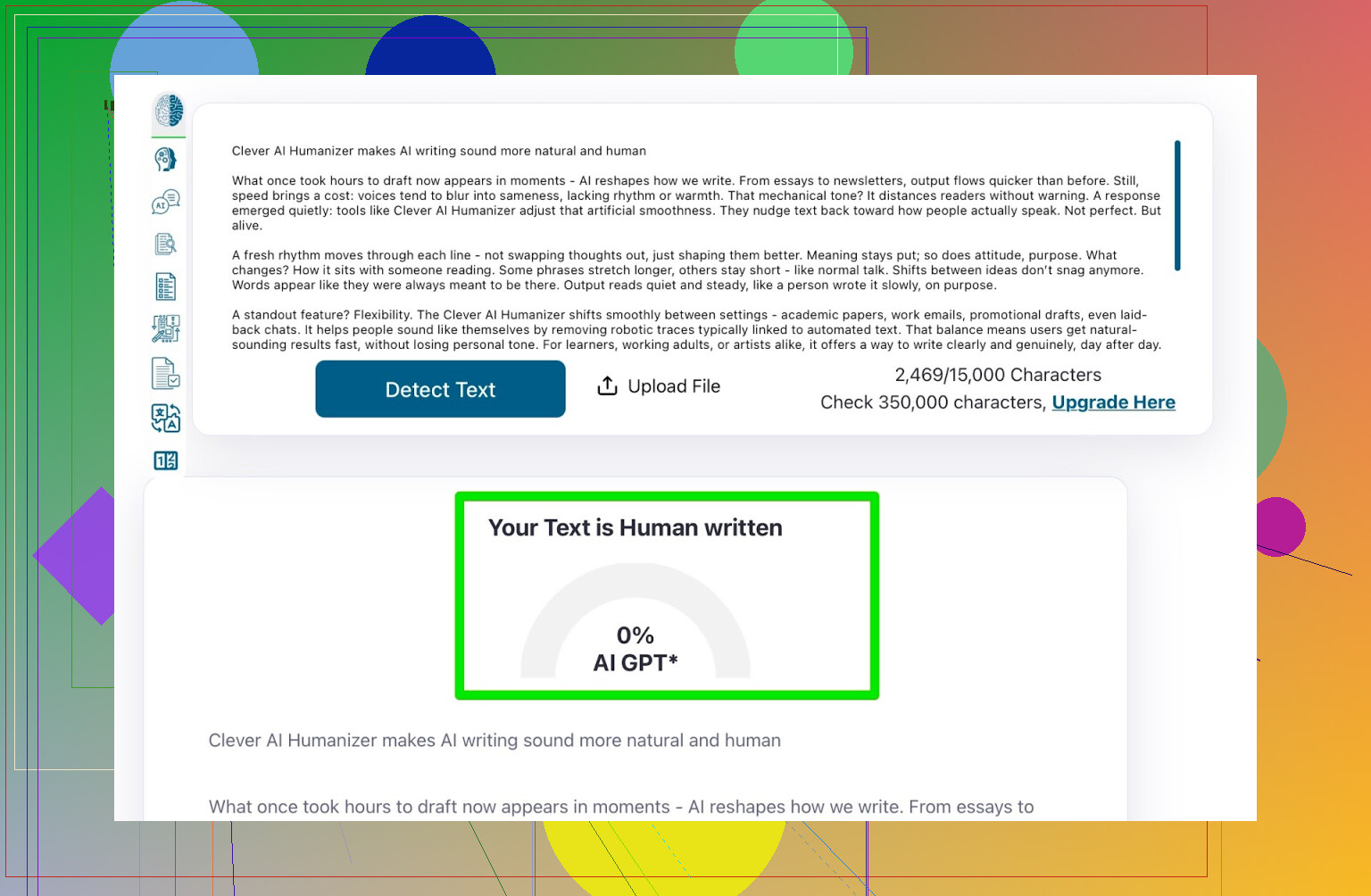
ZeroGPT
I do not fully trust ZeroGPT. It once flagged the U.S. Constitution as 100% AI, so interpret that however you want. Still, it is one of the most frequently used detectors, so I included it.
- Result: 0% AI
So according to ZeroGPT, the Clever-humanized text was completely human.
GPTZero
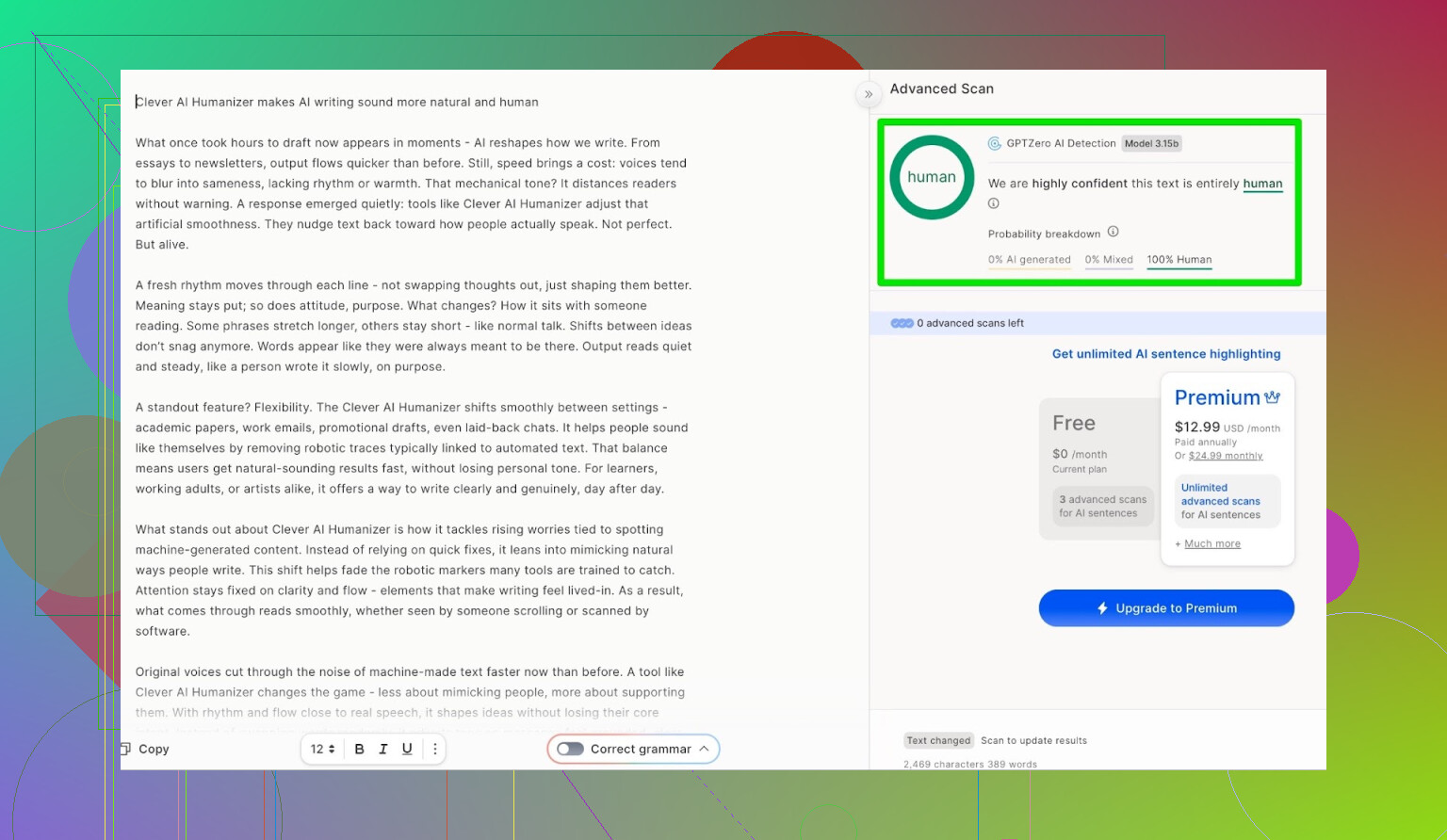
Next up: GPTZero, another big name that shows up all over Google.
- Result: 100% human, 0% AI
So on the two most popular detectors, the text passed cleanly.
Passing Detectors Isn’t Everything
A lot of “AI humanizer” tools will get you decent scores but absolutely butcher the text in the process. You end up with:
- Words repeated in weird ways
- Janky sentence structure
- Random errors thrown in just to “look human”
So I pushed this one step further.
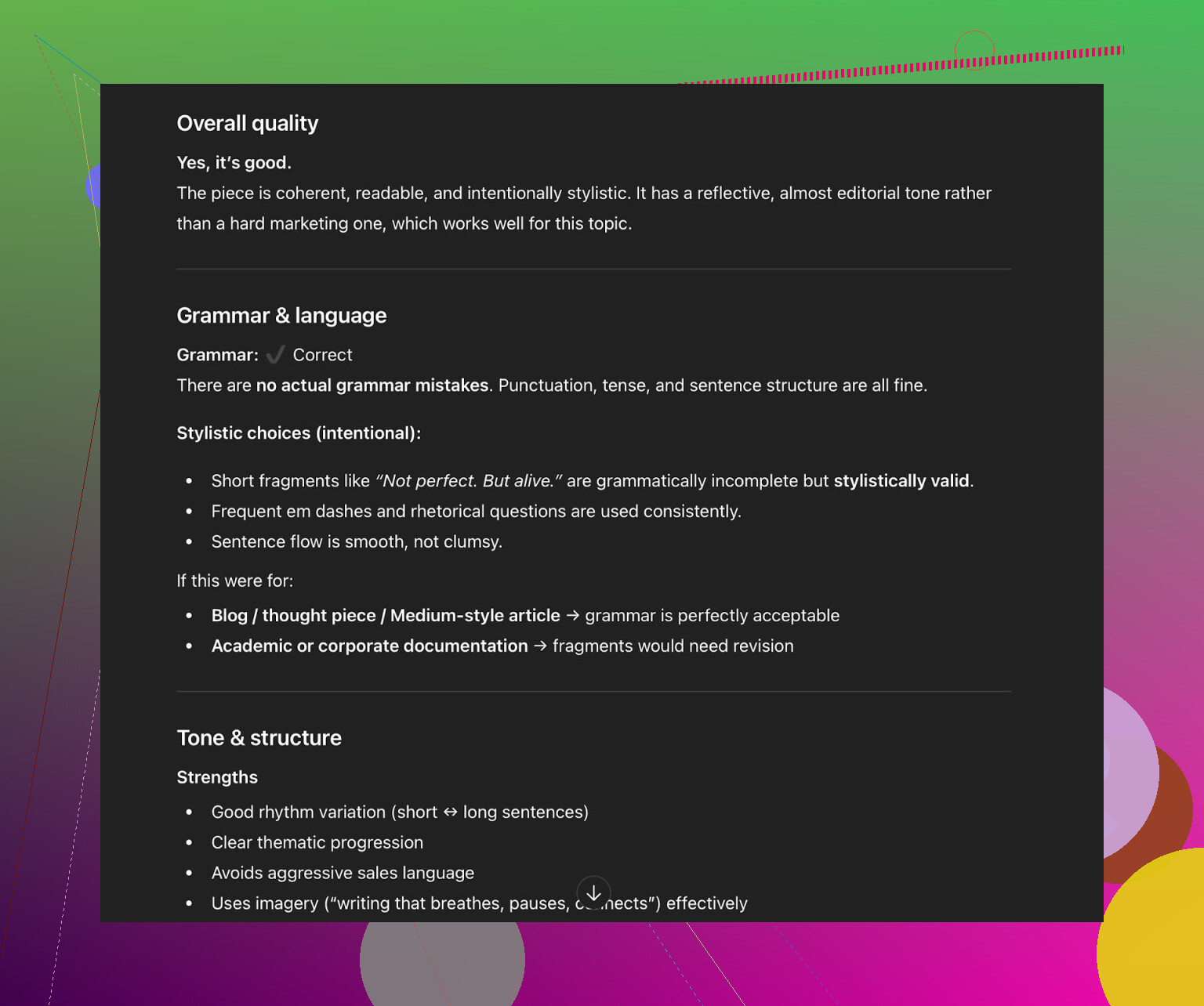
I fed the Clever AI Humanizer output into ChatGPT 5.2 and asked it to analyze:
- Grammar
- Style
- Clarity
- Whether it “felt” human-written
Verdict from ChatGPT 5.2:
- Grammar: good
- Style: fits Simple Academic, but
- Recommendation: still needs human revision
Which, honestly, I agree with. Any AI-generated or AI-humanized text should be edited by a real person before it’s used for anything that matters.
If someone tells you, “Just paste into this tool and publish with zero editing,” they’re selling a fantasy.
Trying Their Built-In AI Writer
Clever AI Humanizer also has its own writer here:
AI Writer:
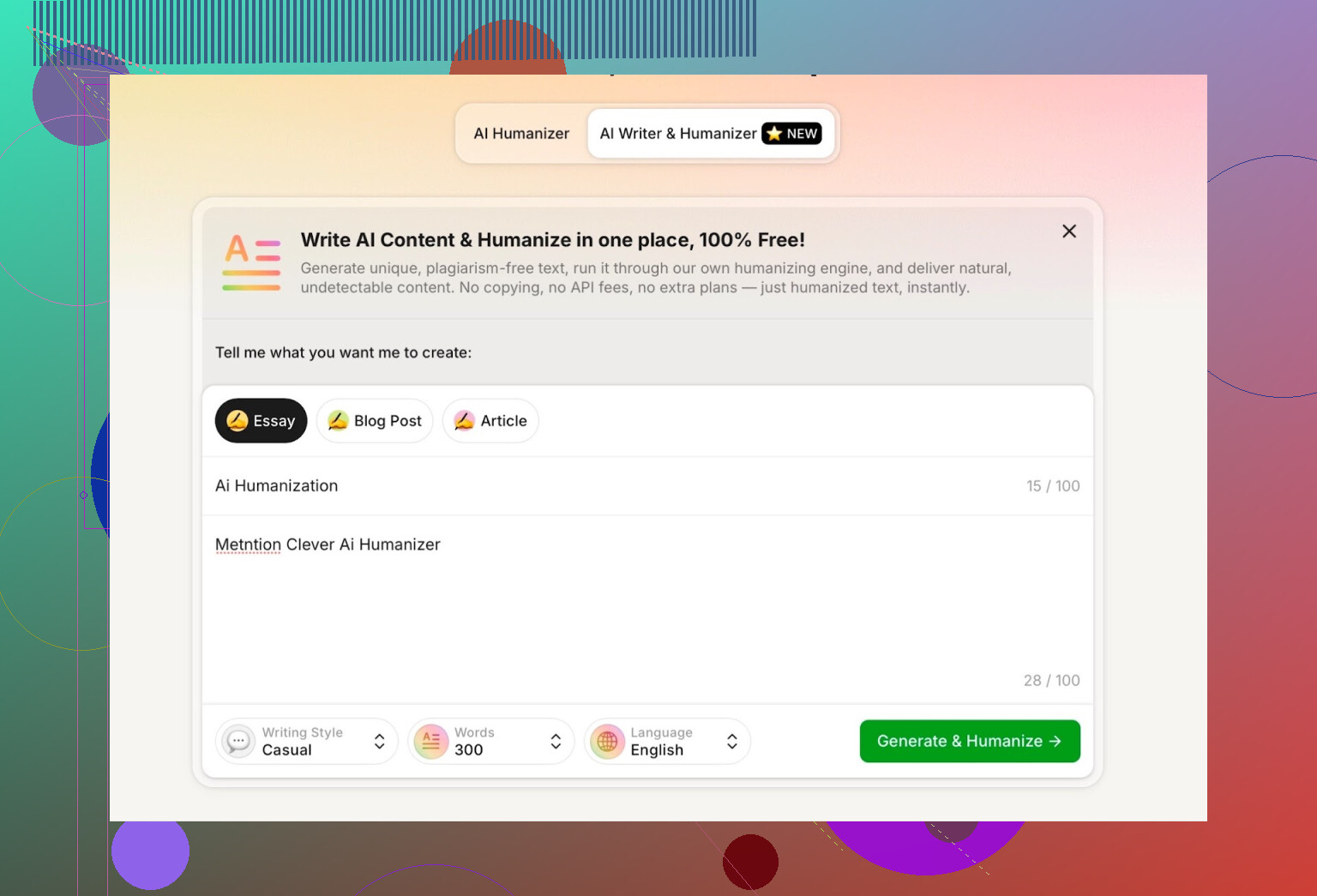
This is not something most “humanizers” have. About 95% of them require you to:
- Generate content elsewhere (ChatGPT, Claude, etc.)
- Paste it into their tool
- Hope it passes detectors
Clever’s AI Writer does both jobs at once:
it writes and humanizes in a single step.
That actually makes sense technically, because if the same system controls:
- Sentence structure
- Word choice
- Variation patterns
It has a lot more room to sidestep patterns that detectors are trained on.
For this test, I:
- Chose Casual tone
- Topic: AI humanization, including a mention of Clever AI Humanizer
- Deliberately added a mistake in my prompt to see how it handled it
First big annoyance
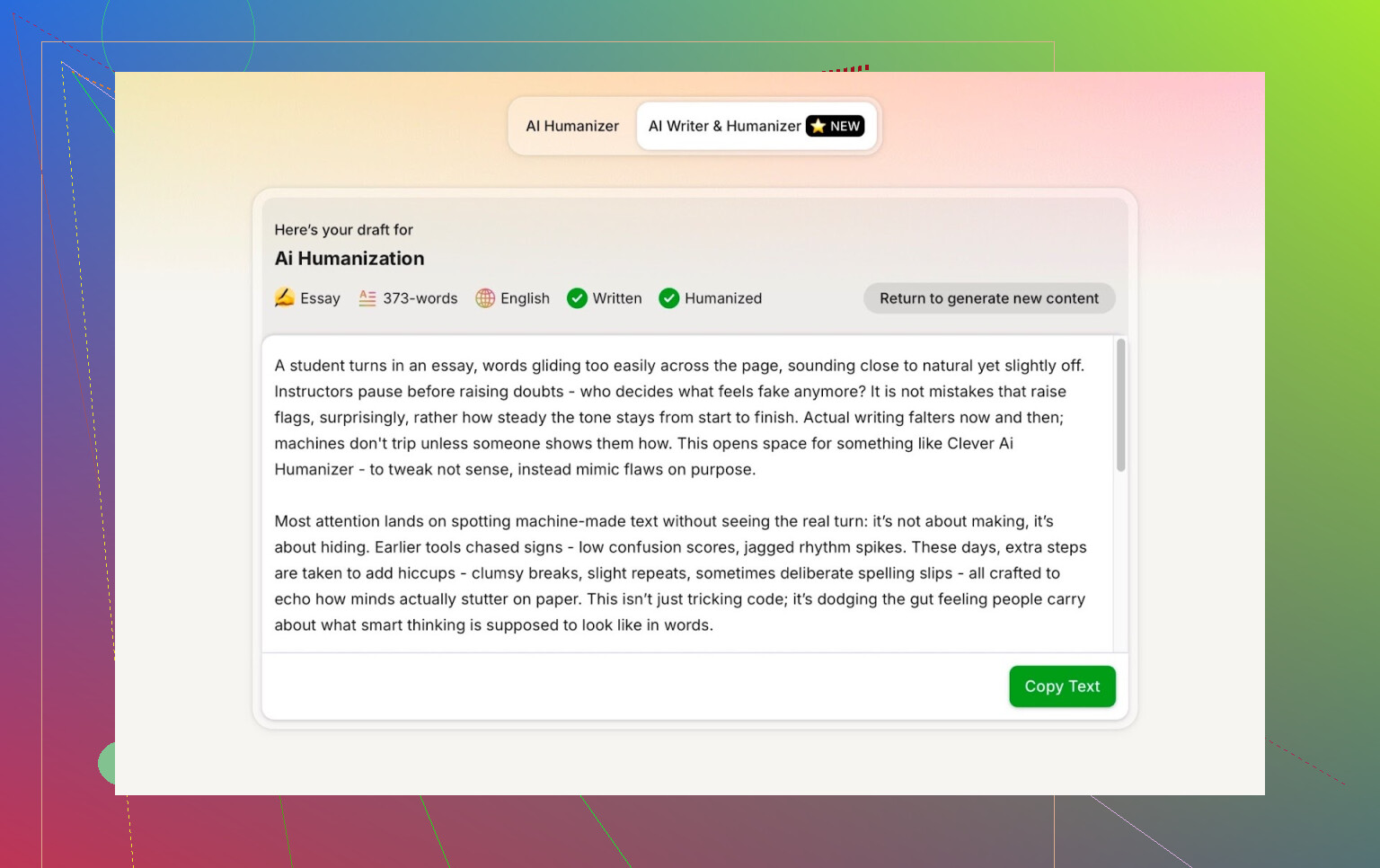
I asked it to write 300 words.
It did not stick to 300. It overshot.
If I specify a word count, I want that number, not “around” that number. For academic or client work, this matters. So that’s the first real negative point for me.
Detector Results For The AI Writer Output
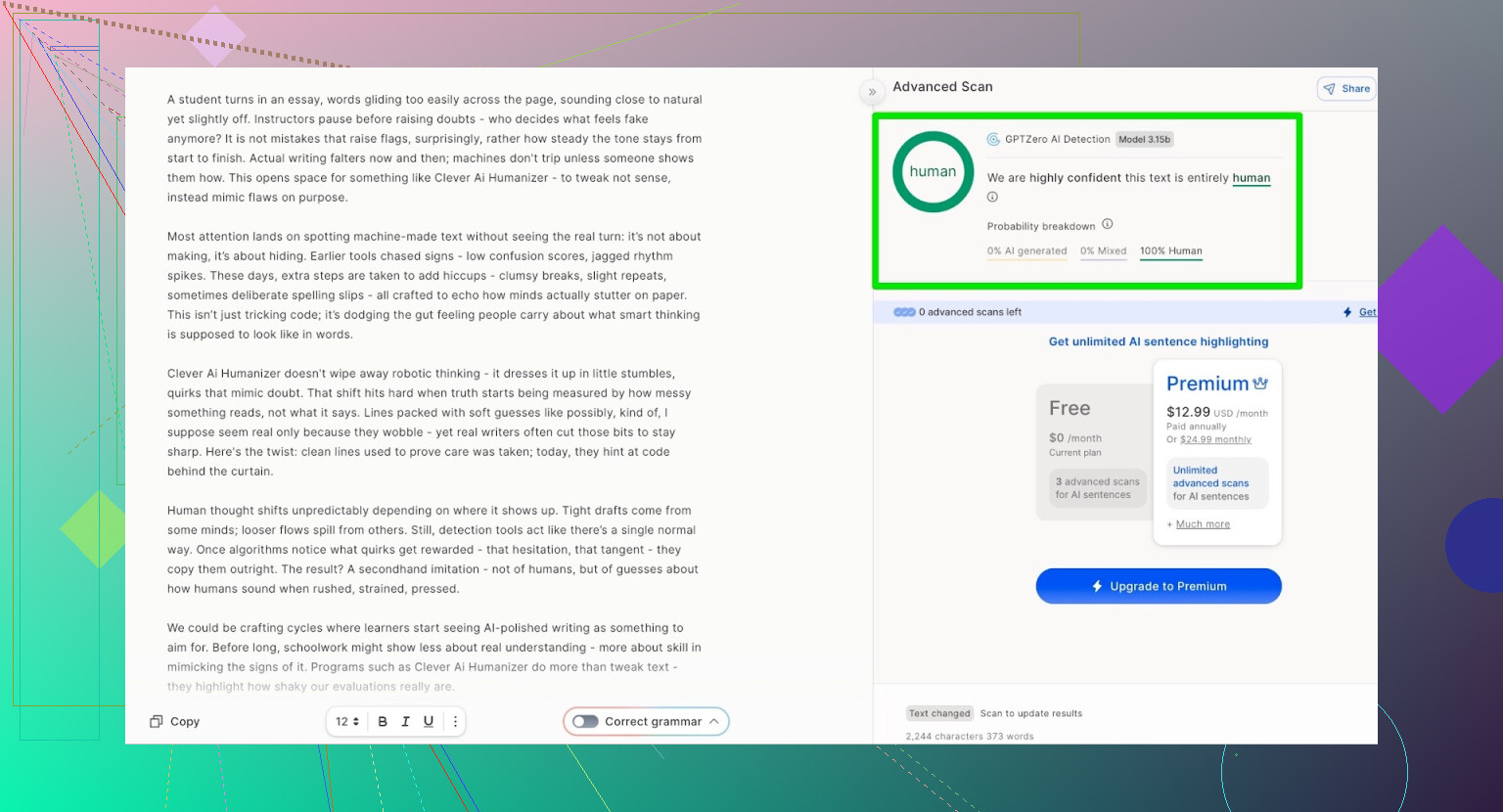
I ran the AI Writer output through:
- GPTZero
- ZeroGPT
- QuillBot’s AI detection
Results:
- GPTZero: 0% AI
- ZeroGPT: 0% AI, 100% human
- QuillBot: 13% AI
Honestly, that is a pretty decent spread, especially for something that is both writing and humanizing on the fly.
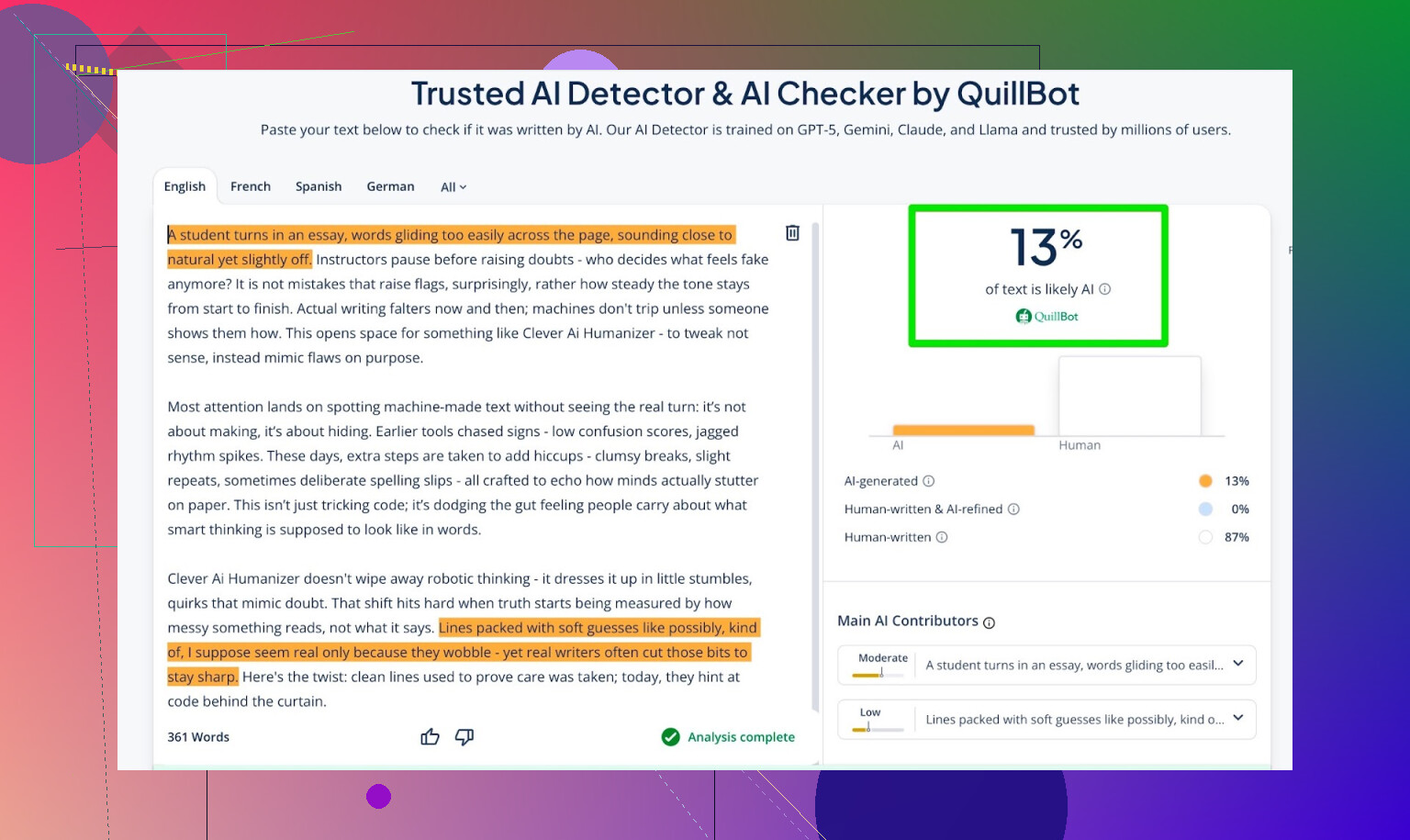
What ChatGPT 5.2 Thought About The AI Writer Output
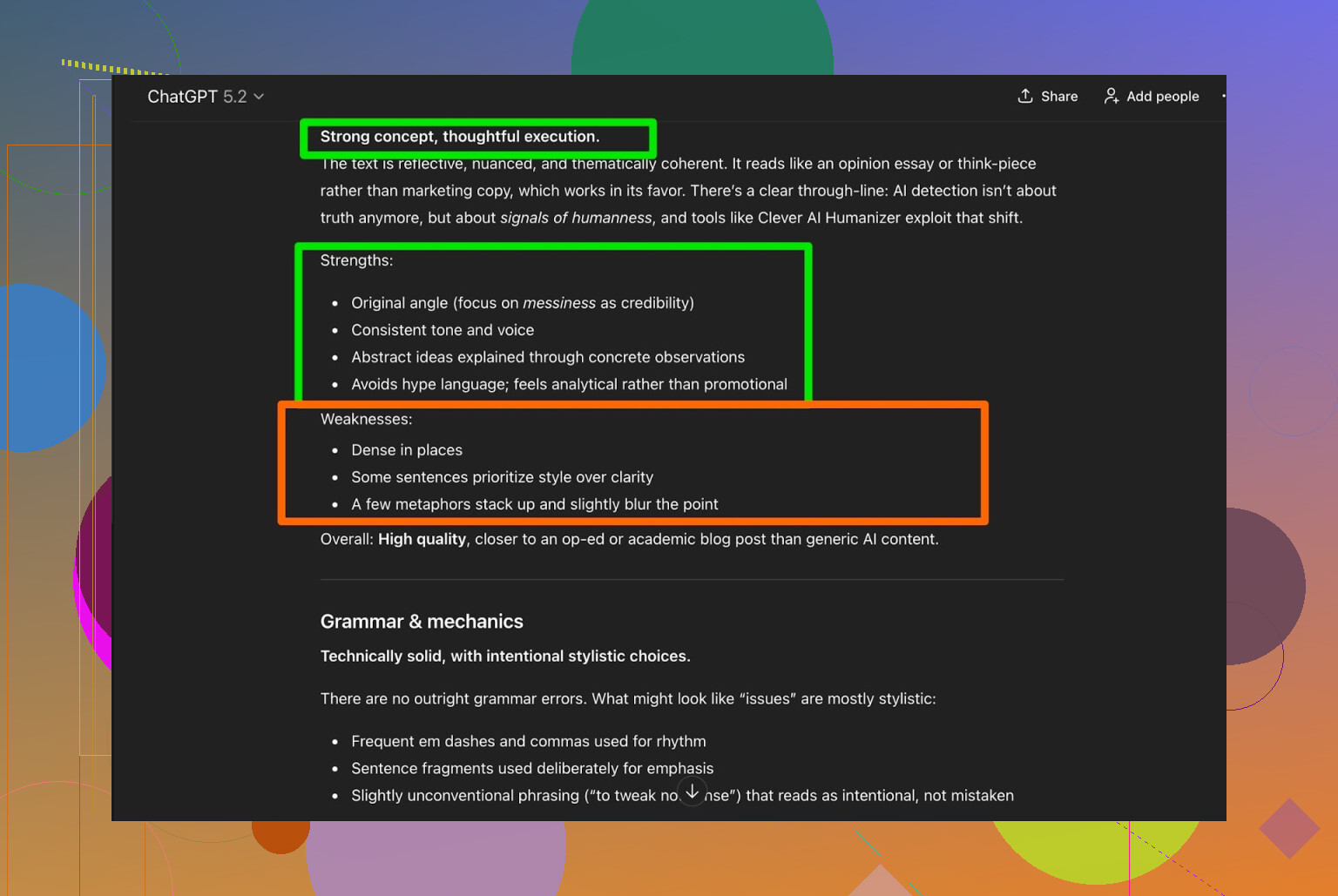
Next test: I gave that AI Writer output to ChatGPT 5.2 and asked if it thought a human wrote it.
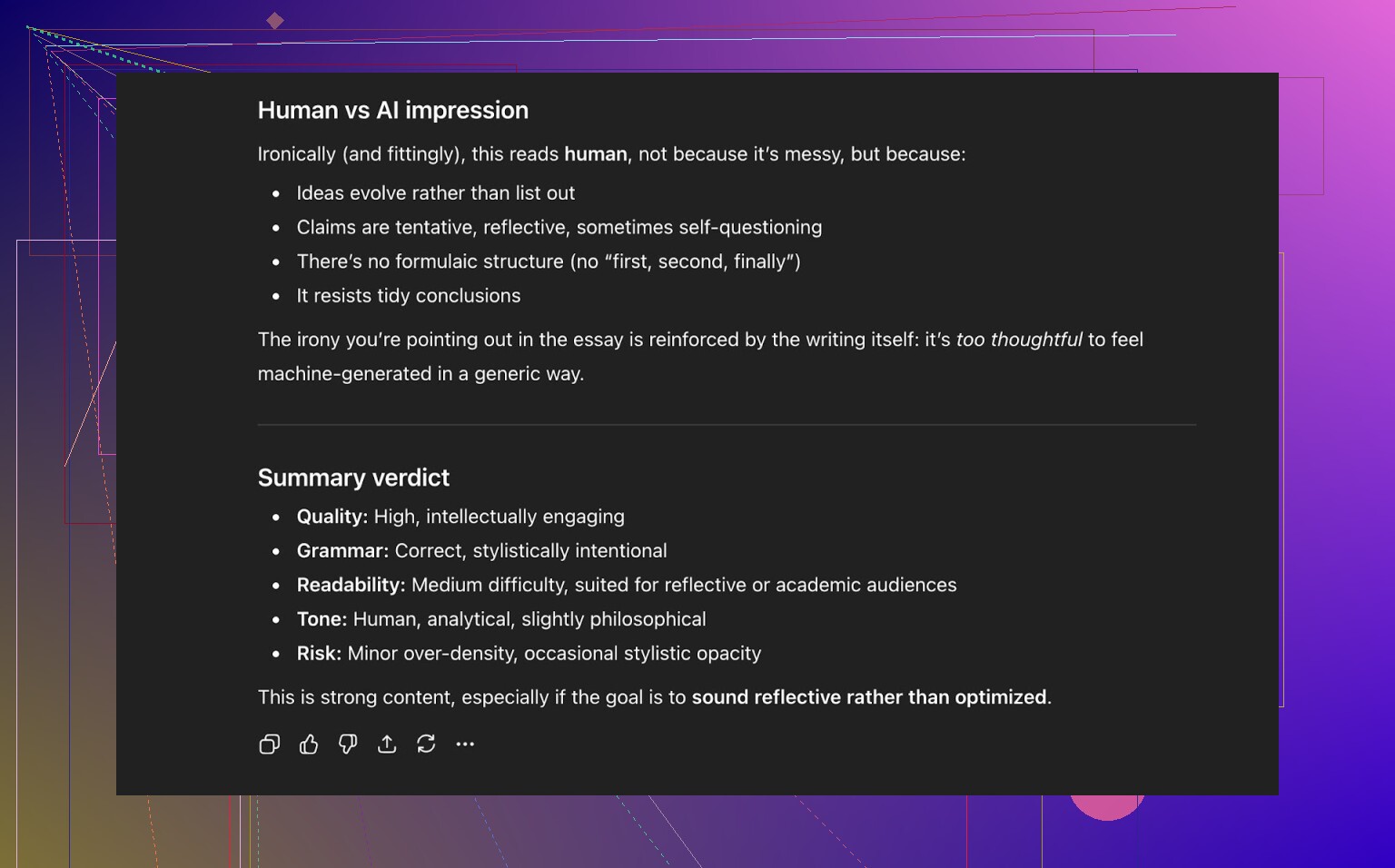
Its take:
- Overall: strong quality
- Readability: feels human-written
- It did not flag it as obviously AI-generated
So at that point, Clever AI Humanizer had:
- Passed the 3 main public detectors I used
- Also “fooled” a modern LLM into reading it as human-like
How It Stacked Up Against Other Humanizers
Based on my own runs, Clever AI Humanizer did better than:
-
Free tools like:
- Grammarly AI Humanizer
- UnAIMyText
- Ahrefs AI Humanizer
- Humanizer AI Pro
-
And several paid tools like:
- Walter Writes AI
- StealthGPT
- Undetectable AI
- WriteHuman AI
- BypassGPT
Here is a rough comparison from one of my test rounds:
| Tool | Free | AI detector score |
| ⭐ Clever AI Humanizer | Yes | 6% |
| Grammarly AI Humanizer | Yes | 88% |
| UnAIMyText | Yes | 84% |
| Ahrefs AI Humanizer | Yes | 90% |
| Humanizer AI Pro | Limited | 79% |
| Walter Writes AI | No | 18% |
| StealthGPT | No | 14% |
| Undetectable AI | No | 11% |
| WriteHuman AI | No | 16% |
| BypassGPT | Limited | 22% |
So in that specific test set, Clever AI Humanizer had the lowest AI-detection percentage out of the whole list.
Again, different prompts can give different results, but pattern-wise it was consistently near the top in my runs.
Where It Falls Short
Is it “perfect”? No.
Based on everything I saw:
- It does not always hit exact word counts
- It sometimes alters the content more than you might want, not just rephrasing but reshaping structure
- Some LLMs will still flag parts of the text as likely AI-generated if you push into more formal or technical territory
- There are still subtle pattern echoes that feel “AI-ish” if you read a lot of this stuff daily
Quality-wise:
- Grammar: honestly around 8–9/10 in my experience
- Readability: flows well, no obvious forced errors
- Style: not robotic, but sometimes a little too “clean”
Big plus: it does not do the silly “forced typo” trick a lot of tools lean on, like changing:
- “I have to do it”
into - “i had to do it”
just to spray some artificial messiness for detectors. Those hacks can help you dodge a score, but if a human reads it, they can tell something weird is going on, and it is not always worth the trade.
Even when you get a clean 0 / 0 / 0 across detectors, the writing can still feel off. There is this underlying rhythm you start to pick up after you see enough AI-edited stuff. It is subtle, but it is there.
This is just how this space works: detection tools get better, humanizers respond, detectors retrain, and the loop repeats. Total cat-and-mouse setup.
So, Is Clever AI Humanizer Worth Using?
If you are looking for:
- A free AI humanizer
- No subscription walls
- Something that performs better than most free tools and even some paid ones
Then yeah, Clever AI Humanizer is absolutely worth trying.
Just keep these points in mind:
- Always do a human edit afterward
- Do not rely on detector scores alone to decide if your text is “safe”
- Be aware that tools and detectors both change constantly
Right now, for a zero-cost option, it is one of the strongest I have tested.
Extra Reddit Stuff If You Want To Dive Deeper
If you want more comparisons and proof screenshots from other people:
-
General “best AI humanizer” thread with detection screenshots:
https://www.reddit.com/r/DataRecoveryHelp/comments/1oqwdib/best_ai_humanizer/ -
Specific Clever AI Humanizer review thread:
https://www.reddit.com/r/DataRecoveryHelp/comments/1ptugsf/clever_ai_humanizer_review/
Use whatever tool you want, but do not skip the final step: read your text like a human, for a human.
9 Likes
I’ve used Clever AI Humanizer on/off for about a month for blog drafts and some “don’t-trip-the-detector” test runs, so here’s the less-polished, non-marketing version.
Short version: it’s actually decent, but you still need a brain and 5–10 minutes of editing. It’s not some magic invisibility cloak.
What I’ve seen in real use:
1. Bypassing AI detectors
- On my side it passes a lot of the public detectors most of the time:
- GPTZero: usually “likely human” or 0–5% AI on casual or “bloggy” text
- ZeroGPT: regularly spits out human or near-human
- Random in-house university checker I tried: mixed, sometimes flagged parts as AI-ish, especially on formal/technical topics
So yeah, it can bypass AI detectors, but not in some invincible way. If a school or company is using a custom or stricter detector, you can still get pinged. I disagree a bit with the vibe that it’s consistently “top of the pile” in every scenario: in very formal academic stuff, my results were more 50/50.
2. How “natural” it sounds
- Casual, conversational content: actually really solid. Reads like a slightly over-polished but normal human.
- Longform or highly technical: it starts sanding off nuance. It likes to:
- Over-simplify things
- Smooth out distinctive phrasing
- Occasionally re-order points so the flow feels generic
You can tell it is avoiding the obvious AI patterns, but sometimes that also strips out what made the original text “yours.” So if you have a strong voice, you’ll need to put some of that back in afterward.
3. How much it changes your content
This part might annoy you:
- It doesn’t just lightly paraphrase. In a few of my tests it:
- Collapsed two paragraphs into one
- Re-ordered sentences
- Softened stronger claims or specific wording
That’s great for detector evasion, but bad if you need tight alignment with the original (client copy, legal-ish stuff, graded assignments). You cannot just humanize it and submit blind. I had one piece where a key qualifier got lost and it kinda changed the meaning. Caught it only because I re-read.
4. Word counts & control
Agree with @mikeappsreviewer that it’s not precise on length. If you’re in a “500 words ± 10% or lose marks” situation, this is not a set-and-forget tool. I often had to trim 10–20% and reshape some paragraphs to meet exact specs.
5. Compared to other tools I’ve tried
Quick subjective stack rank from my own use:
-
Clever AI Humanizer
- Best mix of “passes detectors” + “still readable” so far
- Especially good on blog / email / casual essay style
-
Undetectable AI / StealthGPT
- Sometimes passed detectors, but the text felt kind of bloated or weirdly repetitive. I’ve even had stuff come back more AI-looking to a human reader.
-
Simple paraphrasers (QuillBot etc.)
- Easy to spot as AI by both humans and detectors in my tests. Not even close.
So no, it’s not flawless, but it is the one I actually keep coming back to instead of uninstalling or forgetting about.
6. Realistic use cases where it worked for me
Worked well for:
- Draft blog posts where I don’t care if the structure shifts a little
- LinkedIn-style “thought pieces” that needed to sound less obviously GPT
- Email templates that felt too robotic and needed loosening
Was more risky for:
- Uni-level essays with strict rubrics
- Technical documentation where exact wording matters
- Anything where you’re signing your real name under academic integrity rules
And yeah, I’m going to say the quiet part: if you are trying to use this to cheat on coursework or submit AI writing as “your own” in a high-stakes environment, you’re playing roulette. Detectors evolve, institutions mix tools, and “it passed ZeroGPT once” is not a defense.
7. My bottom-line take
-
Does Clever AI Humanizer bypass AI detectors?
Often, yes, especially public ones and on casual content. -
Does it keep content sounding natural?
Mostly. Sometimes too clean or generic, but not obviously robotic unless you push it into very formal/technical stuff. -
Is it worth using?
For a free tool with no signup or subscription, yeah, I’d recommend trying Clever AI Humanizer before paying for anything. Just treat it as a drafting & smoothing step, not a “press button, instantly undetectable, no consequences” solution.
If you do try it, my workflow that’s actually held up is:
- Generate draft in your main AI.
- Run it through Clever AI Humanizer.
- Read it out loud and edit like it was written by a slightly boring coworker:
- Put your own tone back in
- Fix any logic that got mushed
- Check key facts and claims
That combo has been way safer and more human than relying on the raw humanizer output.
Tried it for about a week on real stuff (client blogs + one “don’t get flagged” test for a corporate LMS), so here’s my take without rehashing what @mikeappsreviewer and @jeff already broke down.
1. Does it actually bypass detectors?
Short answer: often, but not in a “I’m invincible now” way.
- Public tools like ZeroGPT / GPTZero: same story as theirs, I got mostly “likely human” or low AI scores on:
- Casual blog posts
- Opinion-style content
- Internal checker at a company (no idea what they use under the hood): mixed. One piece sailed through, another got flagged as “partially AI-influenced.”
So yeah, Clever AI Humanizer helps, but if someone is using a serious internal system or combining tools, you’re still rolling dice. If you’re trying to dodge academic integrity tools, I honestly think that’s just asking for trouble.
2. How natural does it sound?
This is where my experience diverged a bit from what others said:
- For short content (emails, 300–500 word posts), it was very usable. I barely had to touch sentence structure, just tweak tone.
- For longer stuff (1.5k+ word articles), it started feeling… samey? Paragraphs read fine in isolation, but the whole piece had this uniform “polite blogger” voice that didn’t feel like me anymore.
I wouldn’t call it robotic, but it definitely irons out quirks. If your writing voice is part of your “brand,” you’ll need to re-inject that manually.
3. How much does it mess with your original meaning?
This is the part that bugged me more than it did @mikeappsreviewer:
- It sometimes softens or blurs specifics.
- I had one case where a strong comparison (“X is worse than Y in scenario Z”) turned into a vague “X and Y both have tradeoffs.” That’s not harmless; it changed the actual point.
So if accuracy matters, you can’t just skim. You have to compare side by side at least once or twice to see how it tends to warp your content.
4. Speed & practicality
Stuff I liked:
- No signup, no credits, no “you hit your monthly limit” popup.
- The UI is simple and doesn’t bury you in sliders and nonsense.
Stuff I didn’t:
- It’s not great at honoring word counts, same as others mentioned.
- On one long piece, it felt like it over-condensed sections. I’d rather have it err on “too long” than quietly delete nuance.
5. Compared to other “humanizers” I’ve used
Not going to repeat the full tool list, but I’ll say this:
- Basic paraphrasers: worse both for detection and readability.
- Some paid tools: slightly more “human-feeling” in certain cases, but they also gave me more obviously broken sentences and awkward phrasing.
Clever AI Humanizer hits a pretty sweet middle: it’s free, text is generally clean, and detectors often chill out. That combination is why I still use it. It’s not magic, just practical.
6. Who it actually suits
I’d recommend Clever AI Humanizer if you are:
- Polishing AI-written blog posts, newsletters, LinkedIn content.
- Trying to make ChatGPT output feel less obviously “chatbotty” before clients see it.
- OK with doing a real human edit after.
I would not trust it blindly for:
- Academic work where you’re signing honor code policies.
- Legal, medical, or any “exact wording matters” content.
- Anything where you can’t afford a subtle shift in meaning.
7. TL;DR
- Yes, it can and often does bypass common AI detectors.
- Yes, it generally keeps content natural, but it can flatten your voice and sometimes blur specifics.
- No, it’s not a one-click “undetectable forever” solution.
Use Clever AI Humanizer as a drafting and polishing tool, not as a get-out-of-jail-free card, and it’s honestly one of the better free options out there right now. You still need to read, think, and fix stuff yourself, tho.
I’ll skip the detector screenshots and testing ritual others already covered and just boil it down to how it behaves in practice, plus some tradeoffs.
Quick take on Clever AI Humanizer
If your goal is “make AI text less obvious and more readable without wrecking it,” Clever AI Humanizer is actually one of the few free tools that feels usable day to day. I agree with @mikeappsreviewer that, for zero cost, it punches above its weight, but I’m a bit closer to @techchizkid in how cautious I’d be for anything high stakes.
How “human” does it feel?
What I noticed in multiple pieces:
Pros
- Reads smoother than raw LLM output, especially if your starting text is stiff or repetitive.
- It avoids the fake-typo gimmick that many “humanizers” use, which keeps it more professional.
- For casual and light academic tones, it usually stays coherent and grammatically intact.
Cons
- It tends to normalize everything into a very similar “clean internet writer” voice. If you have a strong personal style, you will lose some of it.
- On technical or strongly opinionated content, it can soften claims or blur edges, like @techchizkid mentioned. That is a real problem if nuance matters.
So yes, it helps with naturalness, but you pay by doing a pass to reinsert your tone and tighten your points.
Bypassing detectors in the real world
Others already proved it can get low or “human” scores on popular public checkers. Where I slightly disagree is on how much to trust that.
From what I have seen:
- Public detectors: often fooled, especially on mid‑length blog content.
- Enterprise or proprietary setups: hit or miss. When detectors are tuned to a specific domain or writing pattern, you should assume they can still notice heavy AI involvement.
If your risk tolerance is low (grades, compliance, legal), relying on a humanizer at all is a bad strategy, no matter how “clever” it is.
Pros & cons of Clever AI Humanizer
Pros
- Completely free at the time of writing, with no credit system.
- Output is generally clean and readable, better than simple paraphrasers.
- Built‑in writer + humanizer combo is convenient for quick drafts.
- Performs competitively with tools mentioned by @jeff and @mikeappsreviewer, including some paid ones, especially on detector scores.
Cons
- Word count control is unreliable, which is a dealbreaker for strict academic or client specs.
- Can reshape structure and soften statements, so factual or argumentative pieces require close comparison.
- Voice flattening over longer pieces; a 2k‑word article can sound a bit uniform.
- Detection landscape is moving; what works today is not a guarantee a month from now.
When I would use it vs avoid it
Good use cases
- Turning obviously AI‑ish drafts into something more readable for blogs, newsletters, internal docs.
- Cleaning up quick marketing copy before handing it to a human editor.
- Reducing “AI tells” in low‑risk content where you still have time to revise.
I’d avoid it for
- Academic submissions where AI use is restricted.
- Legal, medical, financial or policy documents where wording precision matters more than detector scores.
- Any situation where you cannot afford to manually reread line by line.
How it compares in practice
Compared to what @jeff and @mikeappsreviewer described, my verdict is similar but slightly more conservative:
- Clever AI Humanizer is one of the better free options to improve readability and lower obvious AI signals.
- It is not a one‑click invisibility cloak and can subtly change meaning, especially in more complex writing.
Used as a drafting and polishing tool, with human review baked in, it is genuinely useful. Used as a “press button and forget it” solution to beat detectors, it is a liability.