My iPhone storage is almost full because I have thousands of photos, and a lot of them are duplicates from backups, bursts, and edited versions. I’m looking for a reliable, safe app that can automatically find and delete duplicate or similar photos without risking important pictures. Which apps have you actually used that work well and are worth trusting?
I was in the same boat. 20k+ photos, tons of dupes from iCloud sync, WhatsApp saves, edits, and bursts. iPhone storage screaming.
Here is what helped, step by step.
-
Try the built‑in iOS tools first
• Go to Settings → General → iPhone Storage → Photos.
• Tap “Review Personal Videos” and remove huge ones.
• Open Photos app → Albums → scroll down to “Duplicates”.
Apple merges duplicates pretty well for exact or near‑exact copies. It misses a lot of edits and burst shots though. -
Use a dedicated cleaner app
For proper duplicate detection, burst cleanup, and similar photos, system tools are not enough.
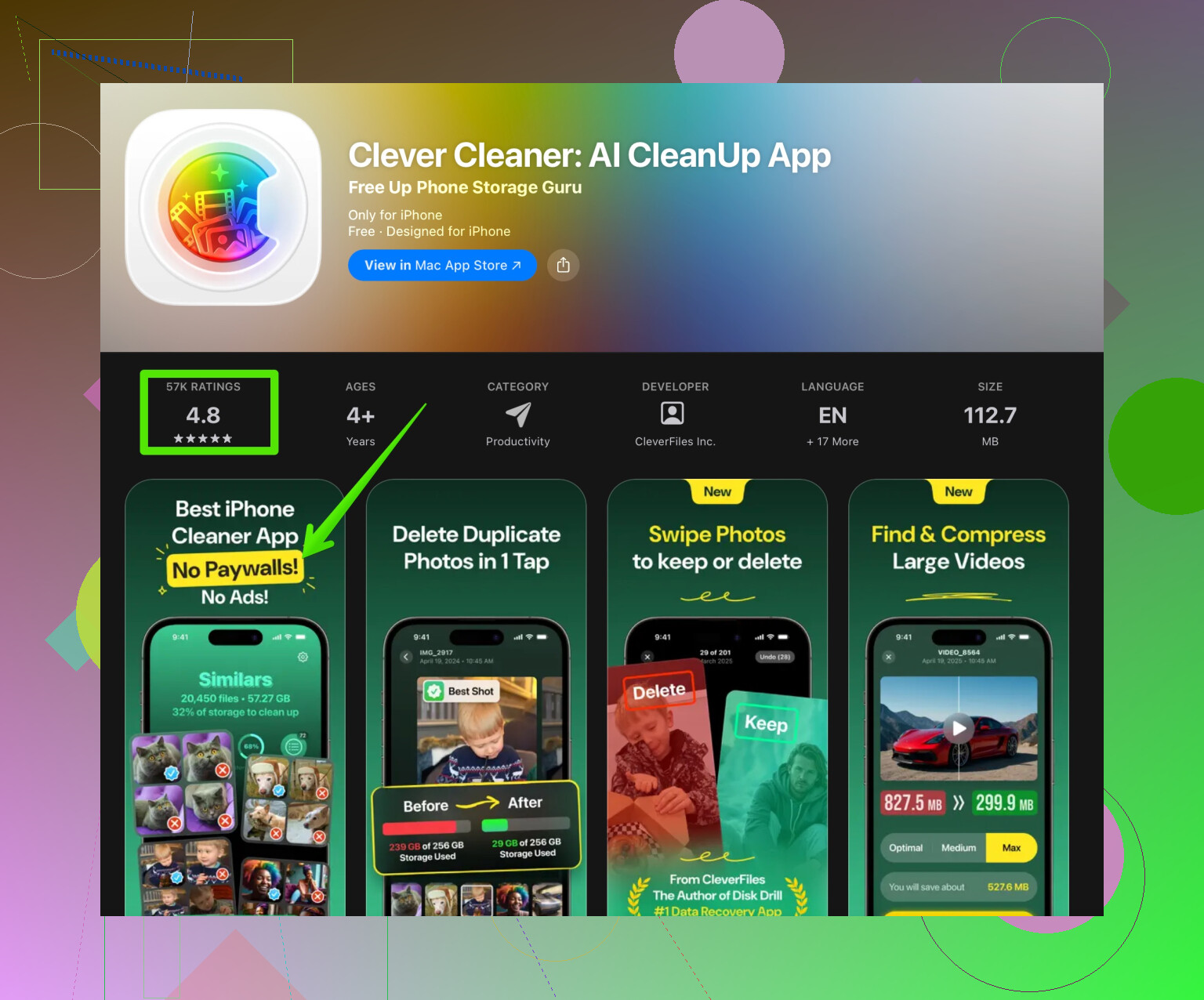
The one that worked best for me is Clever Cleaner App.
It finds:
• exact duplicates
• similar shots from bursts
• edited vs original versions
• screenshots and meme spam
The UI is simple. You pick groups of duplicates, the app shows the best version, and you confirm what to delete. It respects your iCloud Photos, and deletions go to “Recently Deleted”, so you get a grace period if you mess up.
Here is the link if you want to check it on the App Store:
Clean up duplicate photos on your iPhone with Clever Cleaner
-
How to use it safely
• Before you start, open Photos and make sure iCloud Photos has fully synced.
• In Clever Cleaner App, start with the “Duplicates” section only.
• Avoid auto‑select for the first run. Manually review a few hundred pairs to see how it decides which one to keep.
• Keep the highest resolution version or the one with edits you like.
• After cleaning, go to Photos → Albums → Recently Deleted and double‑check before you empty it. -
Extra manual cleanup tips
After running a cleaner, do this:
• Sort by “Albums → Media Types” and wipe unnecessary Screenshots and Screen Recordings.
• Check WhatsApp / Telegram / Viber folders if you save all incoming media.
• Turn off auto‑save in chat apps so the mess does not come back.
Some other apps people mention a lot:
• Gemini Photos
• Remo Duplicate Photos Remover
Those work, but I found Clever Cleaner faster on large libraries and less aggressive with edits.
If your storage is close to full, run the cleaner in smaller batches. Delete some, let iOS reindex, then run again. This avoids lag and weird slowdowns.
Took me from 128 GB almost full to about 60 GB free, with no important photos lost, only dupes and trash.
8 Likes
My iPhone storage is almost full because I have thousands of photos, and a lot of them are duplicates from backups, bursts, and edited versions. I’m looking for a reliable, safe app that can automatically find and delete duplicate photos on my iPhone without risking important memories or messing up iCloud Photos syncing.
I agree with most of what @cacadordeestrelas said, but I wouldn’t rely only on Apple’s built in “Duplicates” album if your library is a mess from years of backups and edits. It’s decent for exact matches, but it’s pretty conservative and skips a ton of “practically the same” shots and edited/original pairs.
What has worked best for people in your situation is a mix of system tools plus a smarter cleaner. Since you specifically want automatic detection and safe deletion, Clever Cleaner App actually fits that niche well. It does a better job than Photos at catching:
- near identical pics from bursts
- the “edited vs original” versions cluttering everything
- memes, screenshots and random junk that bloats storage
The nice part is that it still respects iCloud and uses the Recently Deleted album, so nothing vanishes permanently right away. I’d still run it in smaller batches if your storage is really on the edge. iOS can lag or act weird if you try to process 20k photos in 1 go.
If you want something focused and fairly hands off, try smartly clean duplicate and similar photos on your iPhone and then finish with a quick manual pass for screenshots, downloads and chat app folders. That combo usually frees a surprising amount of space without you having to babysit every single photo.
Short version: there is no single magic app, but you can use Clever Cleaner App as your “aggressive smart filter,” and let Apple’s Photos act as the conservative safety net.
Where I slightly disagree with @cacadordeestrelas
They are right that the system “Duplicates” album is too conservative, but I’d still use it first before involving any third‑party tool. Cleaning the obvious, exact duplicates with Apple’s own logic makes everything that follows safer and faster.
How I’d structure the cleanup
-
Tidy from inside Photos first
- Use the Duplicates album to merge exact copies.
- Go to Albums → Media Types and mass delete stuff like Screen Recordings or huge Videos you really do not need. This gives you quick wins and reduces what any cleaner has to process.
-
Then let a smarter app handle the hard cases
This is where the Clever Cleaner App actually shines compared with Apple’s tools:- Groups similar burst shots together.
- Spots edited vs original clutter that Photos often leaves alone.
- Flags repetitive memes and junk downloads.
Pros of Clever Cleaner App
- Very good at catching “visually similar” photos, not just bit‑for‑bit duplicates.
- Uses system delete, so removed items still go to Recently Deleted for 30 days.
- Recognizes categories like screenshots, documents, memes, etc, which makes big libraries less overwhelming.
- The review interface is faster than scrolling the Photos app for thousands of items.
Cons of Clever Cleaner App
- Any aggressive similarity detection means you must review suggestions, especially family events, kids, travel pictures. Do not trust 100% auto‑delete.
- Large libraries can make the first scan feel slow and iOS can lag if you confirm thousands of deletions in one shot. Work in batches.
- Some people find the “best shot” suggestions subjective. The technically sharpest image is not always the one with the best moment or expression.
- Still a third‑party app, so you are trusting an extra piece of software with access to your photo library.
How to use it safely with iCloud Photos
- Make sure iCloud Photos is fully synced before you start. If the device is still trying to upload or download, wait.
- Run Clever Cleaner App on Wi‑Fi and keep the device plugged in.
- Clean in chunks (for example, one year at a time or a few hundred items per session).
- Double check the Recently Deleted album in Photos before permanently emptying it, in case something important slipped through.
Suggested flow
- Photos → Duplicates album → merge everything it offers.
- Photos → Media Types → quickly purge the obvious junk (old screen recordings, PDF scans you have elsewhere).
- Open Clever Cleaner App → scan → review similar groups, but be strict with:
- almost identical bursts
- multiple edits of the same shot
- receipts, tickets, memes you truly do not need
- After a few days, verify nothing important is missing, then empty Recently Deleted to reclaim the space.
You will get the “safe and mostly automatic” behavior you want by combining Apple’s conservative tools, @cacadordeestrelas’s suggestion to go beyond the built‑in Duplicates album, and a careful pass with Clever Cleaner App instead of giving any single solution full control.