I’m a freelance model trying to cut costs on frequent studio shoots, especially for simple headshots and portfolio updates. I keep seeing super realistic AI headshots and I’m wondering if they’re good enough to stand in for some traditional photos. Has anyone here actually replaced part of their portfolio with AI-generated shots?
For people who model, studio sessions used to be the only serious option if you wanted clean headshots. Neutral background, proper light, consistent framing, all that. I have been seeing a shift the last year or so. Not a total flip, more like part of that workflow quietly moving into apps.
By 2026, AI headshot tools started to feel less like toys and more like something you could lean on between real shoots. Not for full campaigns or signed test shoots, but for the boring in-between stuff that still matters.
The catch is simple: you need a good generator. Most of the “AI photo” apps look cheap or over-edited, with weird skin and plastic eyes. Those are useless for modeling. The few that focus on realistic light, structure, and face consistency tend to be the only ones worth opening.
Where AI headshots helped my modeling workflow
Here is where this type of thing made sense for me and a few friends who model part-time:
-
Digitals / polaroid-style pics
When agencies or clients want something quick, they often ask for simple front / side shots with minimal makeup. I used to rush and take them against a white wall with window light. Now I use AI outputs that look like I did a basic studio pass, as long as I keep the styling plain and avoid crazy concepts. -
Portfolio refresh without a full shoot
If your last shoot was months ago and your look changed a bit, you sometimes need fresh headshots for online comp cards or portfolio sites. AI portraits help fill that gap so you do not always need to book a studio for a few basic headshots. -
Testing looks
I have used AI portraits to try different hair lengths, lipstick intensity, even eyebrow shape. It is not perfect “this is exactly what you would look like” science, but it helps you decide if a new cut or vibe is worth committing to before you ask a stylist. -
Agency submissions and small castings
Some online castings or micro brands want a couple of headshots but do not care if it is from a major photographer. Clean, realistic AI portraits got accepted without any pushback, as long as I stayed honest about my measurements and did not alter bone structure or body.
One app that worked better than I expected
Out of a bunch of apps I tried, Eltima AI Headshot Generator ended up being the one I kept using:
The marketing talks about business headshots, but I ignored the text and tested it specifically for model-style portraits.
What made it usable for modeling was not the corporate presets, but two pack types that translate decently into fashion or beauty work:
-
Her Portraits packs
These lean toward soft, clean beauty shots. Think controlled light, flattering but not crazy glam. I used these for images that feel close to beauty or editorial headshots. -
Studio Portrait packs
Plain backgrounds, balanced light, minimal props. These outputs land near what you get from a basic studio headshot session, provided your source selfies are neutral.
Here is what the pipeline looked like for me.
I uploaded 1 to 3 simple selfies. Straight-on, natural expression, no strong filters. The app built a face model from those, then I generated multiple portraits from the Her Portraits and Studio options.
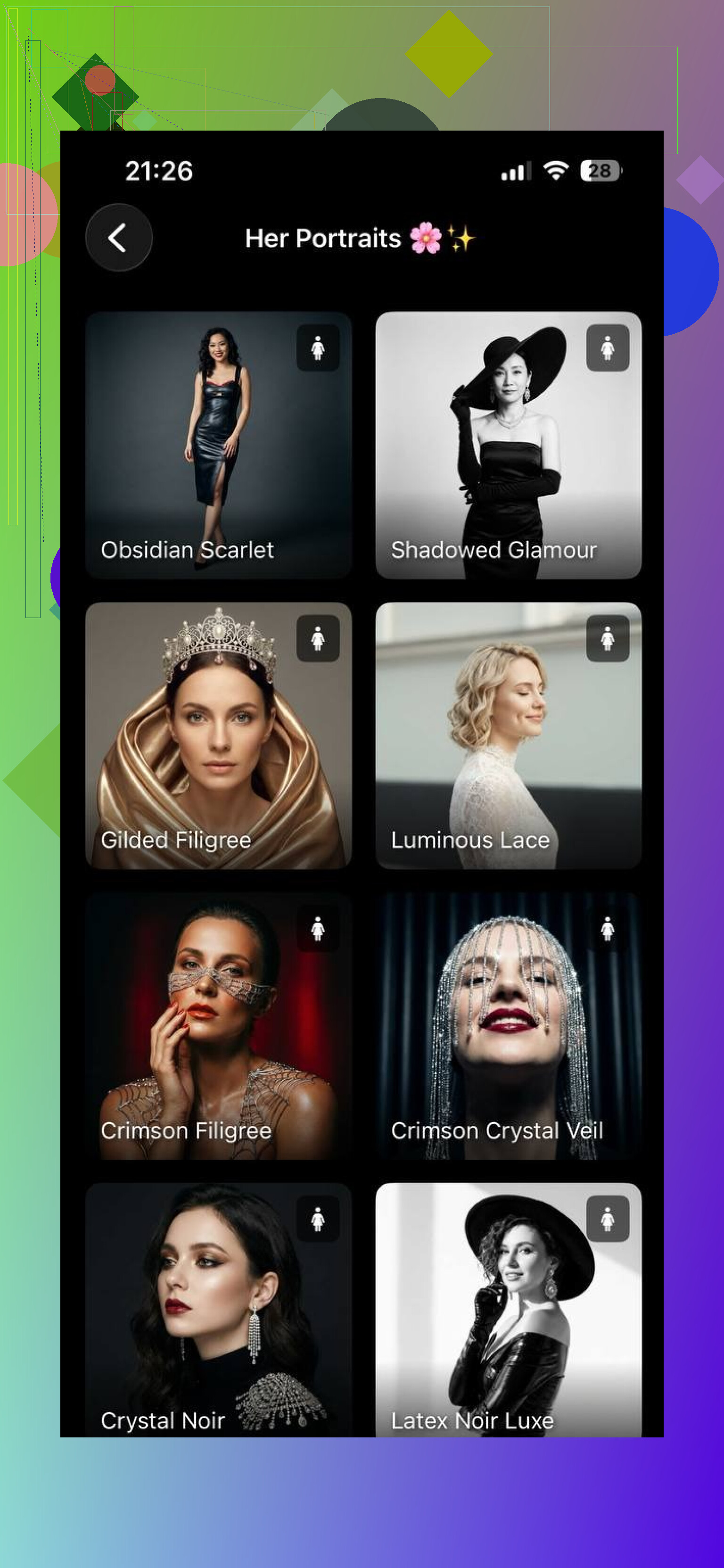
The key part, at least for modeling, was how well it held facial structure. Cheekbones, jaw, nose shape stayed mine. It did not swap me into a different person. That matters, because agencies hate misleading images.
From there, I iterated settings until I got a few that looked like:
• Polished but not over retouched
• Faithful to my bone structure
• Clean light without harsh color grading
Another sample output looked like this:
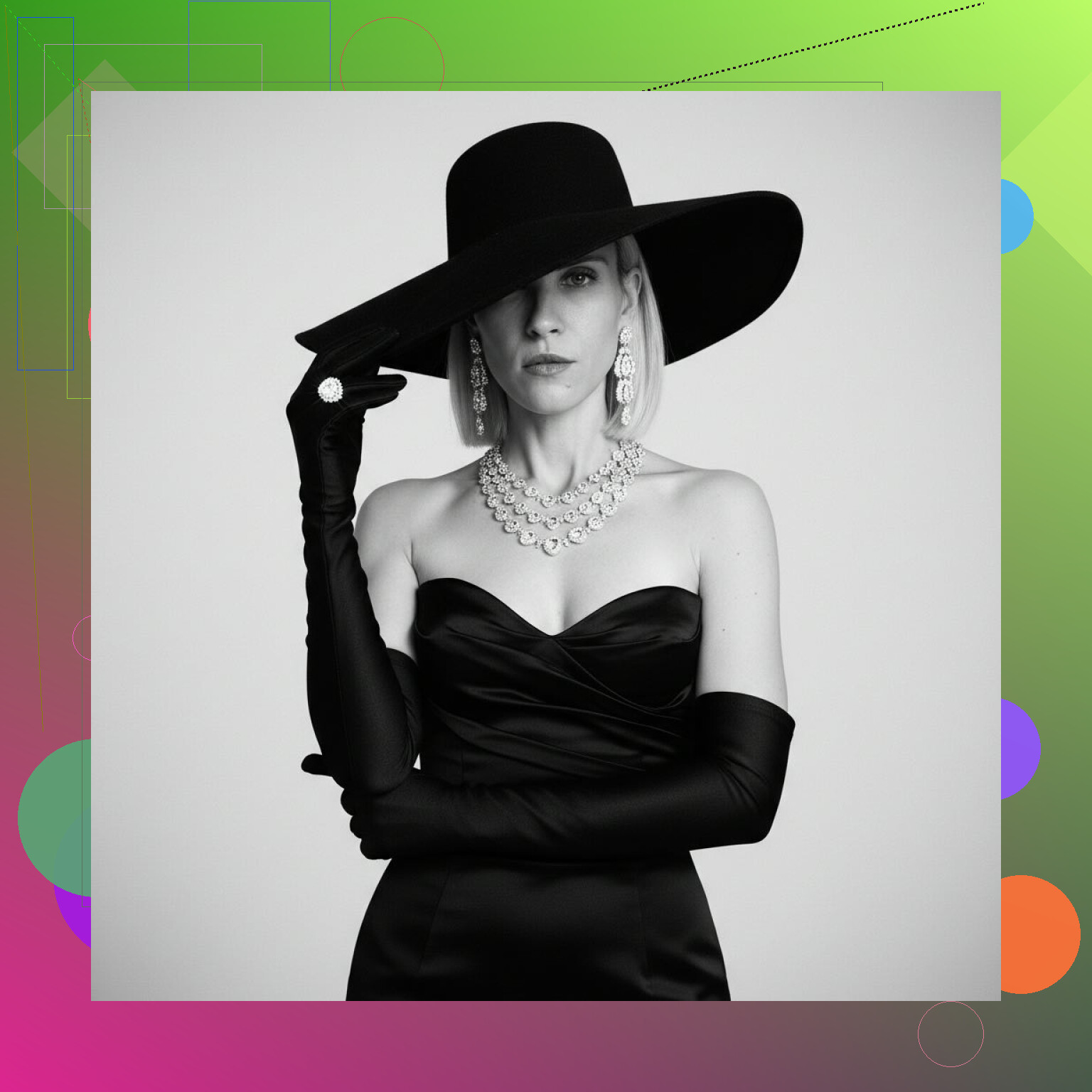
Where these AI portraits fit in a model’s toolkit
These are the use cases where the results slotted in well for me:
-
Extra portfolio images
I use them as supporting shots on sites that require multiple headshots. Real photos from paid shoots stay at the top, AI goes lower, or in sections labeled as “concept” or “test looks.” -
Updating digitals between real shoots
If my hair length or color changed and I did not have a new studio session yet, I generated updated tight headshots that match my current face more than the old photos do. -
Mood or test-style photos
For planning future shoots, I send AI-generated looks to photographers as mood references. Things like “roughly this framing, this vibe, this makeup intensity.” It saves time in pre-production.
Activities where AI still falls flat
I tried to stretch it and hit limitations fast. Helpful reminder that this is not a replacement for real shoots when there is money or long term portfolio impact on the line.
Here is where AI has not worked for me or people I know:
-
Full-body work
Posing, weight distribution, hands, feet, clothing folds, all of that gets weird fast. AI tends to glitch joints, distort fingers, or make clothes behave in ways fabric never does. Agencies still ask for real full-body digitals and test shots. -
Motion and runway style images
Walking, turning, jumping, hair movement, fabric flow, those things expose AI artifacts. Human photographers understand timing and angles in a way these tools do not. -
High level editorial or commercial campaigns
Jobs that pay well need original content. Brands expect unique sets, styling, and lighting. That is where studios and photographers stay mandatory. -
Agency-mandated test shoots
Most agencies I have seen require you to work with specific photographers at least sometimes. They want coherent lighting, consistent posing, and proof that you know how to work in front of a camera. AI outputs do not satisfy those requirements.
My rough verdict after testing
If you are wondering if AI headshots can replace traditional studio portraits for models, my take from using Eltima and a few other tools is:
Yes, for some situations. No, for anything serious or body-heavy.
With a solid generator like Eltima AI Headshot Generator, available here:
I have been able to create:
• Studio-style close-up portraits using the Studio Portraits packs
• Fashion and beauty-leaning portraits with the Her Portraits packs
I use them to:
• Patch gaps between professional shoots
• Refresh online headshots when my look changes
• Test hair and makeup directions before booking a team
• Submit for lower stakes online castings that accept digital uploads
For high stakes work, real photographers still run the show. For daily maintenance of your modeling presence, AI portraits are more like a background tool. Not the face of your whole portfolio, but a practical add-on that keeps things from going stale when you do not have a shoot booked every month.
7 Likes
Short answer for modeling work. No, AI will not replace your pro studio shots. It will only reduce how often you need them.
Where AI headshots work ok for a freelance model:
-
Low stakes online castings
Smaller brands, UGC gigs, student projects. If they only want a couple of clean headshots, good AI portraits often pass. Keep your face shape accurate. No fake jawline or nose fixes. -
Filler images on portfolio sites
Put real photos at the top. Use AI in a “test looks” or “concept” section lower down. Some clients scroll quick and only want to see your current vibe and hair color. -
Fast “my look changed” updates
You dye your hair or cut bangs. Instead of booking a studio just to prove it, run a few AI headshots that match your current setup. Replace anything that feels old or off. -
Mood boards with photographers
Use AI to show makeup, framing, or light ideas. Treat it like a visual note. Then shoot real images once you and the photographer agree on direction.
Where I disagree a bit with @mikeappsreviewer:
I would not use AI for digitals or polaroids unless an agency expressly says they do not care. A lot of agencies and casting directors want simple phone shots. They look for skin texture, proportions, and how you handle bad light. AI smooths or “fixes” things in ways you do not always catch.
Full body is a hard no, totally agree there. Hands, clothes, small asymmetries, all go weird fast.
Practical way to mix both and cut costs:
• Keep doing real test shoots, but less often.
• After each real shoot, build an AI model while you look the same. Use that AI model for a few months to keep your online stuff updated.
• Once your look shifts a lot, schedule another real shoot. Reset the cycle.
Watch for these red flags in AI outputs:
• Eye reflections look off or “dead”.
• Skin has a waxy blur or fake pores.
• Neck length, ear size, or jaw width change from image to image.
• Makeup or lashes appear impossible to recreate.
If any of that shows up, do not send those to clients or agencies.
So yes, use AI as a gap filler and planning tool. Keep real studio photos as the base of your book and your digitals. That balance saves money without annoying clients or agencies.
Short version: AI can help you spend less on shoots, but it should never be the “face” of your book.
I’m mostly on the same page as @mikeappsreviewer and @sternenwanderer, but I’d tweak the strategy a bit.
Where AI can actually save you money:
-
Social & “presence maintenance”
Use AI for:- IG profile pics, stories covers, TikTok thumbnails
- Website banner / “about me” photo
These places just need “recognizably you” and clean. Nobody’s zooming in for skin texture.
-
Concept / character looks
Instead of hiring a photog every time you want:- “Clean beauty with short fringe and red lip”
- “Stronger brow, slightly darker hair, very simple light”
Generate a few AI looks, send them to photographers / MUAs to say: “I’m thinking roughly this.” That cuts a lot of test-shoot experiments you’d otherwise need.
-
Niche casting platforms
Some low‑budget or UGC platforms barely look at photos beyond “does this human match the vibe.” For those, 1–2 well-done AI headshots can substitute another paid studio refresh, as long as:- Bone structure is yours
- Hair color and length are current
- No fantasy skin, no beauty filter madness
Where I’m stricter than both of them:
-
Anything where someone is hiring you as a body in space
If they’re checking:- Features
- Skin condition
- Proportions
- How you read in real light
Then AI is a trap. Even subtle “improvements” (smooth under-eyes, cleaner jawline, tighter nose) can bite you. Casting directors notice the mismatch instantly in real life.
-
Your main book
I would not put AI anywhere near:- Your printed book
- The first 6–10 images on a serious online portfolio
That’s where your range and your work with real teams needs to show. AI has no chemistry, no movement, no proof you can hit poses without help.
-
Digitals / polas
I’m fully siding with @sternenwanderer here and going even harder: treat these as sacred.
If an agency or casting asks for digitals, give them:- Phone pics
- Natural light
- Front / 3/4 / side / full body
One slightly bad selfie can be more convincing than a “perfect” AI headshot.
Instead of “replace,” think “stretch your real shoots further”:
- After a good pro session, treat that look as a “season.”
- While your hair / face still match that season:
- Use those real images for anything serious
- Train an AI model off those + clean selfies
- Let AI handle “extra” content: social, concept mocks, low‑stakes castings
When your look shifts significantly:
- New cut, color, big body changes, major skin changes
- Book another real shoot
- Update your digitals
- Then refresh your AI model again
One thing I disagree on with both: I wouldn’t lean on AI for “portfolio refresh” in the classic sense. If by “portfolio” you mean the images agencies use to sell you to paying clients, that should be 100% real, just reordered and culled between shoots. AI works better as a side gallery:
- Label it “test looks” / “concepts”
- Or keep it on a separate, more experimental platform
Red flags that tell a casting director your shot is fake, even if they can’t verbalize it:
- Light in your eyes doesn’t match the background light direction
- Teeth texture looks like white plastic
- Hair edges blend into the background too perfectly
- Ears changing shape between images
- Neck / traps area slightly off from image to image
If you see any of that, bin the image for professional use. Use it for socials at most.
So yeah: AI can easily cut down how often you feel pressured to pay for “just a few new headshots,” but it should never be the foundation of your pro presence. Think of it like dry shampoo: buys you time, but you still need a real wash regularly.