I’ve been using Clever AI Humanizer to make my AI-generated articles sound more natural, but lately I feel like the overall writing quality might be getting worse—things seem less clear, a bit repetitive, and not really in my usual voice. I’m worried this tool might be over-editing or changing the tone in ways that could hurt SEO, readability, or even trust with my readers. Has anyone else run into this, and how do you balance using an AI humanizer without damaging content quality or ranking potential?
You want your stuff to not scream “hi I’m ChatGPT,” you find Clever AI Humanizer, and now you’re wondering if it actually does anything or if it’s one more “pay first, pray later” tool. I went down that rabbit hole, threw a bunch of AI text at it, sent the results through multiple detectors, and kept notes like a nerd. Here’s how it played out.
What Clever AI Humanizer Actually Is
Clever AI Humanizer, at a basic level, takes AI-written text (ChatGPT, Gemini, Claude, whatever) and rewrites it in a more human-like style: different rhythm, different word choices, less “AI monotone.”
Site: https://aihumanizer.net/
There’s also this writeup tied to it:
[https://www.insanelymac.com/blog/clever-ai-humanizer-review/[sc%20name=](https://www.insanelymac.com/blog/clever-ai-humanizer-review/[sc%20name=)
You paste text in, pick a style, click a button, and it spits out a reworded version that looks less like a generic chatbot and more like an actual person with a pulse typed it.
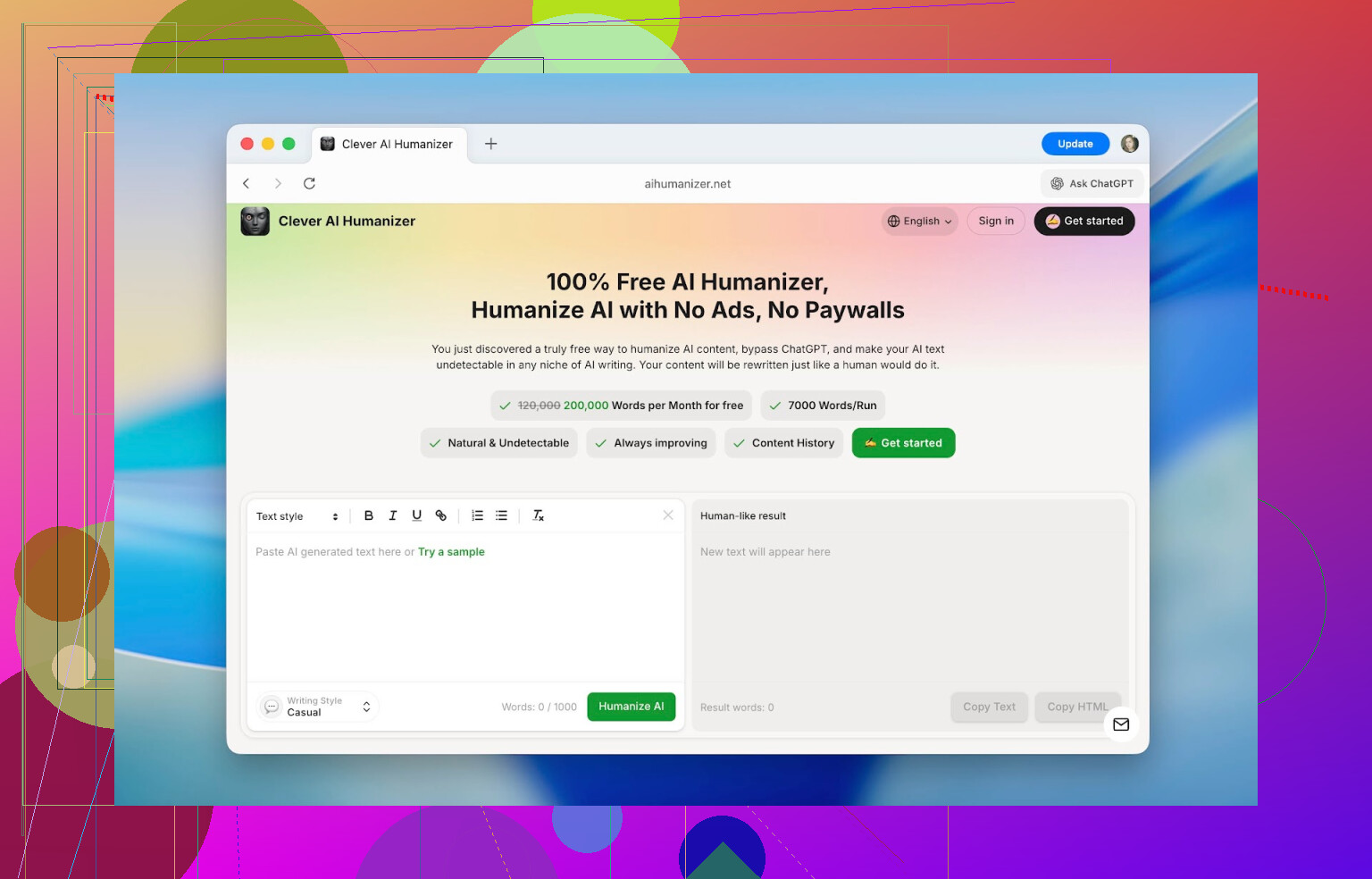
The first surprise: the interface isn’t janky. Most of these tools look like a weekend project someone abandoned. This one has:
- A clean split-screen editor
- Obvious “input” and “output” areas
- A visible word counter and daily usage tracking
No wandering around trying to figure out where the text goes or if you broke something.
The other thing: it’s free in a way that’s actually usable. You get:
- Up to 1,000 words per run
- Up to 7,000 words per day
- 4,000 without an account
- 3,000 more if you create a free account
So you can realistically push full essays, blog posts, and docs through it without hitting a paywall every 2 minutes.
Features That Actually Matter Once You Start Using It
I assumed it was just “basic paraphraser but with a cute name.” It’s a bit more than that, and a few details made a difference in real use.
1. Detection Score Drop Is Noticeable
I fed it very “obvious AI” text: literally first-try ChatGPT output, no edits.
Before humanizing, tools like ZeroGPT and other detectors flagged the text as 100% AI.
After running that same text through Clever AI Humanizer:
- I consistently got scores like 13%, 6%, sometimes even close to 0% on certain platforms.
No humanizer can promise permanent, universal “0% AI” across all detectors. They all use different logic and keep updating. But the drop was big enough that the output read very differently and was treated very differently by detectors.
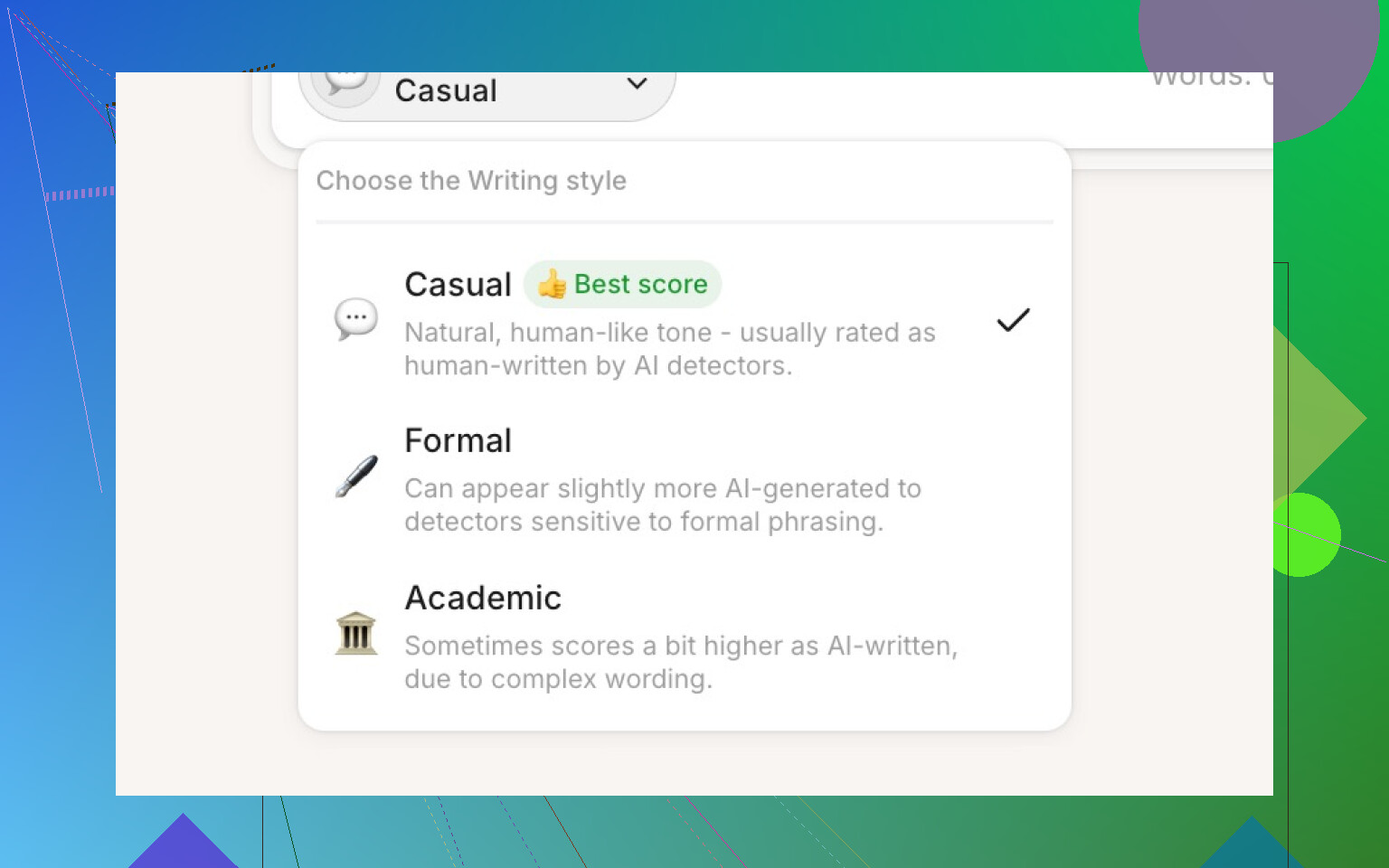
2. Different Writing Styles (And They’re Not Just Cosmetic)
You can choose between:
- Casual
- Formal
- Academic
The difference is obvious:
- Casual feels like normal conversation: lighter phrasing, more relaxed transitions.
- Formal tightens things up: more structure, fewer conversational fillers.
- Academic leans into research-style phrasing and more “paper-ish” language.
AI detectors did give slightly different scores by style, but usually only a 3–5% swing. I mostly stuck with casual during testing to save time and word quota.
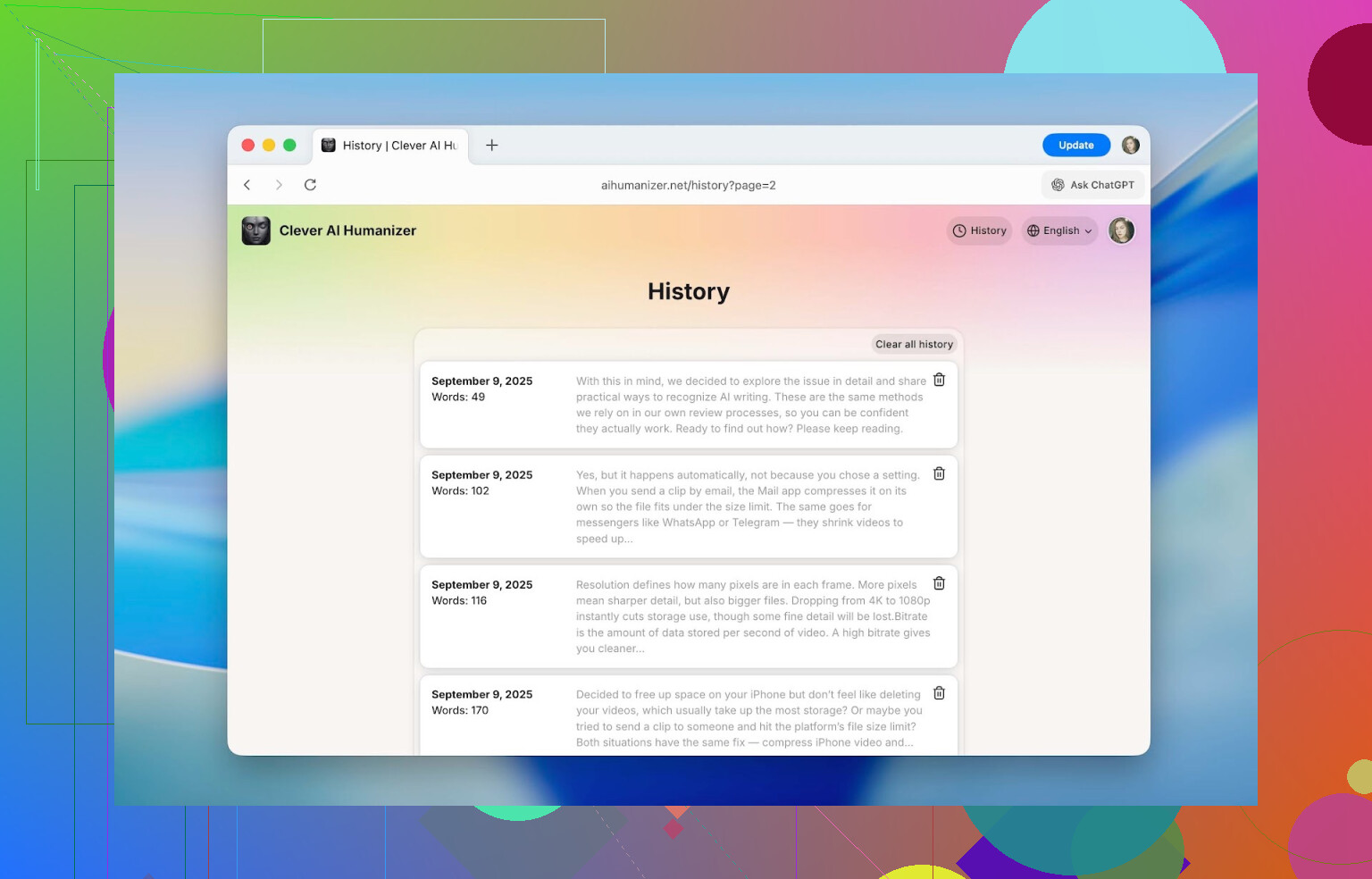
3. Built-in History (That Actually Keeps Stuff)
Once you sign in, there’s a history tab that logs:
- Date
- Word count
- A short text preview
While I was messing around, I could go back to runs from September and still see everything. It didn’t silently purge older items.
For class work, client stuff, long-term docs, this is actually useful because you can recover old versions without playing “which file was that again” on your hard drive.
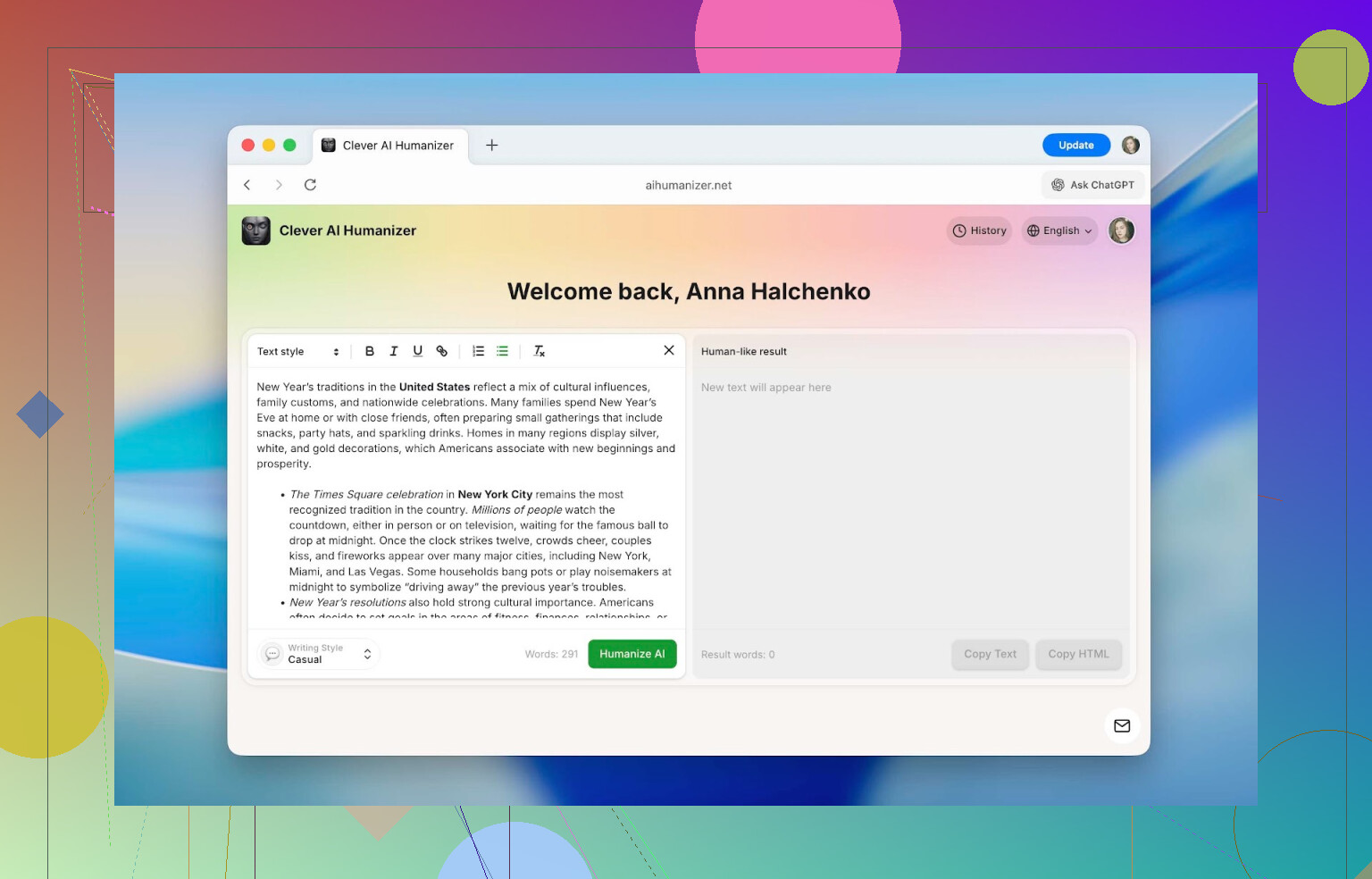
4. Formatting Survives The Rewrite
This one surprised me more than any “AI magic”:
Inside the editor, you can use:
- Headings
- Bold, italics, underline
- Links
- Bullet & numbered lists
And after you click Humanize AI, that formatting stays in the result. Then you copy it out and it’s still intact.
Most tools nuke your formatting and force you to redo everything. Here, if you’re working on:
- School papers with specific structure
- Reports with headings and sub-lists
- Internal docs with links and emphasis
You don’t have to format twice.
5. Multilingual Support
It works with multiple languages, not just English. That includes:
- French
- Spanish
- Italian
- German
- Dutch
- Portuguese
- Polish
and others
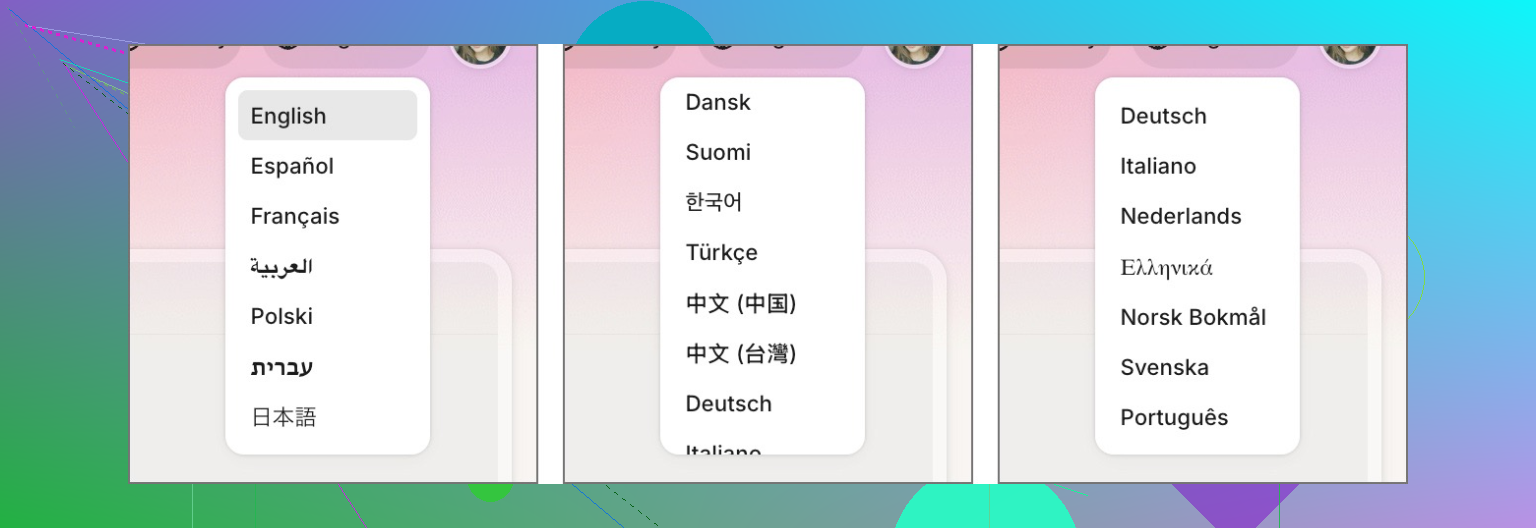
The UI itself can also switch languages, so you’re not stuck using browser translation if English isn’t your main language.
How To Use Clever AI Humanizer (Step by Step)
This part is more “here’s exactly what you click” rather than theory.
This section is not about how their internal model works technically. They don’t publish that, and I’m not cracking open anyone’s backend. This is strictly “user side” behavior.
Process is very simple:
-
Open the site:
https://aihumanizer.net/ -
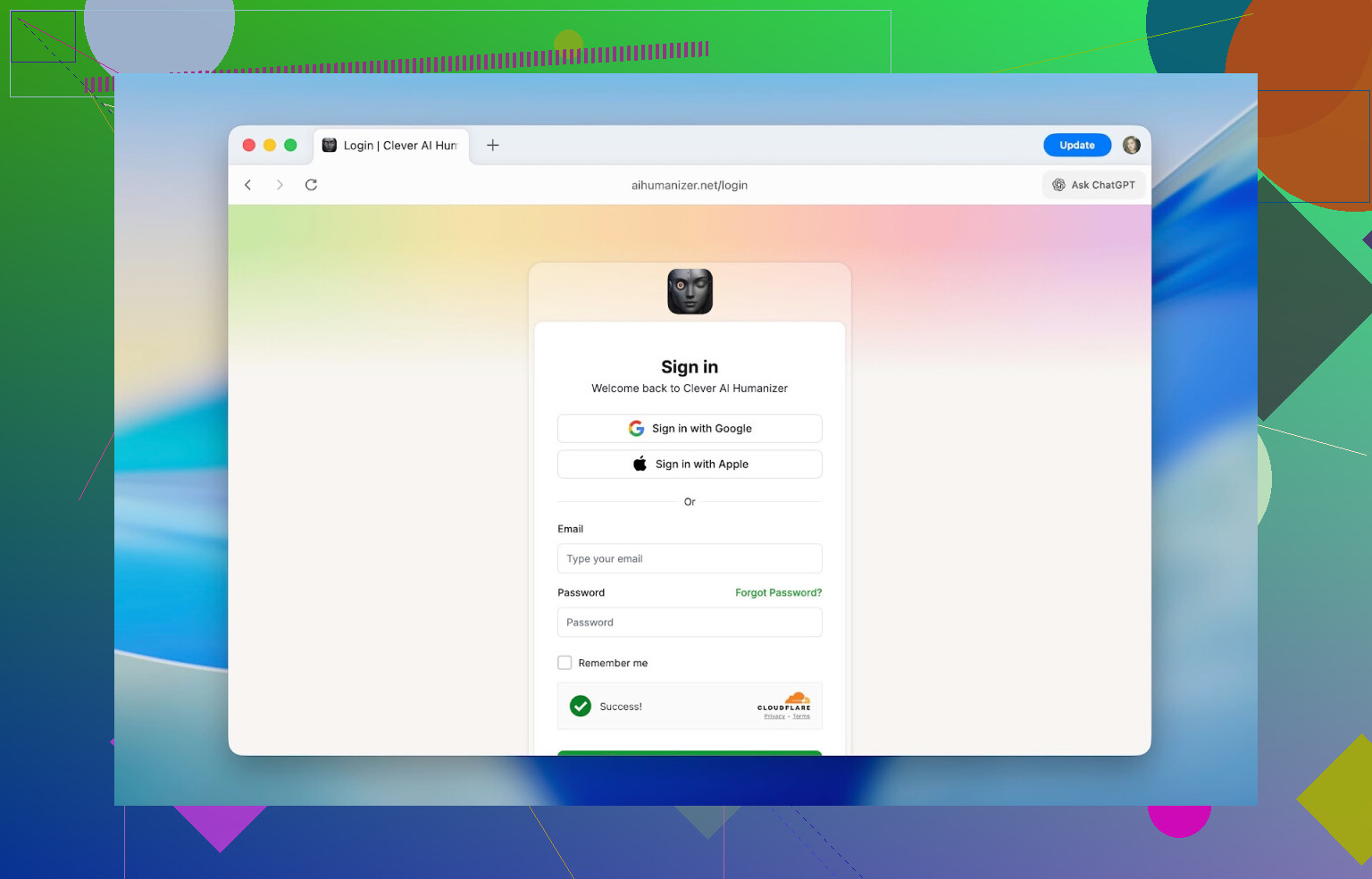
Optional but useful: click Sign In in the top right.
You can log in with:- Apple
- Email + password
Logging in gives you: - Extra daily word limit
- Full history of your previous runs
-
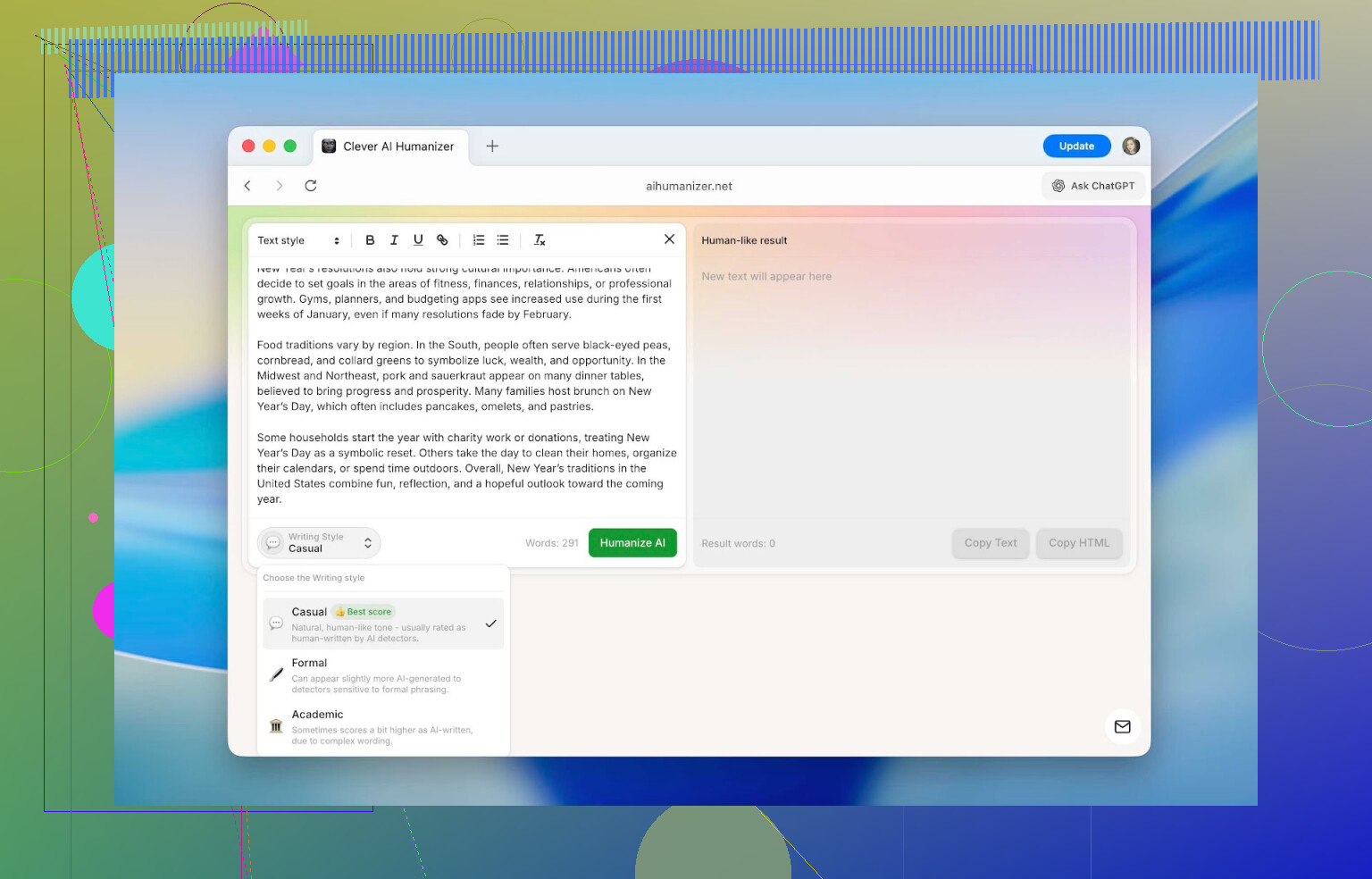
Paste your original text into the left pane. That’s your input area.
-
At the bottom, pick a style: Casual, Formal, or Academic, then hit Humanize AI.
-
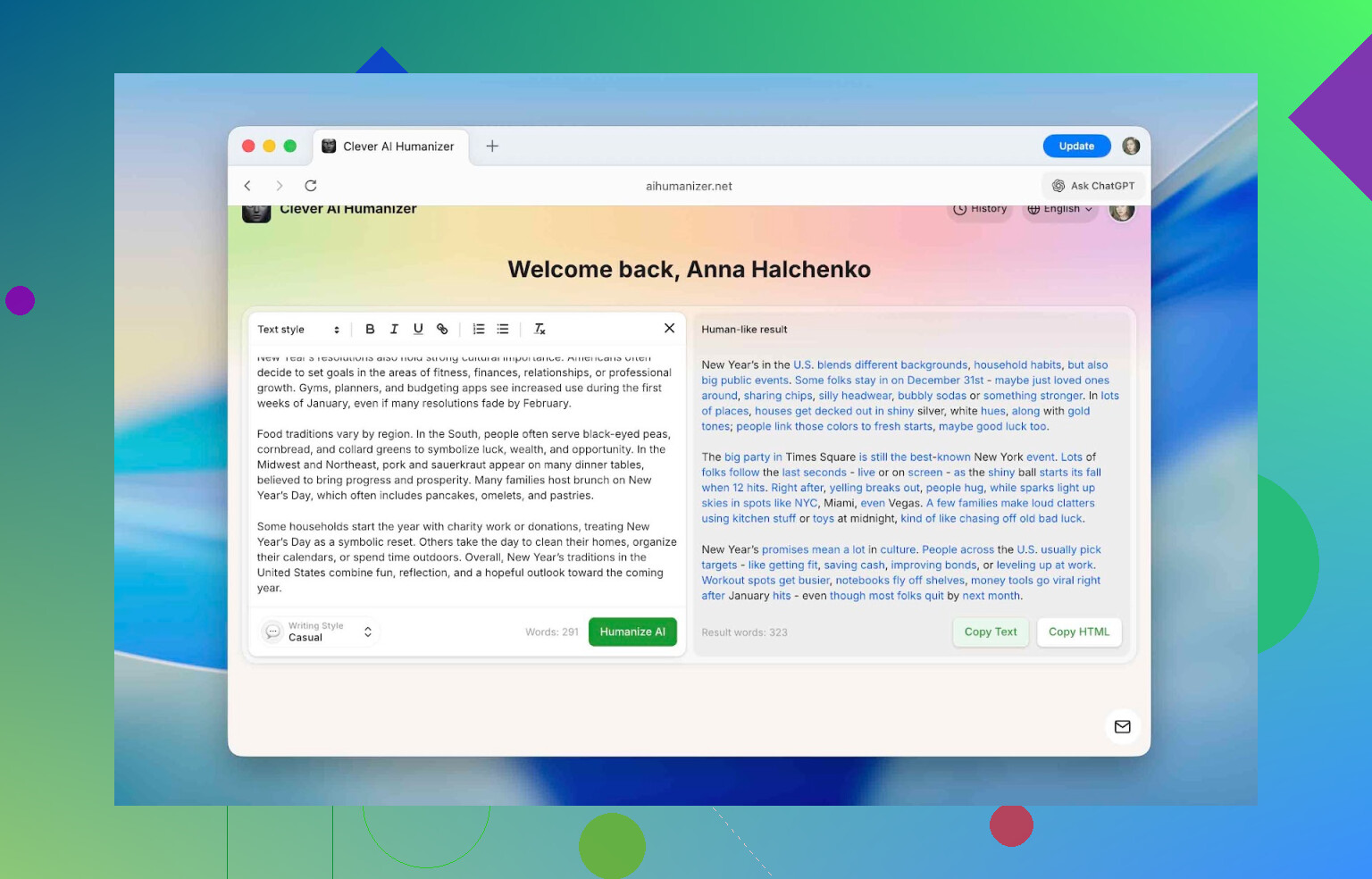
Wait a moment. The output pops up on the right side, with tweaks highlighted in blue. You can:
- Scan what changed
- Copy the result
- Drop it into your doc, post, or run it straight into a detector to check the score
If you’ve ever used a summarizer or translator web app, it’s the same level of complexity: paste, click, copy.
For more “under the hood” explanation from their side, they have this page:
https://aihumanizer.net/how-does-ai-humanizer-work
How Well Does It Hold Up Against AI Detectors?
This is what most people actually care about: does it help with AI detectors or not?
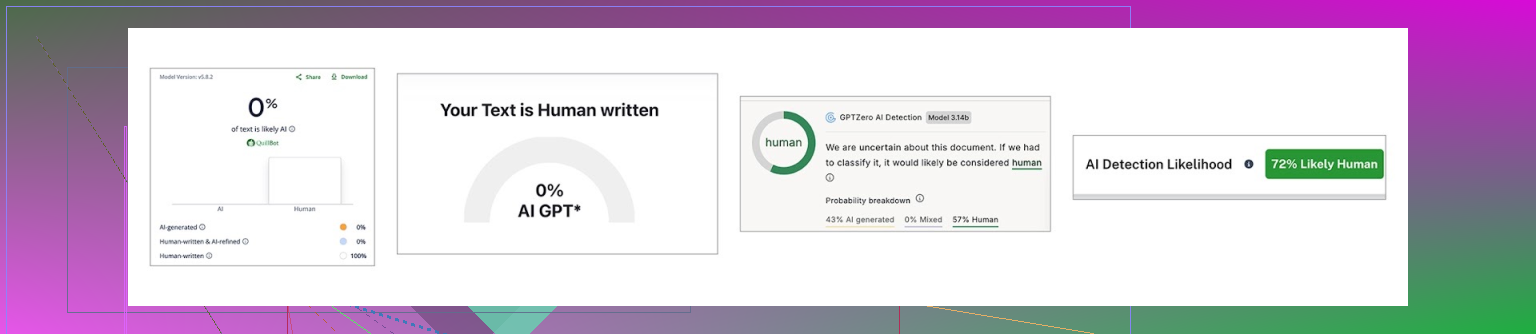
I tested it against these four:
- QuillBot AI Checker
- ZeroGPT
- GPTZero
- Undetectable AI detector
These are the ones that keep popping up in academic/office spaces whenever “AI checking” gets mentioned.
Testing Setup
Here’s exactly what I did:
-
Asked ChatGPT for a standard answer on a topic. Nothing fancy. Just the kind of answer most people would get on the first try.
-
Ran that raw AI text through all four detectors. They all flagged it as AI with very high scores.
-
Took that same text, passed it through Clever AI Humanizer in Casual mode. No manual edits.
-
Ran the humanized version back into the same four detectors.
Before vs After
| QuillBot | ZeroGPT | GPTZero | Undetectable AI | |
|---|---|---|---|---|
| Before, % | 98 | 100 | 100 | 90 |
| After, % | 0 | 0 | 43 | 27 |
So:
- QuillBot & ZeroGPT dropped to 0%
- GPTZero dropped to 43%
- Undetectable AI dropped to 27%
This tells me it’s not just randomly swapping words. It changes the structure and style patterns enough that many detectors stop tagging it as obviously AI. But notice the detectors don’t agree with each other. That’s important.
More about that detector inconsistency is mentioned here too:
[https://www.insanelymac.com/blog/clever-ai-humanizer-review/[sc%20name=](https://www.insanelymac.com/blog/clever-ai-humanizer-review/[sc%20name=)
Each detector:
- Uses different math
- Has different training data
- Looks for different signals
None of them can say “100% this was a machine” with absolute proof. At best they say “this looks like AI text.” Human context still matters.
Important Disclaimer
I don’t recommend using pure AI content for full-on graded assignments, research papers, or professional deliverables and pretending you wrote it. The test above used 100% AI text just to benchmark the tool.
A more reasonable workflow looks like:
- You write the bulk of the content yourself.
- You use AI to help with:
- Grammar
- Rephrasing
- Brainstorming or rough drafts
- Any parts heavily touched by AI get run through a humanizer so they blend better into your voice and don’t trigger every detector.
That way the piece is still yours in terms of substance and structure, and you just avoid having weird AI fingerprints all over the style.
How It Stacks Up Against Other AI Humanizers
I also wanted to see how Clever AI Humanizer compares when you throw it into the ring with the usual suspects.
The shortlist of tools I put it up against:
- Humanize AI
- Originality.ai Humanizer
- Undetectable AI Humanizer
- QuillBot AI Humanizer
- AI Humanize
- Decopy AI Humanizer
I didn’t overthink the selection. I basically did what any user would do: search for “AI humanizer,” open the top results, test the ones that actually let me.
To make it fair, I only used one detection tool for this comparison: ZeroGPT, since it’s free and easy to hit repeatedly.
I used the same ChatGPT-generated text from the earlier test, ran it through each humanizer, then checked the result in ZeroGPT.
Comparison Table
| Metrics | Clever AI Humanizer | Humanize AI | Originality.ai Humanizer | Undetectable AI Humanizer | QuillBot AI Humanizer | AI Humanize | Decopy AI Humanizer |
|---|---|---|---|---|---|---|---|
| Pricing model | Free | Light $19 / Standard $29 / Pro $79 | $14.95/month or pay-as-you-go $30 | from $19/month | $9.95/month | Basic $15 / Pro $25 / Unlimited $40 | Free |
| Monthly word limit | 210000 | 20000 | 200000 | 20000 | Unlimited | 15000 | Unlimited |
| Additional features | Formatting preserved, rewrite history, 3 tone modes | Humanization style | Plagiarism/AI detection, scan history, 4 tone modes, length control | – | Rewrite history | 8 tone modes, rewrite history | 8 tone modes, length control |
| Detection drop (ZeroGPT) | 0% | 100% | 100% | 17.76% | 65.12% | 53.74% | 62.4% |
A few notes:
- Some tools either have no real free tier or limit you so hard you can’t seriously test them without paying. In those cases, I used the lowest paid tier as the baseline, because nobody in real life uses a tool for long under “you get 300 words and that’s it.”
- In terms of what really matters for this specific category, it boils down to two things:
- How much does it lower AI detection?
- How much are you paying for that?
If you look at it that way:
- Clever AI Humanizer:
- Gave the lowest detection (0% in ZeroGPT in that test)
- Is fully free
- Undetectable AI Humanizer:
- Second-best detection drop
- But starts at around $19/month, and pricing scales with word count
The real shock here was:
- QuillBot AI Humanizer
- Originality.ai Humanizer
Both are big names with lots of marketing and paid plans, but their humanization output stayed nearly 100% detected as AI in the test. Which kind of defeats the whole point of using them to avoid detection.
If your priority is specifically:
- “I want my AI-assisted text to be less detectable”
- “I don’t want to pay a monthly sub if I don’t have to”
Then Clever AI Humanizer had the best tradeoff of cost vs result among everything I tried.
Where Clever AI Humanizer Actually Makes Sense To Use
People hear “AI humanizer” and immediately think “students cheating.” But it actually helps in a bunch of normal, non-shady scenarios where AI text just feels stiff or same-y.
Some examples where it fits:
- Fixing AI-sounding bits in:
- Essays
- Homework
- Reports
- Presentations
- Rewriting social posts:
- Instagram captions
- Threads posts
- TikTok / YouTube descriptions
- Cleaning up product listings so they:
- Sound less template-based
- Build more trust instead of “I copy-pasted from an AI”
- Adjusting website or blog content that started as AI drafts
- Polishing internal documents that were heavily AI-edited:
- Memos
- Guides
- Knowledge base entries
- Adapting:
- Guest posts
- Sponsored content
- Editorial submissions
so they don’t feel like generic AI sludge
In all of those, the goal isn’t “hide crimes,” it’s “make this sound like a person wrote it, not a generic model.”
Final Thoughts After Using It A Lot
After a decent amount of testing, here’s where I landed:
- The thing isn’t just marketing. It does significantly cut down AI detection rates across multiple checkers.
- It does that while being free, with a daily limit of around 7,000 words, which is enough for:
- Several essays
- Multiple articles
- A chunk of documentation
- Useful extras:
- History (saved runs)
- Three tone options
- Formatting preservation
It ended up sitting at the top of my own personal ranking of AI humanizers, which lines up with how it’s presented here as well:
[https://www.insanelymac.com/blog/clever-ai-humanizer-review/[sc%20name=](https://www.insanelymac.com/blog/clever-ai-humanizer-review/[sc%20name=)
If your aim is:
- “I use AI for help, but I want the final version to sound like me”
- “I don’t want detectors to instantly scream ‘Generated by a bot’ on heavily edited sections”
then it’s worth trying. Just don’t let tools fully replace your thinking. AI (and humanizers on top of AI) are best treated as assistants, not ghostwriters for your entire brain.
If you’ve messed with Clever AI Humanizer or similar tools, or you’ve had run-ins with AI detectors in school or work, you can drop your experience here:
https://www.insanelymac.com/forum/
That’s where a lot of people are comparing notes on what works, what doesn’t, and how aggressively different systems are scanning for AI in the first place.
11 Likes
Short version: yes, it can hurt your writing quality if you lean on it too hard or use it the wrong way, and what you’re describing (less clear, more repetitive, kinda mushy) is exactly what I’d expect when a “humanizer” is doing too much smoothing on top of already‑AI text.
A few key points, trying not to rehash what @mikeappsreviewer already covered:
1. You’re probably stacking AI on AI
Typical workflow I see:
- ChatGPT (or similar) writes an article
- Clever Ai Humanizer rewrites it to dodge detectors / sound “more human”
- You lightly skim and publish
That’s two algorithmic passes over something that was never truly your voice in the first place. The humanizer is not a “make this better” button. It’s a “change the pattern so it looks less like an AI wrote it” button.
Result:
Clarity and structure often get worse, even if detection scores get better.
If your original AI draft is already wordy and generic, Clever Ai Humanizer will just remix that wordiness. It doesn’t suddenly invent better arguments or tighter logic.
2. Why it feels repetitive and vague
Couple of likely reasons:
-
Aggressive paraphrasing
It keeps replacing direct, sharp phrasing with softer, longer formulations. That reads “more human” to detectors but “more fuzzy” to actual humans. -
Loss of topic focus
Paragraphs that were clear “A → B → C” sometimes come out as “A-ish → kinda B → maybe A again.” That’s where your “less clear” feeling comes from. -
Style mismatch
If your real voice is punchy and you’re using Casual or Academic mode, the output can feel bloated and repetitive compared to how you would actually say it.
This is where I disagree a bit with the mostly-positive angle from @mikeappsreviewer: yes, the tool works great for detection scores, but used blindly it absolutely can flatten tone and muddle meaning.
3. How to keep quality from nosediving
Concrete fixes that don’t involve uninstalling everything:
A. Use it sparingly, not on full articles
- Humanize only:
- Intro
- Outro
- A couple of “most AI-sounding” paragraphs
- Leave the rest as your own edited text.
This limits the damage while still lowering the “screams ChatGPT” factor.
B. Start from your draft, not pure AI
- Write a rough version yourself (even messy).
- Use AI to help tighten / expand specific sections.
- Then, if you really need it, run only those suspect sections through Clever Ai Humanizer.
When the backbone is yours, the humanizer has less chance to wreck coherence.
C. Switch your goal from “undetectable” to “readable”
Before and after humanizing, ask:
- Is the core point clearer or fuzzier?
- Are sentences longer for no reason?
- Did any concrete examples vanish?
If clarity dropped, undo that pass, or copy only the few sentences that genuinely improved. Treat Clever Ai Humanizer like a rewrite suggestion tool, not gospel.
4. How to check if it’s hurting your writing
Quick test on a single article:
- Keep your pre‑humanizer AI draft.
- Run a copy through Clever Ai Humanizer.
- Show both versions (no labels) to 2–3 people:
- Which is clearer?
- Which is more convincing?
- Which feels more like a real person?
If people prefer the original or say “they both feel like the same mush,” then the humanizer is not helping your quality, only your detector scores.
5. When Clever Ai Humanizer actually makes sense
Used in a reasonable way, it can be an asset:
- You’ve written something yourself, but one paragraph sounds robotic from heavy AI editing.
→ Paste just that into Clever Ai Humanizer and pick Casual. - You need your blog post to stop triggering AI detectors in bulk audits, but you’re willing to edit the output.
→ Humanize, then manually:- Re‑add your personal anecdotes
- Replace generic transitions
- Cut any padded fluff
That’s the sweet spot: it’s a tool to assist your editing, not a replacement for it.
6. If your stuff feels worse now than before
Honestly: if your writing felt clearer before you adopted Clever Ai Humanizer, then your instinct is probably right. Dial it back:
- Use it on 10–20% of an article instead of 100%.
- Keep a “before” and “after” file for each post and compare with fresh eyes the next day.
- Prioritize how it reads to a human over what any AI detector or marketing page says.
Clever Ai Humanizer is fine and can be SEO‑friendly for “make AI content sound human” type tasks, but it won’t fix weak structure or shallow ideas. That part is still on you.
If you treat it as a scalpel instead of a pressure washer, your clarity should bounce back pretty fast.
Short version: yes, Clever Ai Humanizer can absolutely trash your writing quality if you’re using it the way most people do.
What you’re feeling (muddier, more repetitive, less “you”) isn’t in your head.
@mikeappsreviewer went deep on how well it beats detectors, and @voyageurdubois already pointed out the “AI on top of AI” problem. I’d add a slightly different angle: you’re probably optimizing for the wrong metric.
You’re chasing:
- “Does it look human to detectors?”
Instead of:
- “Does it actually read well to humans?”
Those two goals conflict more than people want to admit.
A few specific ways Clever Ai Humanizer can hurt your stuff:
-
It smooths out edges that were actually good
Any strong, punchy sentence with personality is a statistical outlier. Humanizers and generic LLMs like to sand those down into safer, middle-of-the-road phrasing. So your article slowly becomes oatmeal. -
It inflates weak sections instead of fixing them
If a paragraph has a half-baked idea, Clever Ai Humanizer will not say “yo, this argument sucks.” It just rephrases it with more words. So the bad logic stays, but now it’s wrapped in extra fluff and transition phrases. You feel like there’s more content; there isn’t. -
It breaks your internal hierarchy
Good writing has clear weight: some sentences are blunt, some are elaboration, some are mini-summaries. Humanizers tend to normalize that hierarchy so everything sounds like a mid-level explanation. That’s where the “less clear” vibe creeps in. Your key points stop popping. -
Style drift across an article
If you’re running sections through Clever Ai Humanizer at different times, or using different tones, you end up with multiple mini-styles glued together. Readers don’t always consciously notice, but they feel it as “this is weirdly tiring to read.”
Where I slightly disagree with both @mikeappsreviewer and @voyageurdubois:
I don’t think the answer is just “use it sparingly” or “only on intros and outros.” For some people that still turns their work into AI salad, just in smaller chunks.
What has actually worked for people I’ve helped:
-
Use Clever Ai Humanizer as inspiration, not as final text
Run a paragraph through it, then:- Compare side by side
- Steal 1–3 phrasings or transitions you like
- Keep 80–90% of your original structure
Sounds dumb, but this flips it from “rewrite engine” to “idea generator,” and your clarity survives.
-
Set a hard rule: your draft must be worse than the tool’s
If your raw paragraph is already:- Clear
- Concrete
- In your natural voice
and Clever Ai Humanizer turns it into something more generic, you just…don’t use its version. A lot of people treat its output as “official” by default, which is backwards.
-
Do a “human sanity check” instead of an AI-detector check
For one or two articles, ignore detectors completely.
Ask 2 human readers:- Where were you bored?
- Where was it confusing?
- Where did it stop sounding like me?
Mark those spots. You’ll probably notice a suspicious overlap with the parts you pushed hardest through Clever Ai Humanizer.
Is Clever Ai Humanizer worth keeping in the stack?
Yes, but not as a full-pipe processor for entire articles. Where it actually shines:
- Fixing obviously robotic, over-formal chunks from other models
- Rewording short sections that need a different tone (email intros, product blurbs, social captions)
- Helping reduce AI detection scores on already human‑driven writing that just had some AI help sprinkled in
If your articles were clearer before you started running everything through it, that’s your signal. The tool isn’t “bad,” your use case is just skewed: you’re letting Clever Ai Humanizer be the author instead of the assistant.
Short answer: yes, Clever Ai Humanizer can absolutely hurt quality if you’re letting it rewrite whole articles on autopilot, but it can also help if you cage it properly.
Quick analytical breakdown:
What’s probably going wrong
-
Semantic drift
It is not designed to protect your original intent. It optimizes for “this doesn’t look like stock LLM output.” So:- Nuanced claims become safer, blurrier statements
- Specificity drops
- You get that “repetitive but somehow saying less” feeling
-
Coherence erosion at article scale
Humanizers work at paragraph or chunk level. If you:-
Generate with an LLM
-
Humanize each section separately
-
Then stitch it together
the global structure suffers. Transitions you carefully planned can get: -
Rephrased into generic connectors
-
Repeated across multiple sections
-
Slightly contradicted by “helpful” softening language
That is why your piece feels less clear even if sentences look fine in isolation.
-
-
Voice flattening
@voyageurdubois and @yozora already hinted at this, but I disagree slightly with the idea that you can “just use a lighter touch” and be safe. If your voice has:- Short, punchy sentences
- Weird metaphors
- Abrupt pivots
Clever Ai Humanizer tends to normalize that into mid-length, mid-energy prose. On long-form content, this turns into that “samey, polite sludge” vibe.
-
Detector-first mindset
@mikeappsreviewer focused on how well it drops AI detection scores. That part is legit. The trap is:- You start optimizing for “green bar on detector”
- You stop optimizing for “sharp argument and clean narrative”
Those are not the same optimization targets.
Where Clever Ai Humanizer actually helps
Pros:
-
Detector reduction
If your context truly cares about AI flags (some clients, some schools), it is one of the better tools for dragging scores down without total word salad. -
Tone correction on small units
It is good for:- Individual email intros
- Product blurbs
- Short social snippets
- One or two clunky paragraphs inside an otherwise human piece
Used that way, it can smooth obviously robotic phrasing without wrecking the whole article.
-
Formatting & history features
Having formatting preserved and a usable history is actually non-trivial if you iterate a lot. That part is well executed.
Cons:
-
Content-level quality is not its goal
It will not:- Tighten arguments
- Improve structure
- Fix weak logic
It just changes surface patterns. If your draft is conceptually shaky, it makes the shakiness more verbose.
-
Voice contamination over time
If you keep feeding entire articles through it, your own natural style starts to drift toward its “house style.” After a month or two, everything you write starts sounding like slightly cleaned-up AI, even when you are writing from scratch. -
Inconsistent style across edits
Different passes, different days, different tones selected, and you get subtle clashes inside the same article. Readers peg that as “why does this feel stitched together.”
How to keep your quality from tanking
Instead of repeating the “use it sparingly” advice everyone already gave, here is a stricter pattern that works better in practice:
-
Lock structure before humanizing anything
- Write your outline and section topic sentences yourself
- Do not run headings or thesis sentences through Clever Ai Humanizer
That preserves your logic spine even if individual sentences get reworked.
-
Whitelist and blacklist sections
- Whitelist: generic, low-stakes paragraphs like background explanations or definitions
- Blacklist: your key arguments, data analysis, conclusions, and personal anecdotes
Only push the whitelisted chunks through Clever Ai Humanizer. That way clarity and voice sit where they matter most.
-
Post-humanizer compression pass
After using it, do a manual “compression” pass where you:- Cut every sentence that repeats a previous idea but weaker
- Shorten any 3-clause monster back into 1 strong line
Humanizers love padding. You can usually cut 15–25 percent of the words without losing meaning and your clarity jumps back up.
-
Compare against your own older work
Open:- One article from before you used Clever Ai Humanizer
- One recent, heavily humanized piece
Ask yourself:
- Which one would you bookmark?
- Which one sounds more like you talking out loud?
If the pre-humanizer piece wins, you are overusing the tool.
When you probably should not use it at all
- You are writing very opinionated essays or niche-expert posts where voice is a selling point
- You already write clean, natural prose and only need light grammar help
- You do not actually have an AI detector problem and just feel “I should humanize because everyone says so”
In those cases, running everything through Clever Ai Humanizer is more downside than upside.
So yes, keep Clever Ai Humanizer in the toolbox, but treat it like a strong filter, not a default pipe your entire article must pass through. If clarity and originality are dropping, that is not a bug, it is exactly what happens when you let a style-normalizing system sit in the final step of your workflow.