I’m looking for an honest take on OpenMTP. I’ve seen it recommended as a free alternative to the official Google app, but does it actually hold up for day-to-day use? I’d love to hear from anyone who has actually managed to make it their primary transfer tool.
 Here’s My Experience
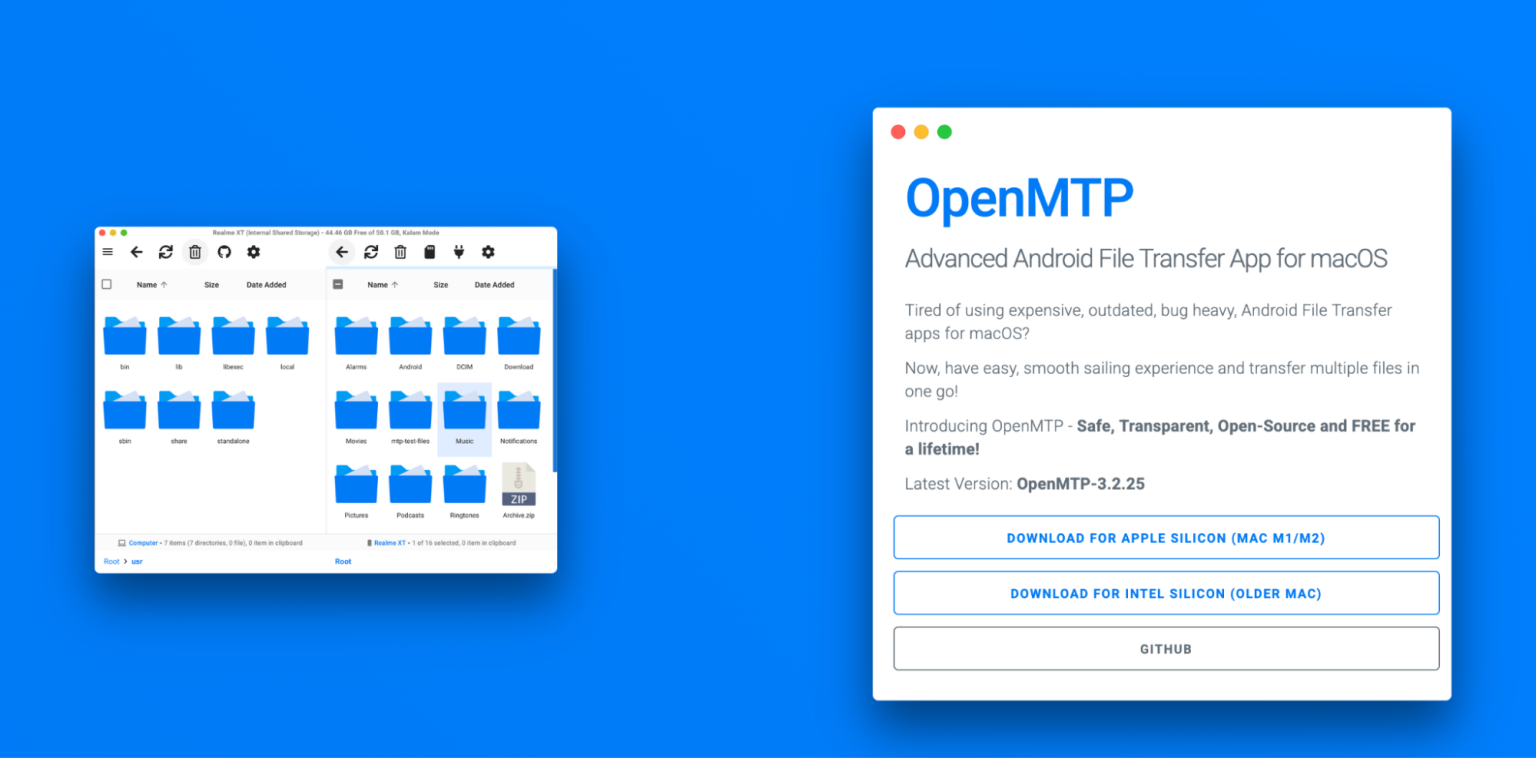
I’ve used OpenMTP on and off for a while and it does work for a lot of people, myself included. If you’re not familiar, it’s basically a free, open-source app that lets you move files between an Android phone and a Mac. macOS doesn’t really handle Android storage natively, so you need something in the middle – that’s what this fills in.
It’s not fancy. It’s just there so you can browse your phone and copy stuff back and forth over USB.
 The Good Parts
What I like about it is the layout. You get your Mac files on one side and your Android storage on the other. It’s clear and straightforward. You drag files across, or move whole folders at once, and it behaves the way you’d expect a file manager to behave.
I’ve moved batches of photos and some pretty large video files without having to jump through hoops. Nothing needs to be installed on the phone – you just plug it in and set it to file transfer mode. That’s it.
Also, it being free and open-source is a real plus. The developer has been pretty clear about keeping it that way, and I’ve seen a lot of people mention that they appreciate not having basic file transfer locked behind a paywall. For something you might only use occasionally, that makes a difference.
When it works, it feels pretty straightforward.
 One Thing to Be Aware Of
The main caveat is that it doesn’t work equally well with every device or every macOS version. Samsung phones come up a lot in discussions. Some people can’t get the app to recognize their Samsung device at all – it just doesn’t show up, no helpful error, nothing obvious to fix.
If you happen to be in that group, there isn’t much tweaking you can do inside the app itself. It’s one of those “either it connects or it doesn’t” situations. So I’d say it’s worth trying, but don’t assume it’s guaranteed to work with your specific phone.
 Tips That Helped People
If your phone isn’t showing up, try turning on USB Debugging. Go to Settings → About Device, tap the Build Number seven times to unlock Developer Options, then enable USB Debugging from there. It sounds unrelated, but it has fixed detection issues for some people.
Also, keep your file names clean. Special characters – especially forward slashes – can cause transfers to hang without telling you why. If something stalls for no clear reason, renaming the file is worth a shot.
Just small things, but they’ve helped.
 If It Doesn’t Work for You
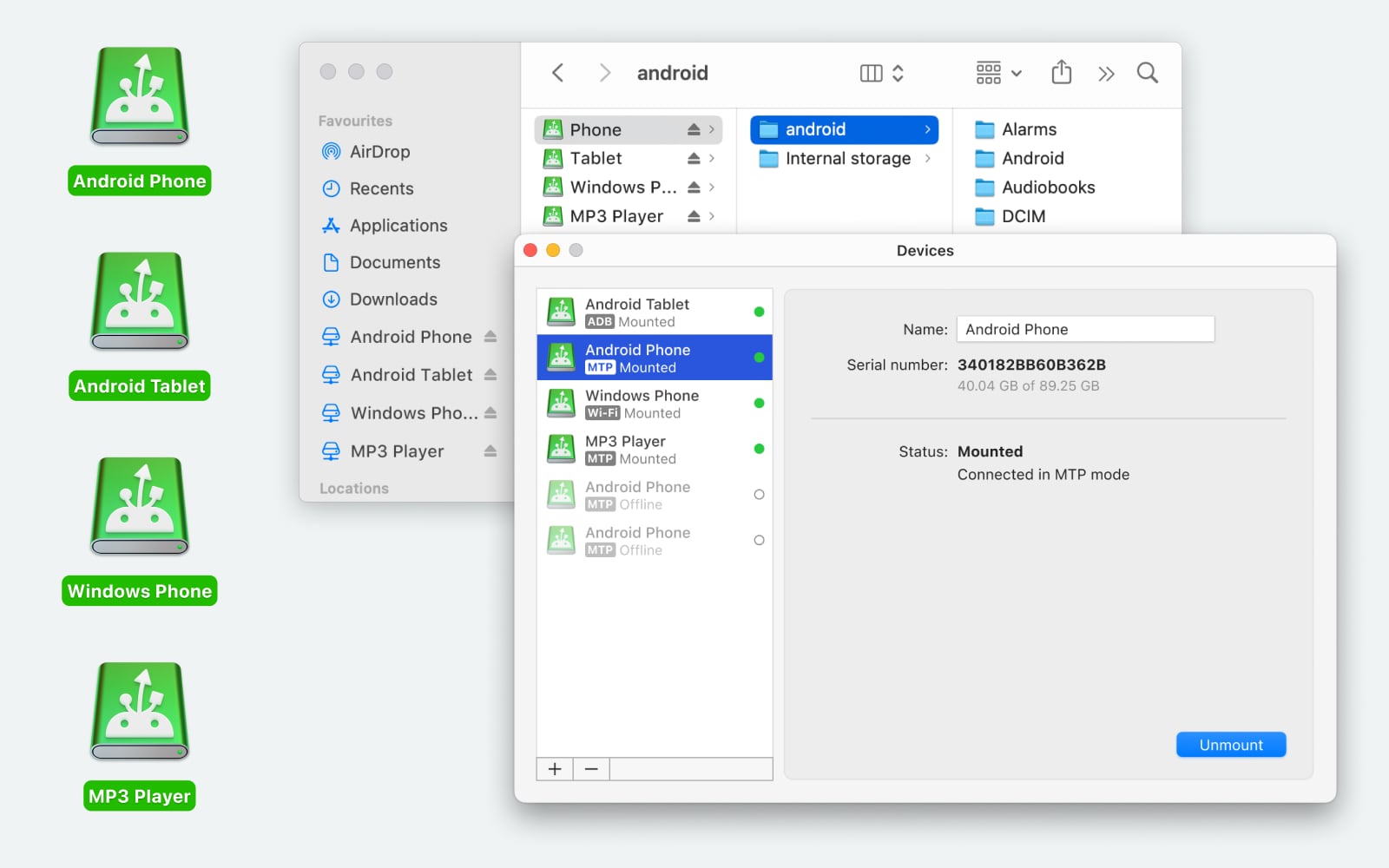
If OpenMTP refuses to cooperate, MacDroid is worth a look. I’ve tried it on a Samsung device that OpenMTP wouldn’t recognize, and it connected without much drama. It works over USB or Wi-Fi (Wi-Fi support was added in version 2.0), and it mounts your phone so you can access internal storage and even the SD card directly. You can move files and whole folders both ways, and you’re not limited to just copying – you can create, rename, delete, or duplicate files right on the device. It also supports other MTP devices like cameras and media players. There’s a free tier and a paid version, so you can at least test it before committing.
Another route is Send Anywhere, which skips cables entirely. You pick a file, it generates a 6-digit code, and you enter that code on the other device to pull the file directly. It works across Android, iOS, Windows, and even the web. No file size limits for direct transfers, which is nice. Downsides: the code expires after 10 minutes, the free version has ads, and transfers can drop if your connection isn’t stable. Different approach, but handy in some cases.
 Bottom Line
If you’re just trying to get files between Android and a Mac, I’d say try OpenMTP first since it’s free and quick to set up. If your device doesn’t show up – especially if it’s a Samsung – then it’s probably faster to switch tools than to spend hours troubleshooting.
74 Likes
Yeah, I’ve had one app behave like that on macOS and Android sync. Glitchy UI, random freezes, half-finished transfers, corrupted prefs. Reinstalling never fixed it long term.
What helped me, aside from what @mikeappsreviewer covered, was focusing on three areas:
- Kill bad sessions and reset its data
- Quit the app fully, not only close the window
- On macOS, delete its preferences in ~/Library/Preferences/com.[appname].plist
- Also clear ~/Library/Application Support/[appname]
- Reboot, then start the app again with the phone unplugged
Glitches that “survive” reinstall often live in those support folders.
- Avoid long sessions and big mixed jobs
My crashes often happened when I queued a ton of different stuff.
What helped:
- Transfer in smaller batches, like 2–3 folders at a time
- Avoid touching or scrolling the app while it transfers
- Keep other heavy apps closed, especially Chrome with 900 tabs (yeah, I know…)
It felt dumb, but once I treated it like a fragile process, freezes dropped a lot.
- Watch for one bad file stalling everything
When the app froze, I started watching which file it died on.
Patterns I saw:
- Super long file names over ~180 chars
- Odd symbols in names from messaging apps
- Corrupted media files from interrupted downloads
Once I excluded or renamed that one file, the rest went through fine.
So if your “progress” fails at the same point, try moving that file out of the folder and re-run.
- Disable background “smart” features in the app
Some of these tools try to auto-scan thumbnails, index photos, or sync libraries in the background.
If your app has toggles for:
- Auto scan
- Live preview
- Background sync
Turn those off and use it as a dumb pipe. Less work for the app, fewer lockups.
- When it still refuses to behave, stop fighting it
I reached the same “I’ve reinstalled six times, why am I still here” point. At that stage, I stopped trying to make that one app my main tool.
For Android to macOS, MacDroid ended up more stable for me.
Key parts that mattered:
- It shows the phone in Finder like a drive, so no weird custom UI
- It handled large folders and SD card access better in my case
- I could drag and drop in Finder and ignore the buggy app completely
I still keep the old app installed, but only for rare cases where it does one thing better. For daily transfers and not losing progress all the time, MacDroid took over.
So, if you already nuked prefs, trimmed your transfers, turned off “smart” features, and it still glitches or drops progress, I would stop treating it as a reliability problem and treat it as a design limit. Use it as a backup tool, not the main one, and lean on something like MacDroid for the bulk of your work.
Yeah, I’ve had it “work”… in the same way an old car “works” if you kick the door just right and never use the heater.
Couple of things that helped me, different angle from what @mikeappsreviewer and @viajantedoceu already covered:
-
Check for conflicts with other USB / device apps
Stuff like Android File Transfer, Samsung Smart Switch, phone backup tools, even some antivirus can hook into MTP/USB and silently fight with this app.- Quit them fully (menu bar icons too)
- Temporarily disable anything that “scans devices” when they’re plugged in
After I removed Android File Transfer + a backup utility, freezes dropped a lot.
-
Turn logging on and actually read it
If the app has a debug / log option, enable it and watch what error repeats right before it locks up.- If it constantly throws timeouts, your cable/port or a flaky hub might be the real villain
- If it dies on the same path every time, that’s usually a corrupt directory, not the whole app
It’s boring, but it helped me stop randomly reinstalling and start targeting the actual bottleneck.
-
Avoid USB hubs, especially cheap ones
Glitches and half‑saved progress were way worse when I ran through a hub or monitor port. Direct into the Mac’s port, short cable, and the “random freeze” rate went way down.
Everyone blames the app; half the time it’s a $9 Amazon hub droppping packets. -
Watch the Mac’s sleep & screensaver
This app, for me, hates when the Mac tries to nap mid‑transfer. I turned off:- “Put hard disks to sleep when possible”
- Aggressive display sleep while I was doing big copies
Before that, I’d come back to a frozen UI and half‑done progress.
-
Different user account test
Unpopular tip, but useful: create a new macOS user account and run the app there.
If it runs fine on the fresh account, the problem is almost always- some old system extension
- weird permissions
- or preferences trash in your main profile
Saves you from blaming the app for something macOS-level.
Now, honest bit: even after all of that, I never got this thing to “set and forget” reliable. Usable, sure. Totally trustworthy with giant transfers, not really.
At that point I stopped trying to therapize a clearly temperamental app and moved most of my day‑to‑day transfers to MacDroid. Since it mounts the Android storage straight into Finder, you avoid the whole flaky custom UI, and Finder is way better at dealing with large folder moves and progress tracking. For me it turned the process into “move files like any other external drive” instead of babysitting one more buggy window.
So yeah, it can be coerced into behaving a bit better with the stuff above, but if you’ve already nuked and reinstalled a few times and it’s still freezing or dropping progress, I’d personally treat it as a backup tool and let MacDroid handle anything important.
Short answer: yes, but “reliably” depends on how much friction you’re willing to tolerate.
A few angles that @viajantedoceu, @cacadordeestrelas and @mikeappsreviewer did not really dig into:
-
Check OS / app version combos
Some of these Android–macOS bridge apps are very sensitive to exact versions. I have seen:- Works fine on macOS Sonoma 14.3, starts freezing on 14.5
- Stable on one minor app build, awful on the next
So before more tweaking, test: - Older version of the app from its releases page
- Or a different macOS machine / version if you can borrow one
If it is rock solid on another Mac, you are probably chasing an OS / driver quirk, not generic “bugginess.”
-
Watch system logs instead of just the app’s log
I slightly disagree with the “just read the app’s log” advice. For freeze / hang issues, macOS’s own logs are often more revealing.- Open Console, filter by the app name or “mtp”
Look for repeating I/O errors, sandbox denials or USB resets right when the app locks.
If you see a lot of “USB device reset” entries, the problem is almost always hardware-side or driver-side, and no number of reinstalls will fix that.
- Open Console, filter by the app name or “mtp”
-
Test with a completely different Android device
Everyone focuses on the Mac, but I have had:- One Pixel work flawlessly
- One mid‑range Samsung choke every 10 minutes on the same Mac, same cable
If you can borrow another Android phone for 5 minutes, try the same operations. - If both phones glitch: blame the Mac / app
- If only your phone glitches: suspect its MTP implementation or storage errors
-
Storage health on the phone
Nobody likes to hear this, but random freezes during transfer can come from a dying SD card or internal storage issues.- On Android, run any built‑in storage diagnostics if available
- Try copying the same problematic files from phone to another PC (Windows or Linux)
If it also hangs or crawls there, the app is just exposing a deeper problem.
-
Change the workflow, not just the app
Where I slightly differ from @mikeappsreviewer: instead of only trying new transfer tools, sometimes flipping the direction or method helps more. Examples:- Zip big folders on the phone first, then transfer a single archive instead of thousands of tiny files
- Use the app only to grab the archive, then unpack on the Mac
This reduces file system chatter, which is where many MTP tools fall apart.
-
When to ditch it and use MacDroid
At the point where:- You can reproduce a freeze with a simple small copy
- You have tried a different cable and USB port
- Another Android device behaves the same
I would stop wasting time on that particular app and move your day‑to‑day transfers elsewhere.
Here is where MacDroid has been a “good enough” workhorse for me:
Pros of MacDroid
- Mounts Android storage directly in Finder so you use a familiar interface
- Handles large folder moves more gracefully than most custom UIs
- Supports both internal storage and SD cards on many devices
- Has a straightforward setup and tends to “just see” the phone if MTP is sane
Cons of MacDroid
- Not fully free if you want all features, so you pay for reliability
- Wireless mode is more fragile than USB in real life
- Still depends on MTP, so a truly broken phone side can break it too
- Occasional slow directory listings on very bloated storage
The big difference is that Finder already has solid progress reporting, cancellation, and file conflict behavior. That removes a big class of “UI glitch” problems you are seeing now.
-
Competitors and mixed toolkit reality
What @viajantedoceu and @cacadordeestrelas mentioned about alternative tools and workarounds is on point, and @mikeappsreviewer gave a thorough OpenMTP breakdown. In practice, I keep:- One main tool (currently MacDroid) for bulk wired transfers
- One Wi‑Fi based app for quick “I just need this one file now” moments
- The flaky app you are using only for the one or two tasks it genuinely does better
That is about as “reliable” as I have ever gotten this class of apps: not by perfecting one of them, but by narrowing what each one is allowed to do and offloading serious work to something like MacDroid plus Finder.
Your notes hit resets, smaller batches, bad files, fewer features, and switching to MacDroid or Send Anywhere. A simpler path: use a shared cloud folder.
Install Google Drive for desktop on macOS. Pick a local Drive folder. On Android, use Drive. Drop files into teh Transfer folder on either side. Drive syncs in background, no USB, no MTP. Example: 500 photos, 3.2 GB, synced in 15 minutes on 5 GHz WiFi. Set Drive to WiFi only. For privacy, use end-to-end with Proton Drive. You avoid cable issues and wierd USB resets.