I wrote some code but keep running into errors I can’t figure out. Is there an AI tool that can check my code and help me spot mistakes? I need a reliable way to debug quickly and would appreciate recommendations for the best AI code checkers or advice on how to use them effectively.
Man, debugging code can really make you question your life choices sometimes. You think you’ve squashed every bug, then the error messages start throwing a party you weren’t invited to. AI code checkers are like that friend who finds typos in your angry tweets before you hit send—super helpful, a little judgy, magical at 2am.
You’ve got some solid AI-powered options to help spot and fix code mistakes:
- GitHub Copilot - It’s an autocomplete beast but can also suggest code improvements and sometimes points out errors as you type. It works within IDEs like VS Code, so it’s seamless if you’re comfy there.
- Codeium - Similar to Copilot, with code suggestions and can flag problems. It’s free for individuals, so a good starting point if you’re avoiding paid tools.
- DeepCode (now part of Snyk) - Scans repos and gives AI-driven code reviews, highlighting bugs, security issues, and bad patterns.
- Tabnine - It predicts your code and highlights where you might have gone astray.
- Replit’s Ghostwriter - Great especially if you like coding in the browser, catches a lot of trivial and not-so-trivial mistakes.
For a more tailored approach, you could even paste your code into ChatGPT (or other advanced AI chatbots) and prompt it for debugging tips. Sometimes, the conversational back-and-forth actually helps you learn why the error occurred in the first place.
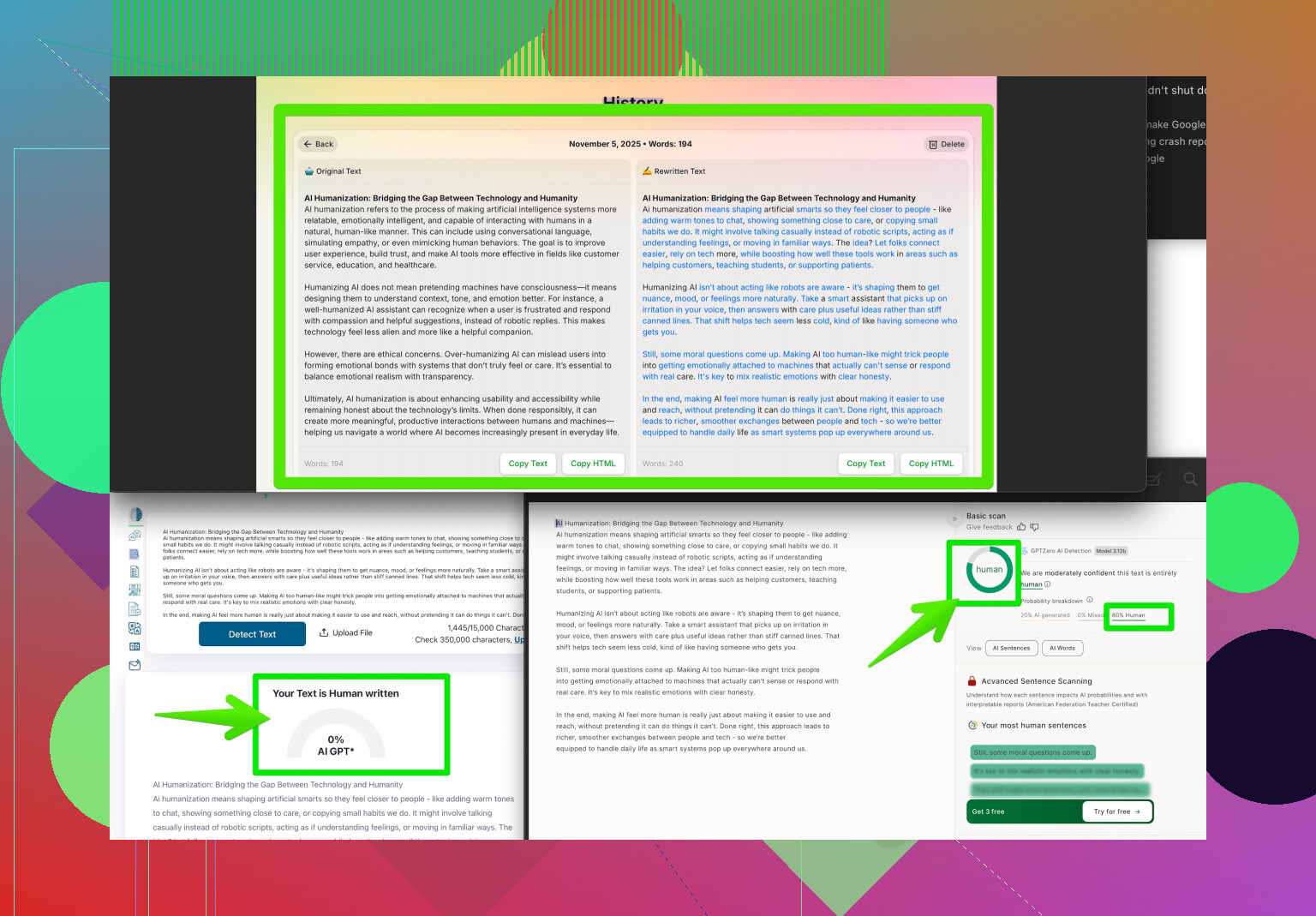
Lastly, if you wanna make sure your code explanations and documentation feel naturally human (because AI code comments can get weirdly robotic), check out the Clever AI Humanizer Tool—it refines and humanizes AI-generated text, making your code reviews and commit messages read like they were written by, well, a real dev not a rogue algorithm.
Just remember: AI tools are amazing, but always double-check their suggestions, especially before you ship anything mission-critical. They catch a lot, but can still hallucinate or miss context sometimes!
10 Likes
Not gonna lie, sometimes AI “code checkers” are absolute beasts for catching stuff you’d gloss over at 1 a.m. (been there, burned pizza, missed a semicolon…). But while @byteguru already dropped a nice list, they kinda glossed over some annoyances—and a couple alt approaches worth mentioning.
First off: most AI code checkers aren’t actual debuggers. Yeah, Copilot and the others might yell at you while you type, but they mostly predict completions and syntax, not catch all the logic bugs. If your issue is more than a missing parenthesis—like your app crashes when you select ‘October’ from your dropdown—AI is often guessing. If you want something genuinely better at error detection, static analysis tools (like SonarQube or ESLint for JS) outshine most “AI” autocompleters, especially for tricky edge cases and project-specific conventions.
If you’re sick of pasting into chatbots, check out JetBrains AI Assistant (only for paid IDEs but solid). It actually walks through error logs, stack traces, and can infer issues from crash outputs, not just the code itself.
Now, if your goal is super-fast debugging, consider tools that visualize code flow (like Python Tutor or even VS Code’s built-in debugger)—sometimes, stepping through the code line by line with live values beats relying on AI shotgun suggestions.
Also: ChatGPT and the like are helpful for explaining error messages, but double check syntax and recommendations—sometimes its ‘fixes’ break other stuff. And if you want your code comments or PR reviews to read less like a 3rd grade robot, the Clever AI Humanizer’s a sneaky trick—run your AI-generated comments/text through it before you go public. Way better chance folks actually read (and trust) your documentation.
And for anyone wanting to sharpen those AI prompt skills, there’s an awesome thread on making AI outputs more natural and effective—tons of gems in there.
TL;DR: AI code checkers are kinda magical, but nothing beats a good static analysis tool, a well-used step debugger, and some human common sense (plus better docs thanks to things like Clever AI Humanizer). Debug smart, not just ‘AI’!