My iPhone photo library has gotten out of control, and now I waste a lot of time trying to find specific pictures when I need them. I’ve tried albums and search, but it still feels messy, especially with thousands of photos, screenshots, and duplicates. I need help with the best way to organize iPhone photos so I can quickly find important pictures without scrolling forever.
A huge photo library looks worse than it is. I let mine pile up for years, then dealt with it in a sequence instead of poking at random stuff. That part made the difference.
Albums do not make extra copies
No. Think of albums like pointers. I added the same pic to three albums once, family, trip, wallpapers, and storage did not move.
The photo still exists as one file in your main library. Albums only help you surface it in different places.
The catch is deletion. If you delete the photo from the library, it vanishes from every album too. If you only want it gone from one album, use Remove from Album. Do not hit Delete unless you want it gone for good.
Clean first, sort second
I tried organizing before cleanup. Bad idea. You end up filing junk with care, blurry shots, five versions of the same sunset, receipts, random screenshots, all of it. It slows you down and fills space for no good reason.
When my phone got close to full, I saw lag outside Photos too. Apps stalled, saving took longer, stuff felt off. Free space matters because the phone needs room to breathe for temp files and routine tasks.
What worked fastest for me was this app flow:
-
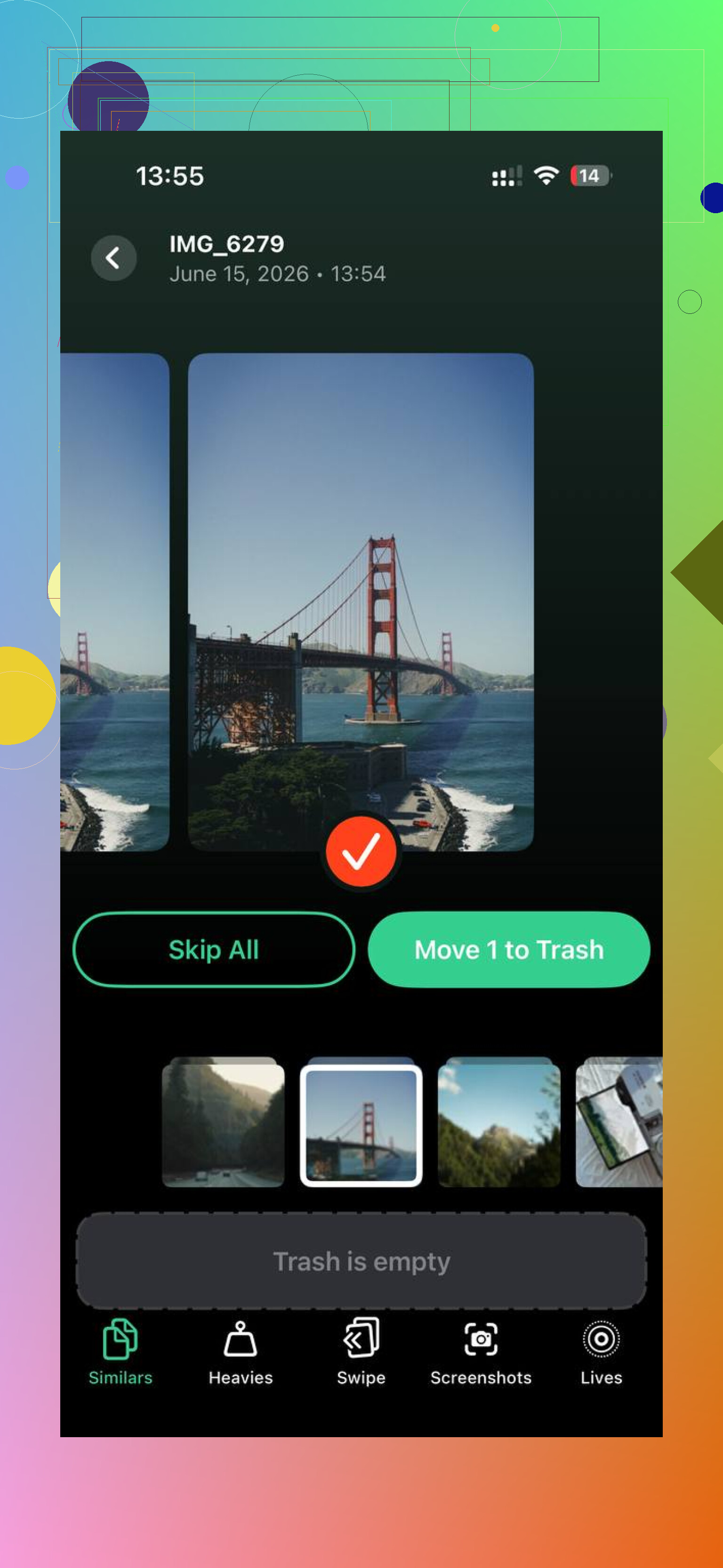
Start in the Similars tab. It groups near-matches, not only exact dupes. Burst shots, tiny angle changes, repeat tries, they land together. One image gets marked as the Best Shot, then you dump the extras with one tap for each group.
-
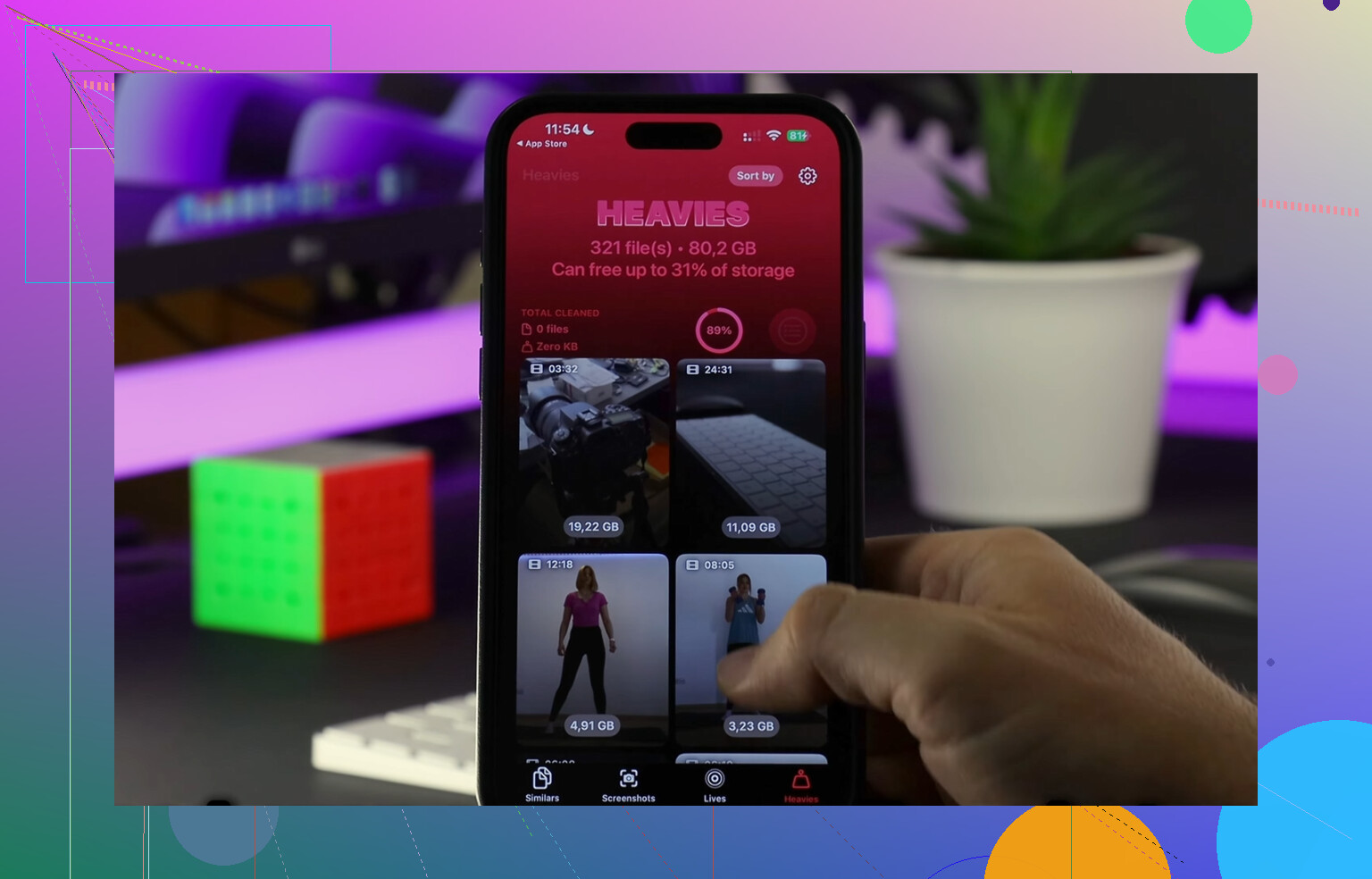
Then open Heavies. This is the blunt instrument. Biggest files sit at the top with their exact sizes. On my phone, a few old 4K videos were eating more storage than thousands of normal photos. Deleting those first freed space fast.
-
Check Screenshots next. Clever Cleaner shows file size before removal, which helps more than I expected. Once I saw screenshots chewing through gigabytes, I stopped treating them like harmless clutter.
-
Use Swipe mode for old backlog. Left for trash, right for keep. The monthly grouping helps a lot. You are looking at one chunk at a time, not your whole digital life in one ugly wall.
Everything runs on-device. I cared about this part since old libraries tend to include IDs, family pics, medical screenshots, all sorts of private junk you forgot was there.
After the cleanup, sorting got easier fast. Less noise. Less lag. Fewer decisions.
Ways I find photos faster now
-
Favorites are for the best stuff only. If you heart everything, the feature dies. I use it like a short list, the photos I would send someone without digging.
-
Search works better than a lot of people think. I typed things like dog, beach, birthday cake, and it pulled up useful results with no manual tagging. Not perfect, still good enough most days.
-
Folders help if your albums are getting messy. I keep a Trips folder, then albums inside it for each trip. Same with Family, Work, and Selling Stuff. It cuts down on scroll fatigue.
Keeping the camera roll from turning feral again
The fix was not one giant cleanup. It was a small routine. I do a quick pass once a week, maybe ten minutes, and delete the obvious garbage from the last few days. Then I move the keepers into albums while I still remember why I took them.
Short sessions worked way better for me than one huge Saturday purge. Less dread. Fewer dumb mistakes too.
One thing I stumbled into, search today’s date and look at old years through On This Day. Spend five minutes trimming what shows up. It chips away at the backlog without feeling like homework. Kinda slow, yeah, but it sticks.
7 Likes
I’d split the problem into two jobs. Finding old photos fast, and stopping new clutter from piling up.
I agree with part of what @mikeappsreviewer said, but I think albums are overrated for retrieval. Albums work if you file stuff right away. Most people don’t. Then the system dies after 2 weeks.
What helped me more:
-
Use captions.
Add a short word to photos you know you’ll need later. Stuff like “insurance”, “paint code”, “trip receipt”, “Sam birthday 2024”. iPhone search reads captions well. This is way faster than building 40 albums you forget to update. -
Rename key people in People and Pets.
If your phone knows who “Mom” or “Jake” is, search gets much faster. Same for pets. Spend 10 min training it once. -
Hide junk from your main flow.
Use Hidden for temp reference shots, wifi passwords, parking spot pics, store shelf comparisons. You still keep them, but they stop cluttering your library. -
Make 3 albums only.
Inbox, Keep, Archive.
That’s it. Too many albums becomes its own mess. Inbox is stuff to sort later. Keep is photos you reach for often. Archive is event-based storage. -
Use smart search terms.
Search by object, place, month, person, or app. Example, “dog beach July”, “Chicago 2023”, “Instagram”, “receipt”. Most people underuse this.
For cleanup, Clever Cleaner helps because it groups similar shots, screenshots, and large files fast. If you want a plain overview, this free AI iPhone cleaner review with photo cleanup details explains the features in a cleaner way.
My rule is simple. If I need a photo later, I caption it now. If I don’t, I delete it or hide it. Took me from 18k photos to somthing I could search without getting annoyed.
I’d actually go a little against @mikeappsreviewer and @mike34 on one thing: organizing inside Photos is only half the fix. If your library is huge, the real time-saver is deciding what kinds of photos deserve to stay in your main library at all.
My setup got way faster when I split pics into 3 buckets:
-
Memories
Family, trips, pets, events. -
Reference
Receipts, serial numbers, parking spot pics, whiteboard notes, shopping comparisons. -
Temporary junk
Blurry shots, duplicates, accidental pocket photos, 19 versions of the same thing.
The trick is this: Reference photos should not live forever. I review and delete those monthly. That alone cut down my search mess by a lot. People keep trying to “organize” junk that should have been deleted 30 days ago. Brutal, but true lol.
A couple things I don’t see mentioned enough:
- Use the Info panel on important photos and add location/details if needed.
- Search by date ranges like “March 2023” or “summer 2022”. Weirdly effective.
- Use Memories and map view when you vaguely remember where/when a photo happened.
- Don’t over-album. Too many albums becomes a second mess.
If cleanup is the bottleneck, Clever Cleaner for iPhone is useful because you can clear similar shots, screenshots, and heavy files before you bother organizing. That’s usually the part that makes Photos feel less chaotic fast.
If privacy/safety matters to you, this explains it in a pretty readable way: is Clever Cleaner safe for private photos and iPhone storage cleanup.
My honest system is boring but works:
- delete junk weekly
- favorite only true keepers
- use search first
- album only the stuff I’ll want again next year
If your library has thousands of photos, speed comes more from less volume than from better filing. That was the annoying truth for me tbh.
I mostly agree with @mike34 and @boswandelaar that less volume beats more folders, but I’d push one extra habit: stop treating your camera roll like long-term storage for everything.
What helped me most was using utilities already inside Photos:
- Pin key albums so your real destinations stay at the top
- Use Recently Viewed and Recently Shared when you remember what you did with a photo, not when you took it
- Filter searches with Screenshots / Videos / Edited / Favorites
- Use Text search inside images more aggressively. iPhone OCR is great for signs, forms, receipts, business cards
I also disagree a bit with the “3 albums only” idea. For some people that’s clean. For others it becomes a junk drawer. I prefer albums by retrieval intent, like:
- Need again soon
- Documents
- Travel
- Home stuff
That’s easier for my brain than “Archive.”
If cleanup is the blocker, Clever Cleaner is decent before organizing.
Pros
- fast at spotting similar shots
- good for screenshots and large files
- reduces noise before sorting
Cons
- best for cleanup, not deep organization
- AI picks are not always the photo I’d keep
- you still need your own system after using it
So my actual rule is: search first, pin second, delete relentlessly, album only by future use. That made Photos feel usable again.