I accidentally deleted some important files and already emptied the Recycle Bin before realizing they were gone. I’m trying to find a reliable file recovery tool that actually works on Windows and won’t make things worse. These documents and photos are really important, so I’d appreciate advice on the best file recovery software or safe recovery steps to try.
I’ve tested a pile of recovery apps over the years, and most of them talk big, then fall apart the second the job gets messy. Some do fine with a file you deleted five minutes ago. Some feel built for repair shops, not normal people. Some are so awkward I gave up before the scan finished. If you want the short version, I’d still point most people to Disk Drill.
I keep circling back to Disk Drill for one plain reason. It’s easier to work with than most of the field, and it still pulls decent results. I’ve used it on accidental deletes, formatted storage, RAW partitions, damaged SD cards, USB sticks, external drives, and camera cards with mixed results but more wins than misses. The preview option helps a lot. You see what’s there before you start restoring a pile of junk. I also like the byte-to-byte backup tool. When a drive starts acting weird, I’d rather clone it first and scan the copy. Less risk, less panic. On Windows, you also get 100 MB of free recovery, which is enough for a quick test.
There are a few other names worth keeping on your list.
PhotoRec. Free, ugly, effective. I’ve had it pull files off media I thought was done for. The catch is the workflow. It’s not friendly, and it doesn’t preserve the original folder layout or filenames in a useful way. You end up sorting through a mess of recovered files with generic names. If your priority is getting bits back at any cost, it still earns a spot.
Windows File Recovery. This is Microsoft’s own tool. Also free. Also command line only, which means a lot of people will open it once, stare at it, then close it. I wouldn’t hand it to someone who hates typing commands. For simple NTFS deletions, it does the job. If you want a small built-in option and don’t want extra software, it’s worth a shot.
GetDataBack. Old-school pick, still respected for a reason. I’ve seen it do better than prettier apps when the file system was roughed up or a partition went sideways. It feels more technical, less polished, and it asks more from you. Still, for NTFS and FAT recovery, it has a solid rep and I’ve seen why.
The first thing I’d do, and I mean right away, is stop using the problem drive. Deleted files usually sit there until new data lands on top of them. Every install, every update, every download, every copied photo cuts your odds.
Don’t install recovery software onto the same drive you’re trying to save. I’ve seen people do this, then wonder why the results got worse. Put the software somewhere else. Another internal disk helps. An external SSD works. Even a USB stick is better than writing onto the damaged drive.
One more hard rule. If the drive clicks, grinds, drops off at random, or doesn’t show in BIOS or Disk Management, I’d stop there. Software is for logical damage. Physical failure is a different mess. Repeated scans on bad hardware can push it further over the edge. That’s when a recovery lab makes more sense, even if it hurts to pay for it.
Hope your luck’s better than mine was on a few of these. Post back with what happened.
6 Likes
If the files were deleted from your system drive, I’d be a bit more picky than @mikeappsreviewer on what to try first.
Disk Drill for Windows is still one of the safer picks for normal users. The big reason is workflow. It shows deleted files clearly, lets you preview, and does not bury you in menus. For accidental deletion after emptying Recycle Bin, that matters more than people admit. A tool with a messy UI leads to bad clicks and wasted time.
I don’t fully agree with using free tools first if the files matter a lot. PhotoRec is strong, sure, but the filename mess is brutal. If you need documents with original names, sorting 5,000 recovered files is a pain in the ass. Windows File Recovery works, but command line recovery is where people make dumb typo mistakes.
My short list:
- Disk Drill, best balance of ease and recovery rate.
- R-Studio, better for advanced users, steeper learning curve.
- Recuva, decent for simple deletes, weaker once things get messy.
What I’d do in your spot:
Stop writing to the drive.
Install the recovery app on another drive or USB.
Scan the affected drive.
Recover to a different drive.
If the files are important, save a full image first.
One useful explainer here too, watch this data recovery software demo for deleted files.
If the drive is making noises or disconnecting, skip software. Lab time. If it’s a normal delete case, Disk Drill is a solid first shot. I’ve seen it work fine on emptied Recycle Bin recoveries, especailly on SSDs and external drives where people thought they were cooked.
If this is a straight accidental delete + emptied Recycle Bin case, I’d actually rank tools a little differently than @mikeappsreviewer and @sternenwanderer.
For plain Windows file deletion, I still think Disk Drill is the safest first pick for most people, not because it’s magical, but because it’s hard to screw up with it. That matters more than people think. A lot of recovery apps are “powerful” right up until you click the wrong thing or recover junk over the same drive. Disk Drill keeps it pretty clear, and the preview is useful for checking whether your files are actually recoverable before you waste time.
Where I sort of disagree with the usual advice: I would not jump to PhotoRec first unless you’re desperate or the file system is trashed. Yeah, it can recover a ton, but the no-name file chaos is brutal. If you deleted docs, projects, or family stuff, sorting that mess is miserable. Recuva is okay for super basic deletes, but in my experiance it drops off fast once the situation is even slightly messy.
My practical order would be:
- Disk Drill for an easy first scan on Windows
- R-Studio if you’re comfortable with a more technical interface
- Windows File Recovery only if you like command line stuff or want a free Microsoft option
Also, one thing nobody mentions enough: if this was on an SSD, recovery odds can be worse because of TRIM. So if Disk Drill finds little or nothing, that may not mean the app failed. It may mean Windows already told the SSD to wipe those blocks. That part kinda sucks, honestly.
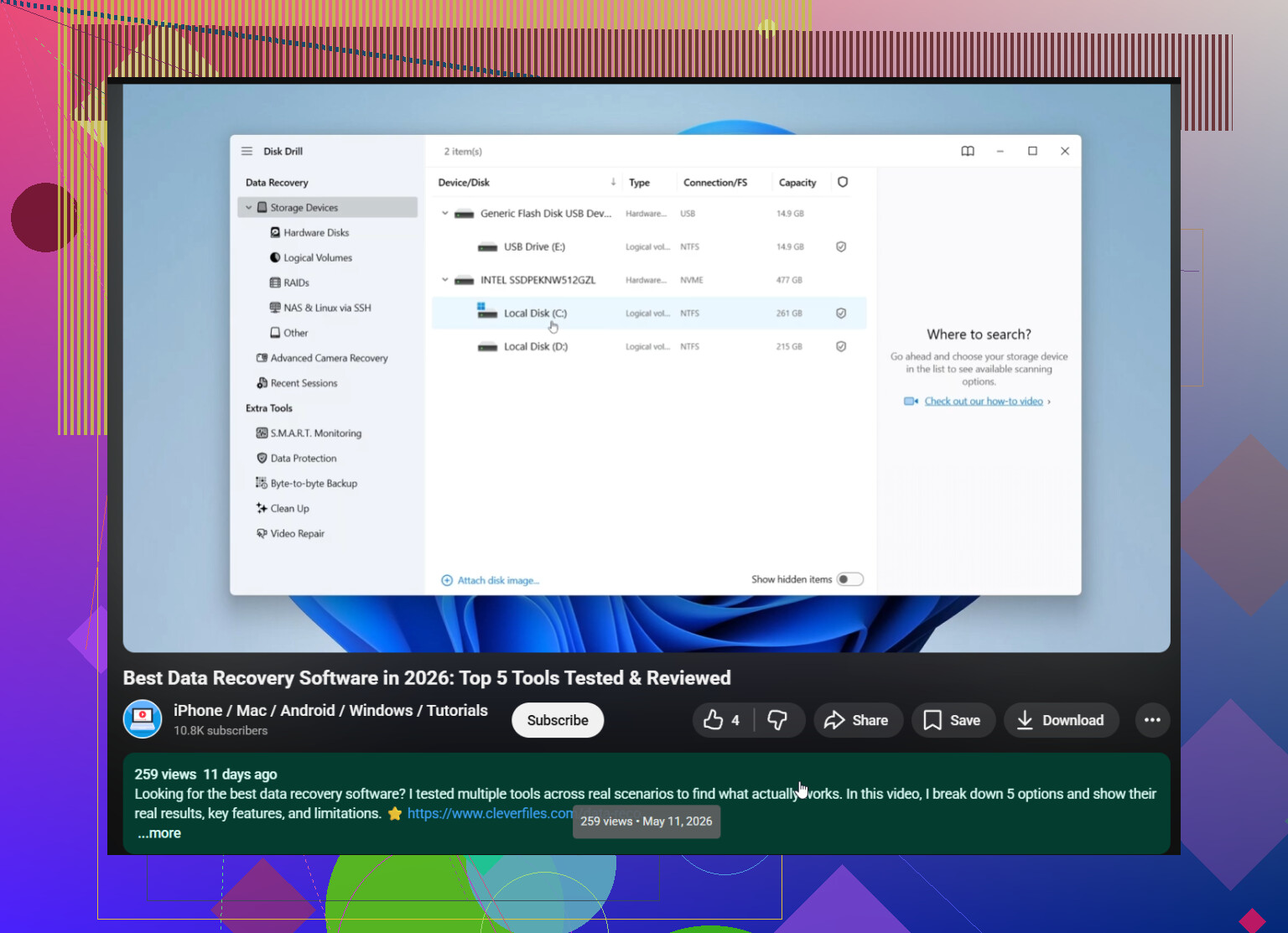
If you want a decent video walkthrough before touching anything, this is worth a look: Windows deleted file recovery software comparison and demo
Big thing now is don’t keep using that drive. Don’t install stuff there, don’t download files there, don’t “test” random apps on it. Recover to another drive only. If the disk is clicking or disconnecting, stop messing with software completley.
I’d add one angle the others only touched lightly: check whether the deleted files were on your system SSD or on a secondary/external drive. That changes the odds a lot.
If it was the Windows system SSD, I slightly disagree with the “just try a bunch of tools” mindset. On SSDs, TRIM can kill recovery chances fast, so I’d rather do one careful scan with something sane like Disk Drill than bounce between five apps writing logs, temp files, and installs all over the place.
My take on Disk Drill:
Pros
- very easy to sort deleted files by type and location
- preview is actually useful
- good for people who do not want command line nonsense
- can be a fast reality check before you waste hours
Cons
- not the cheapest option if you need a full recovery
- deep scans can return a lot of clutter
- if TRIM already wiped the blocks, it won’t perform miracles
Compared with what @sternenwanderer, @nachtdromer, and @mikeappsreviewer were saying, I’d be a little less enthusiastic about Recuva for anything beyond a simple recent delete. I’d also be more cautious with PhotoRec unless you’re okay with recovered files coming back as a giant unsorted pile.
One extra thing: before recovery, look in cloud sync trash too. OneDrive, Google Drive, Dropbox, even Adobe apps sometimes keep deleted copies separately. That can save you from recovery software entirely.
If the files matter a lot, make a drive image first. If they matter a little, Disk Drill is a reasonable first shot. If the drive is unstable, skip software and stop.