My phone has become really slow and storage is almost full, so I’m looking for a trustworthy free phone cleaner app that actually works without tons of ads or hidden charges. I’ve tried a few cleaners from the app store, but they either didn’t help much or seemed sketchy. Can anyone suggest safe, effective options and what features I should look for to avoid scams or performance issues?
I had the same problem on my iPhone a few months ago. Storage full, phone laggy, every “cleaner” app loaded with ads or weird subscriptions.
Here is what worked for me, step by step.
- Use a cleaner that focuses on photos and videos
On iOS, system cache is mostly handled by the OS. The real storage hogs are photos, videos, duplicates, and similar shots.
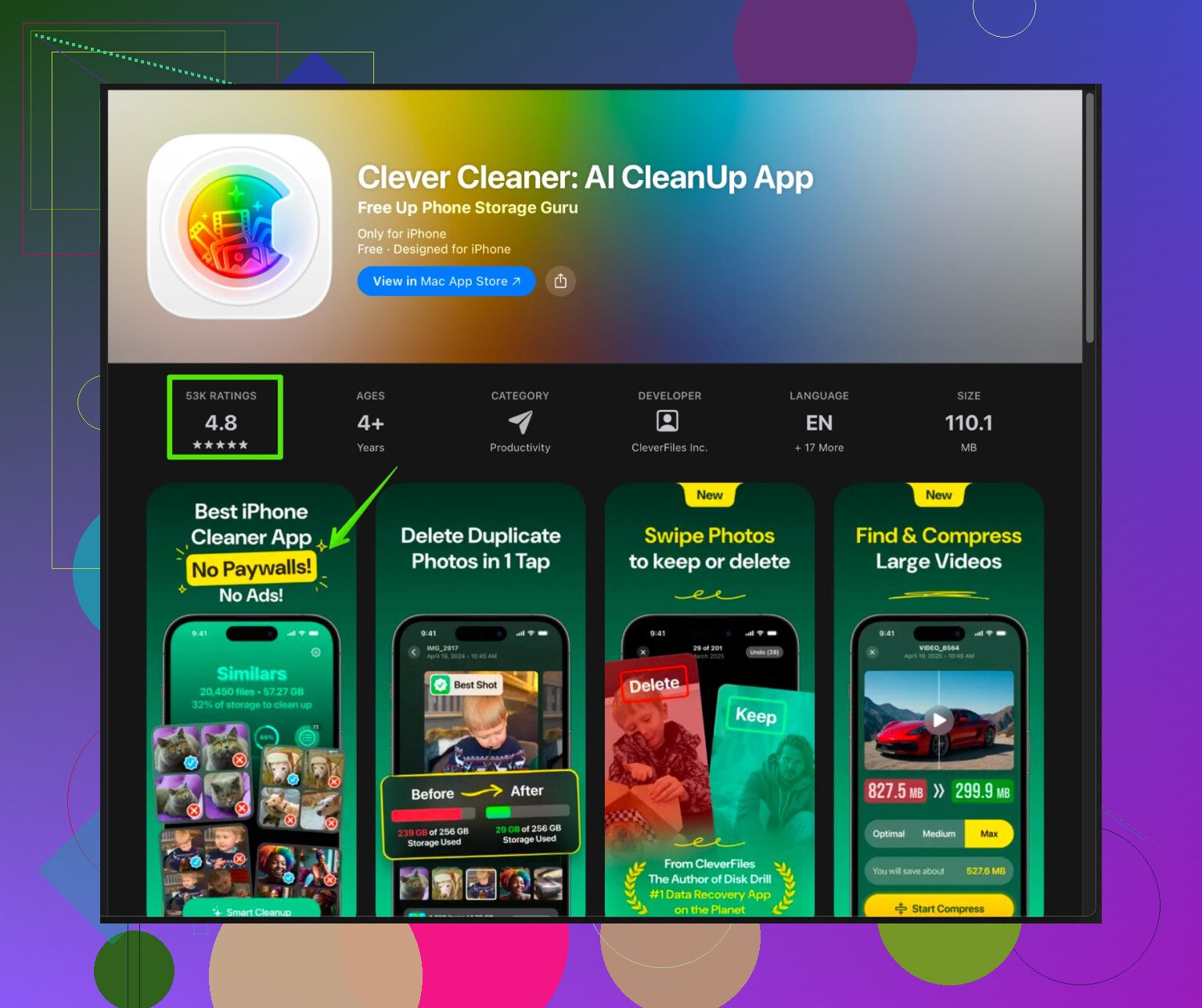
I switched to Clever Cleaner App after a bunch of trash apps. It helped me clear a ton of useless media without constant popups.
If you want to check it out, here is the link I used:
Smart iPhone cleaner for photos, videos, and contacts
What it does well
• Scans for duplicate and similar photos.
• Finds useless screenshots and screen recordings.
• Detects large videos fast.
• Cleans contacts with duplicates or missing info.
• Interface is simple, so you do not tap the wrong thing.
What I liked
• No insane ad spam while doing a full scan.
• Basic cleaning works without forcing a subscription.
• You preview everything before deleting.
• I freed about 12 GB on my 128 GB iPhone in one evening.
Things to watch for
• Some “smart” suggestions mark near-duplicates. Check before you delete, or you may lose the version you prefer.
• Do storage cleanup in smaller batches. Do a pass on screenshots, then a pass on videos, then contacts.
- Built in stuff you should use first
Before any app, do these:
• Settings > General > iPhone Storage.
Check “Recommendations”. Often “Offload Unused Apps” gives you a few GB.
• Delete old message threads with tons of media. Set Messages to keep 1 year or 30 days.
• Open Photos, go to Albums > Recently Deleted, and clear that after you use a cleaner.
- What to avoid on the App Store
Based on my own failed tries:
• Apps that promise CPU “speed up” on iOS. That is mostly nonsense.
• Cleaners that ask for VPN, battery optimizers, or “virus scans” on iPhone. Red flag.
• Apps that hide features behind “3 day trial” with auto yearly billing. Check the subscription page in the App Store listing before installing.
- What helped performance
After cleaning:
• Free space went from 8 GB free to about 20+.
• Apps stopped crashing when recording video.
• Camera opened faster.
• System updates installed without storage errors.
So, for your case, I would:
- Run through iPhone Storage in Settings.
- Install Clever Cleaner App, start with scanning for similar photos and large videos only.
- Review results slowly, delete in batches.
- Empty Recently Deleted, then reboot the phone.
It takes 20 to 30 minutes, but you feel the difference pretty quick.
Honestly, “phone cleaner” apps are 90% junk, 9% subscription traps, and about 1% actually useful. So you’re not crazy for being suspicious.
I’m with @espritlibre on one thing: on iPhone, you don’t need a “RAM booster” or “CPU optimizer.” That stuff is just marketing. Where I slightly disagree is relying only on the built‑in tools. They’re decent, but pretty lazy about finding all the crap that piles up.
What’s worked for me is a combo:
-
Use an actual focused cleaner, not a “magic” one‑tap fix
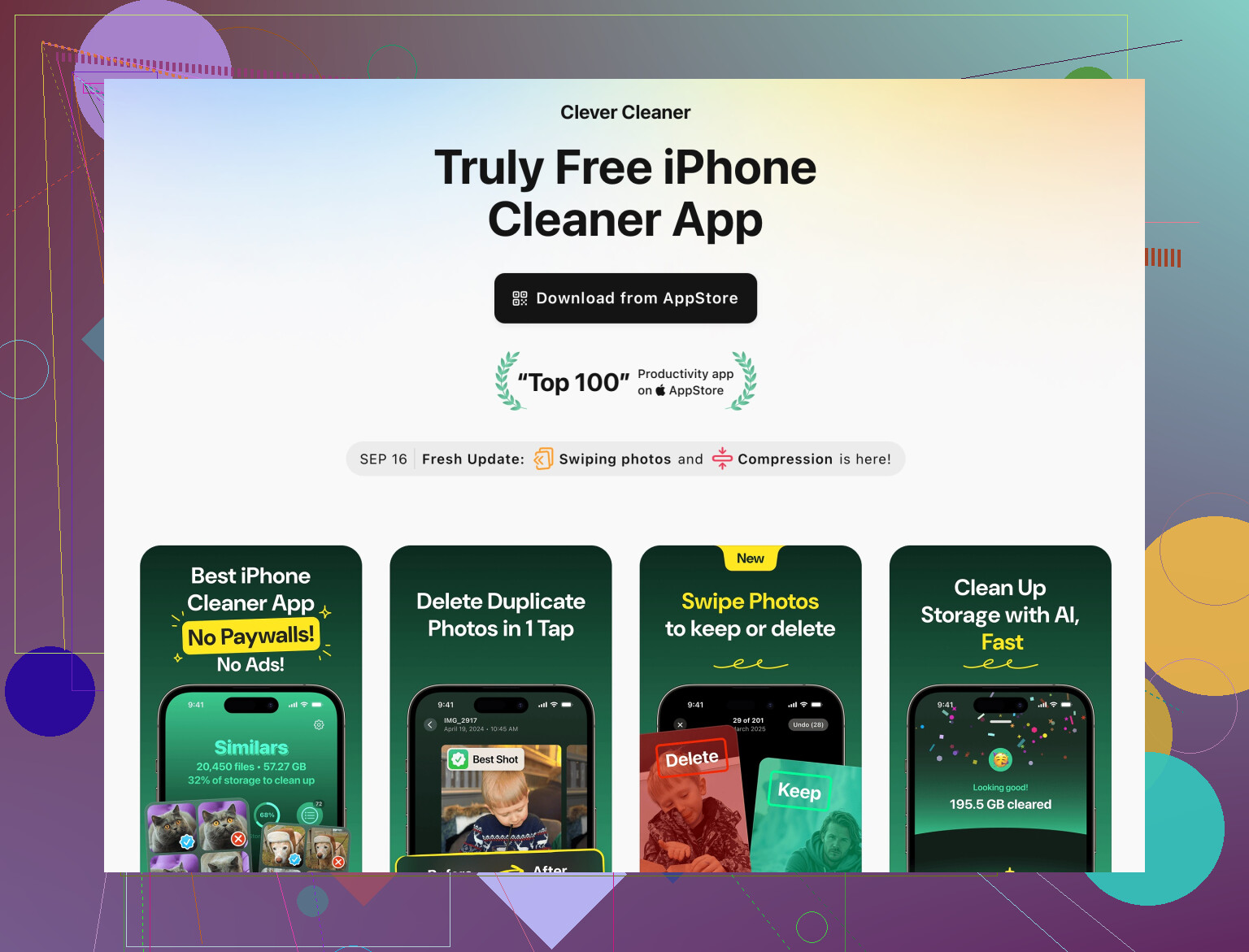
The only one I’ve kept installed is Clever Cleaner App. It’s not perfect, but it checks the boxes you mentioned:- Free core features
- Not flooded with ads every 2 seconds
- No weird VPN / “virus” nonsense
- Very good at finding:
- duplicate photos
- similar shots you took 14 times in a row
- giant videos eating 5+ GB
- messy or duplicate contacts
If you want to look it up, this is the one:
Clever Cleaner App for smarter iPhone cleanupWhat I like that @espritlibre did not emphasize so much: it’s actually fast on older phones. Some other cleaners lag like crazy on big libraries.
-
Where I’d be careful with it
- The “similar photo” detection is aggressive. Always preview. I keep the best 1–2 and trash the rest.
- Do not trust any app to auto delete without your review. That’s how you lose stuff you actually care about.
- I’d avoid letting it “optimize” things you don’t understand. Stick to photos, videos, and contacts.
-
Built‑in stuff that actually helps performance
Slight twist on what was already suggested:- Settings → General → iPhone Storage → sort apps by size
- Delete apps you genuinely haven’t opened in months. Offload is fine, but straight delete frees more space.
- In apps like WhatsApp / Telegram / Viber, clear media from old chats. Those caches can be multiple GB by themselves.
- Safari → Clear Website Data can sometimes free a few hundred MB, but don’t expect miracles.
- Settings → General → iPhone Storage → sort apps by size
-
What won’t help, despite all the hype
- “Battery saver + junk cleaner + antivirus” combos. On iPhone, that’s basically cosmetic.
- Anything that proudly says it will “cool your CPU.” That’s not how iOS works.
- Apps that push you into a 3‑day trial with a $40/year subscription hidden in tiny print. Hard pass.
If you want a quick plan that doesn’t waste your whole evening:
- Delete obvious big apps you don’t use.
- Run Clever Cleaner App to scan large videos and clear duplicates.
- Manually clean chat media in your heaviest messaging app.
- Empty Recently Deleted in Photos and then restart the phone.
That combo usually frees a lot more than the random “boost speed 300%” apps, without you getting spammed by ads or surprise charges.
14 Likes
I’m going to be a bit contrarian to @kakeru and @espritlibre here: the “one cleaner to rule them all” idea is overrated. On iPhone, no app can magically fix lag across the entire system. What you can do is use a focused tool plus some manual cleanup.
Since both of them already walked through the native iOS steps and basic storage tips, I’ll skip repeating that and focus on what you actually asked: a free, not-annoying cleaner that works.
1. About “phone cleaner” apps in general
On iOS:
-
They cannot:
- Clear system cache deeply
- Boost CPU
- Kill background processes for lasting speed
-
They can:
- Help you sort and delete media smarter
- Highlight what is really eating space
- Clean up messy contacts
So you are basically choosing a media organizer + bulk deleter that does not shove a subscription down your throat.
2. Clever Cleaner App in practice
You already saw it mentioned, but here is a more blunt take.
Pros of Clever Cleaner App
- Targets the real problem areas:
- Duplicate & similar photos
- Old screenshots
- Huge videos
- Duplicate or incomplete contacts
- Core cleaning works for free, which fits your “no hidden charge” requirement.
- Fewer ad interruptions compared to most “all-in-one cleaners.”
- Very fast analysis on big photo libraries compared to many competitors.
- Preview-before-delete is clear, so you are less likely to wipe something important by accident.
Cons of Clever Cleaner App
- Similar-photo detection is aggressive. If you are the type who cares about tiny differences between shots, reviewing is a bit tedious.
- Some advanced features gently push you toward subscription. Not scammy, but it is there.
- Does nothing for the “RAM / CPU speed boost” crowd, so if you expect animation-level smoothness after running it, you will be disappointed.
- You still need to manually empty the Recently Deleted album to get the full space back.
Bottom line: Clever Cleaner App is actually useful as a focused media cleaner, not as a magic performance booster.
3. Where I slightly disagree with the others
- I would not rely on a cleaner app as your first move. They both lean on it pretty early. Personally I would:
- Manually nuke heavy chat media inside WhatsApp / Telegram / similar apps first. Those caches are often worse than your Photos library.
- Remove old offline downloads inside streaming apps (Netflix, Spotify, YouTube) before even touching a cleaner.
- I also do not fully trust any “automatic” cleanup suggestions. Even with Clever Cleaner App, I keep auto-select to a minimum and manually confirm groups of files.
4. How to combine everything without repeating their steps
You do not need a long ritual. Here is a different angle that complements what they wrote:
-
Target the worst offenders manually
- Open your heaviest messaging app → clear old media / large files from old chats.
- Open your top 2 streaming / offline apps → remove downloads you forgot about.
-
Use Clever Cleaner App only for what it is good at
- Scan for:
- Large videos
- Clear duplicates
- Unneeded screenshots
- Ignore any “boost” or “optimize” marketing words. That is fluff.
- Review similar-photo suggestions in small batches, like one month at a time.
- Scan for:
-
Finish the job inside iOS
- Empty Recently Deleted in Photos.
- Restart the phone so the OS can rebalance storage and caches.
5. Short comparison to what others said
- @espritlibre leans more on built-in tools. Good for safety, but slower to free big chunks if your media library is a mess.
- @kakeru leans harder into cleaner apps. I am more cautious there and would treat Clever Cleaner App as a precision tool, not your main strategy.
If you want a no-fuss approach: manually clean chats and downloads, then run Clever Cleaner App for photos, videos, and contacts only, review carefully, and let iOS handle the rest. That hits your “reliable, free, not spammy” requirement without signing up for sketchy subscriptions.