I’ve been using Originality AI’s humanizer to help my content pass AI detection tools, but my latest articles still got flagged as AI-written and my clients are questioning the quality. I’m trying to figure out if I’m using the tool wrong or if it’s just not that effective. Can anyone share real experiences, pros and cons, and whether it’s actually worth relying on for SEO and client work?
Originality AI Humanizer review, from someone who wasted an afternoon on it
I went into this with some expectations, because if any company should know how to dodge AI detectors, it would be the folks who built one of the stricter detectors out there. Instead, this thing felt like a landing page feature that grew legs.
Here is what I did and what happened.
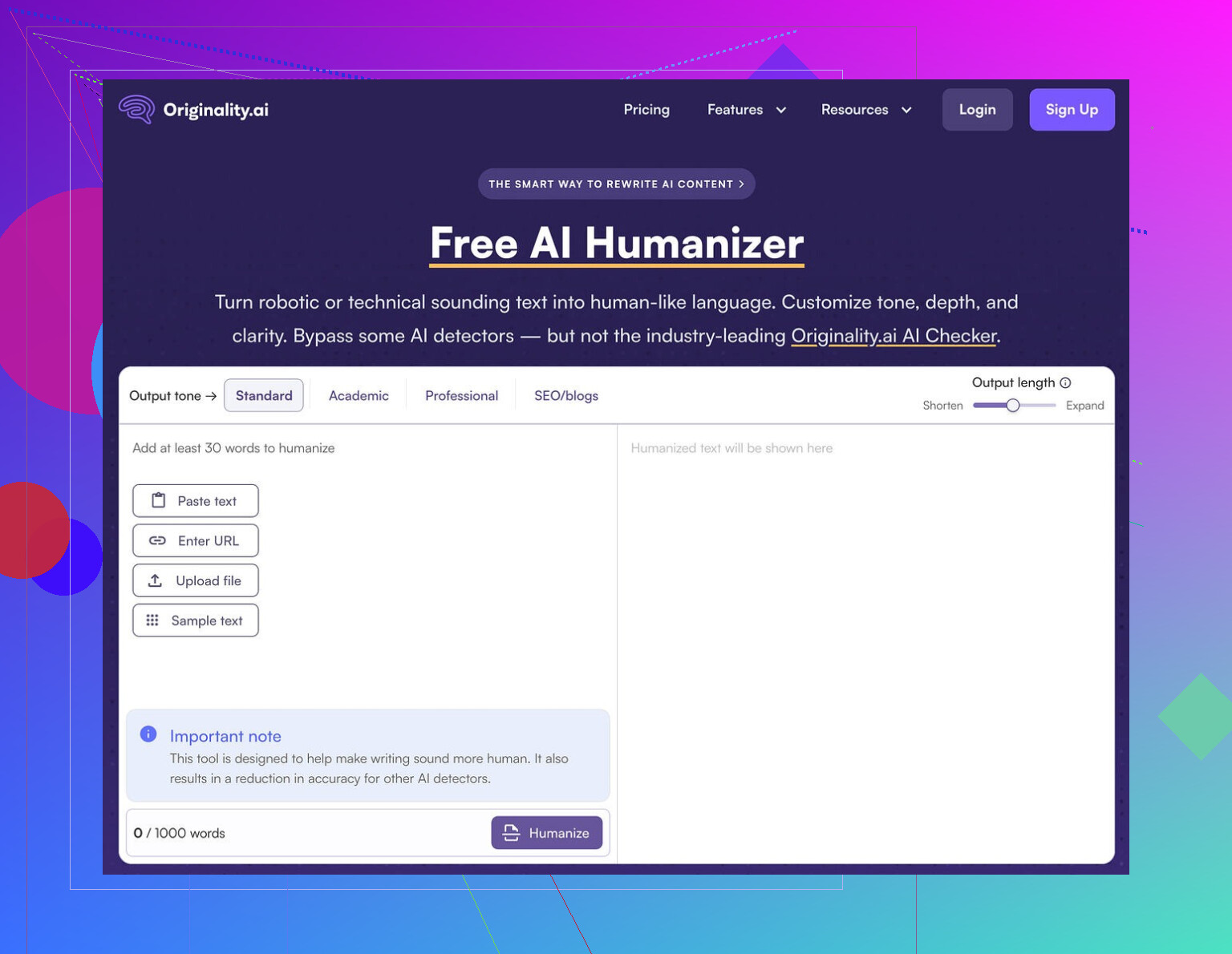
I took a few standard ChatGPT-style samples, nothing exotic. Bloggy stuff, explanatory text, normal length. Then I ran those through the Originality AI Humanizer here:
After that, I tested the outputs on:
- GPTZero
- ZeroGPT
Every single sample came back 100 percent AI on both detectors. No close calls, no mixed scores. Full AI every time.
I tried both “Standard” and “SEO/Blogs” modes. Zero difference for detection. The outputs looked and scored the same.
Why it fails detection so hard
Once I looked closer, it started to make sense.
The tool barely touches your text. It feels like a light paraphrase at best. In some cases, whole sentences stayed the same. It keeps:
- Overused ChatGPT phrasing
- Overly neat sentence structure
- Favorite AI words
- Even em dashes, which a lot of detectors treat as a soft signal
So when you paste something in and get something out, you are not getting a new voice. You are getting the same thing with a light cosmetic pass.
That creates a weird review problem. You cannot judge the “writing quality” of the humanizer, because most of what you see is still the original ChatGPT writing. If you like or hate the output, you are mostly reacting to the base AI text, not the humanizer’s modifications.
Screenshot from my test run looked like this:
And another sample view:
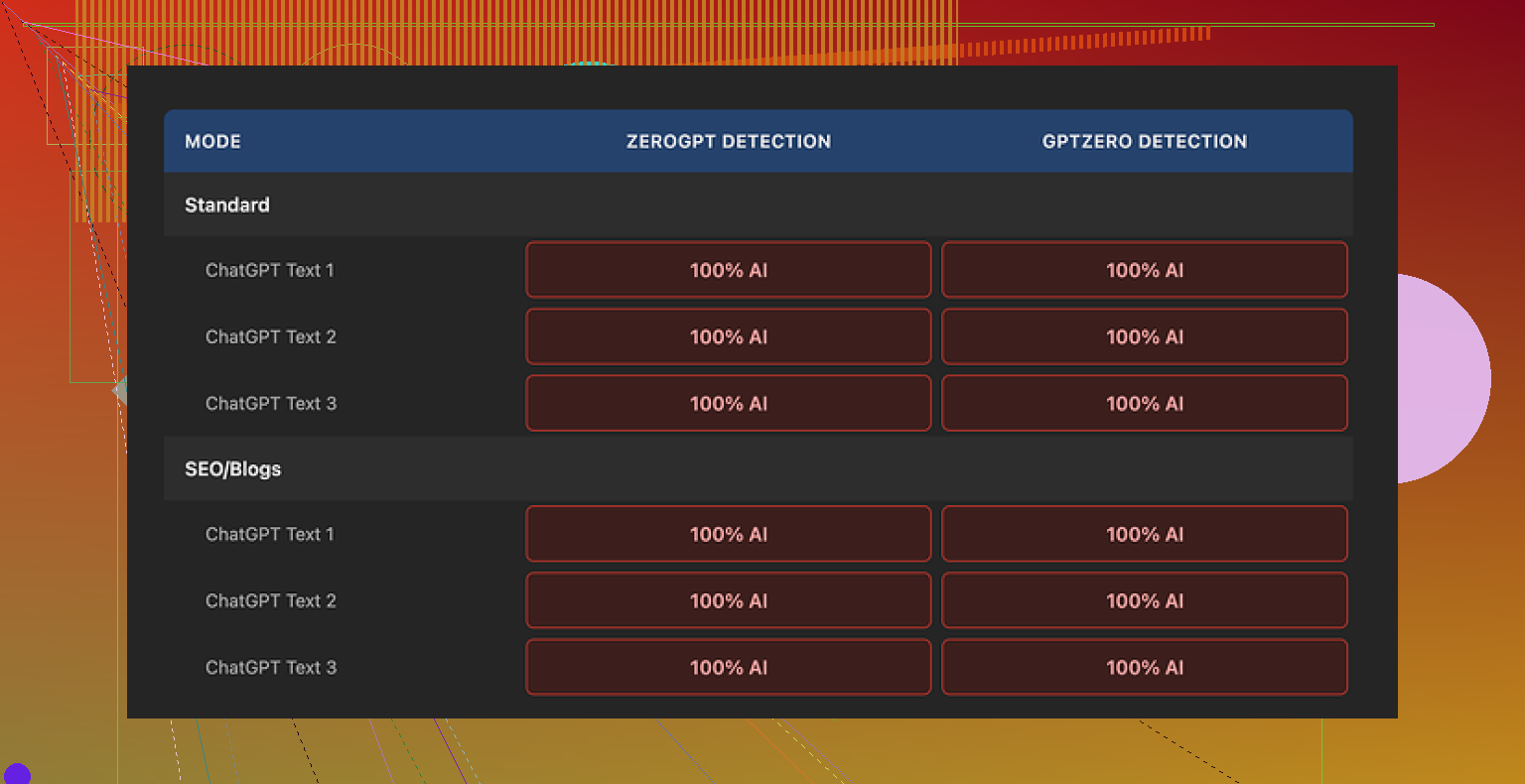
So if your goal is “I need this to pass GPTZero or ZeroGPT,” this tool does nothing helpful. At least, it did nothing for any of my tests.
What does not suck
Credit where it’s due.
-
It is free
No login, no credit card, nothing. You go to the site, paste, run. That part worked fine. -
There is a 300 word limit per run
That got annoying fast. I worked around it by using multiple incognito windows and chunking text into pieces. That worked, but it felt like trying to edit a doc through a mail slot. -
Output length slider
You can drag a slider to expand the text. That feature behaved as expected. If you want slightly longer rambling versions of your original, it does that. Not in a “natural human” way, more in a “ChatGPT with extra padding” way. -
Privacy policy looked thought out
They mention a retroactive opt-out for training, which I appreciated. The legal text feels like someone put time into it.
Where it falls apart
The more I used it, the more it felt like a funnel into their paid products.
The pattern:
- You paste AI text.
- The “humanized” version fails detection.
- You start worrying about detection.
- Oh look, they offer paid detection and related tools.
As a humanizer, it barely moves the needle. As a traffic source for their main business, it makes sense.
So if your goal is:
- Get past AI detectors
- Get text that passes as human to stricter filters
Then this tool gives you nothing useful. It looks like a humanizer, behaves like light paraphrasing, and gets flagged like raw AI.
Alternative that worked better for me
After testing a bunch of these tools, the one that performed better in my runs was Clever AI Humanizer. It scored higher on quality, and I did not run into a paywall.
You can see their detailed breakdown and test evidence here:
I am not saying it is magic. Detectors keep changing and results depend on your input. But if you are choosing between Originality AI Humanizer and that one, based on my tests, Originality feels like a dead end and Clever AI Humanizer felt usable.
4 Likes
You are not using it wrong. The tool is weak for what you need.
Quick breakdown of what is going on and what to change.
- Why your stuff still gets flagged
Originality AI Humanizer does light paraphrasing.
It keeps:
- sentence rhythm from LLMs
- common AI phrasing
- predictable structure and transitions
Detectors like GPTZero, ZeroGPT, and even Originality’s own system lean on that structure and token patterns more than on synonyms. So a light edit does almost nothing.
I disagree a bit with @mikeappsreviewer on one thing. I do not think this is only a funnel. I think it is also a weak model tuned for “safe” edits so they do not wreck user content, which makes it useless for serious detection evasion.
- Your real risk with clients
The bigger problem is not the detector score.
It is this:
- Clients see a detector screenshot.
- They assume “low effort AI spam”.
- Your trust with them drops.
Even if the detector is wrong, you still lose.
So your goal should be:
- reduce detector hits enough that clients stop testing every piece
- improve perceived voice and quality so it reads like you
- What to change in your workflow
Use Originality’s humanizer, if at all, only as a tiny step, not the solution. Here is a more reliable flow:
Step 1: Start from your own outline
Write a custom outline in your own words.
Then prompt the AI to “fill” sections, not write the whole post. This already changes the pattern.
Step 2: Break the AI rhythm
On each paragraph:
- merge or split sentences
- remove robotic transitions like “Additionally,”, “On the other hand,”
- add 1 or 2 short, specific examples from your actual experience
- change some nouns and verbs to match how you speak
This takes time, but it crushes a lot of detector signals.
Step 3: Change structure, not only words
Reorder points.
Move the intro hook.
Turn some explanations into bullets.
Add one short tangent or opinion line that sounds like you.
Detectors tend to hit hardest on text that flows in neat, textbook order.
Step 4: Fix “AI tells”
Watch for:
- overuse of “however, therefore, additionally, in today’s world”
- perfect parallelism in lists
- zero typos
Add a few harmless imperfections. You already do some, like “typos”, which helps.
- Tools that help more
If you want another tool in the mix, Clever Ai Humanizer did better in third party tests and in my own.
It tends to:
- rephrase more aggressively
- alter sentence length variation
- tweak structure a little
Do not rely on it alone. Use it as a heavier rewriter on sections that keep tripping detectors, then do a fast human pass.
- How to handle your current clients
For the articles that got flagged:
- Run them through a tougher rewrite using the steps above and, if you want, Clever Ai Humanizer.
- Show before and after samples that highlight edits, so they see your manual effort.
- Emphasize your process: AI as an assistant, not as the writer.
Once they see clear human intervention and better voice, they usually stop obsessing over detector screenshots.
- When to fire the detector as a “boss”
If a client’s policy is “zero AI use” and they enforce it with cheap detectors, you will lose that fight. Rule of thumb I use:
- Light AI support plus heavy human editing is fine for most clients.
- If they demand 0 percent AI on every scan, write by hand or walk away.
So, you are not misusing Originality AI Humanizer. The tool is not strong enough for your goal. Shift your focus from “click humanize and hope” to “AI for draft, then heavy human reshaping”. Add Clever Ai Humanizer if you want one more layer, and lean harder on your own voice and structure.
You’re not “using it wrong.” You’re using it exactly how it works… and that’s the problem.
I’m mostly with @mikeappsreviewer and @mike34 here, but I’ll push back on one thing: even if Originality’s humanizer suddenly got way better at dodging detectors, it still wouldn’t fix the real issue you’re running into, which is client perception and voice.
Right now your workflow sounds like:
AI draft → Originality Humanizer → deliver
From a client POV, that reads as:
“AI draft with a light ai perfume spray on top.”
Originality’s humanizer:
- barely changes structure
- keeps the same neat paragraph flow
- preserves a ton of classic LLM phrasing
- and doesn’t introduce any real human “messiness” or personality
Detectors eat that alive, which you already saw. The bigger problem is that clients can feel the sameness even if they never run a scan.
Where I slightly disagree with the other replies is this idea that the fix is only “rewrite heavier” and “break the rhythm.” You should absolutely do that, but I’d frame it more like this:
- Stop trying to salvage entire AI articles
Use AI and humanizers at the section or sentence level, not the whole piece.
Example workflow that actually protects your reputation:
- You write: hook, thesis, key opinions, 2–3 personal insights.
- Use AI only to expand individual points you already framed.
- Use a humanizer like Clever Ai Humanizer on stubborn robotic passages, then rewrite those outputs again in your voice.
So the AI output is raw clay, not the final statue.
- Change your goal from “pass detector” to “sound like you”
Detectors are wildly inconsistent. Clients, however, are pretty consistent at sniffing out generic sludge. Make your checklist:
- Does this sound like something only I or this client’s brand would say?
- Is there at least 1–2 specific details, examples, or opinions per section that an AI would not invent correctly from thin air?
- Are there a few natural imperfections, like your typical word choices, tiny rhythm quirks, even the occasional typo you’d actually make?
Ironically, once you nail that, a lot of detection friction drops on its own.
- Use Originality as a “warning light,” not a solution
If you want to keep it in the workflow, repurpose it:
- Run your draft through Originality’s detector (not the humanizer) to find the “most AI-sounding” sections.
- Rewrite those sections by hand more aggressively.
- If a chunk still looks robotic, then try something like Clever Ai Humanizer as a harsher rewriter, and still do a human pass after.
So the humanizer becomes a scalpel, not a magic cloak.
- Talk to your clients like a pro, not a defendant
Right now you’re probably stuck in “prove I’m not cheating” mode. Flip it:
- Explain your workflow briefly: AI for speed, you for strategy, structure, and final voice.
- Offer to show before/after edits on one article so they see the manual labor.
- Set expectations: “No detector is 100 percent accurate, so I focus on originality of ideas, voice, and brand fit more than chasing a 0 percent score.”
If they insist on 0 percent AI on some random checker every time, that’s not a content job, that’s a compliance job. Decide if you actually want that.
- On tools: be ruthless, not loyal
Originality AI Humanizer clearly isn’t doing what you hoped. Treat it like any other underperforming tool: cut it or demote it.
Clever Ai Humanizer is worth testing if you want:
- heavier structural changes
- more variation in sentence length
- something that doesn’t just tickle your text but actually moves it
Just don’t fall into the same trap: no humanizer is a “one click and my clients love me again” solution. Use it on small chunks and always layer your voice on top.
TL;DR:
You’re not the issue here. The “click humanize and pray” model is. Shift from full-piece humanizing to chunk-level assistance, prioritize voice and specificity over detector scores, and use tools like Clever Ai Humanizer as blunt instruments you refine, not as the final craftsman.