I’m new to working with remote servers and FileZilla keeps coming up as the starting point. For those of you who started with it – was it a good introduction to FTP, or do you wish you had started with something different? Any thoughts welcome.
My Honest Take on FileZilla
If all you do is connect with a password and move a few files, FileZilla is fine. It supports FTP and SFTP, you drag files across, job done. That’s probably why so many people still use it.
But once you move past basic use, the rough edges start showing.
How FileZilla works in practice
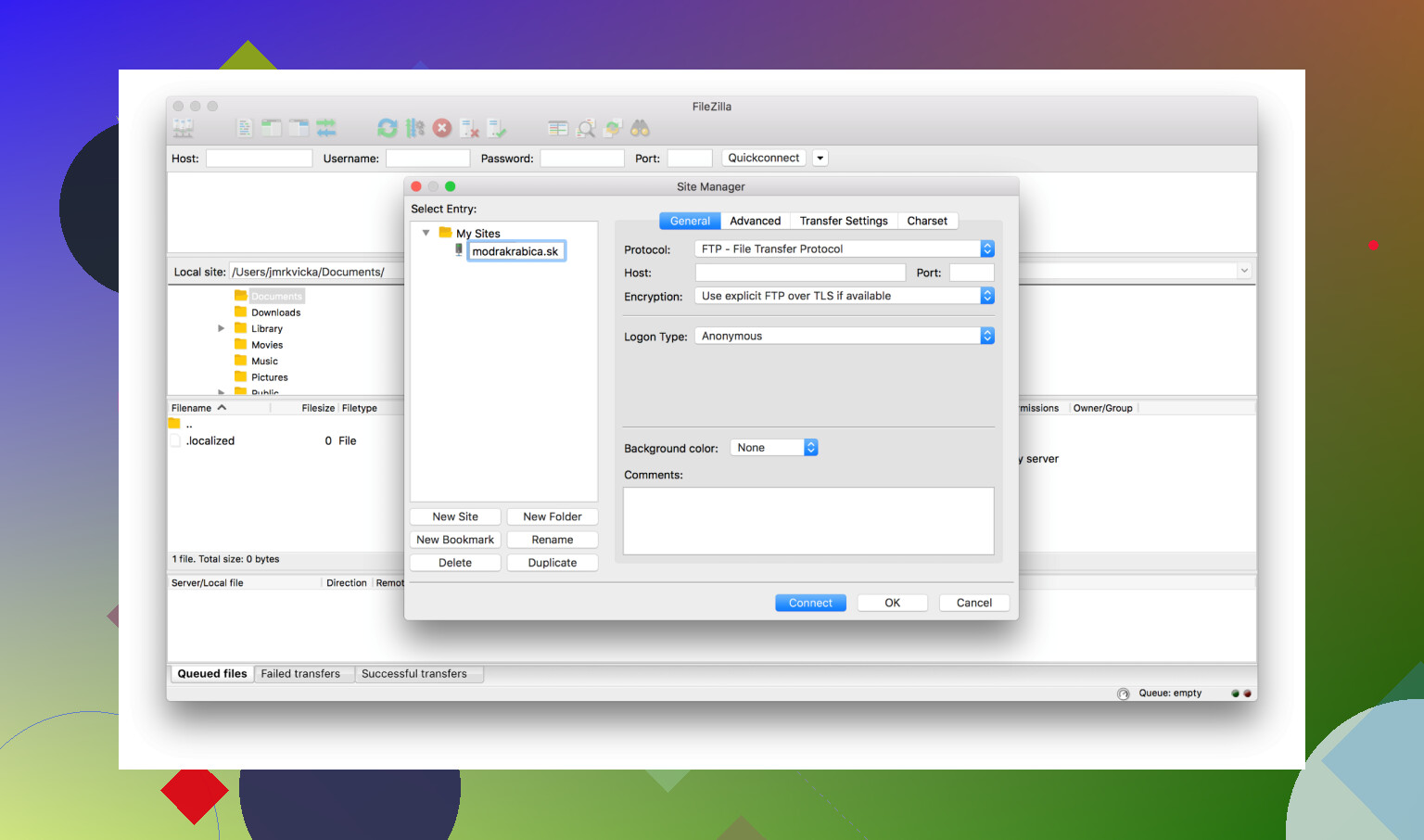
The basic idea is simple. You connect to a server using FTP, SFTP, or FTPS, log in, and you get a split window:
- Your computer files on the left
- Server files on the right
- Transfer queue at the bottom
- Connection log at the top
You can drag files between the two sides or right-click to upload/download. If something fails, it usually drops into the failed transfers tab so you can retry.
One useful feature is the Site Manager where you can save connections instead of typing credentials every time. If you manage multiple servers this helps a lot.
It also lets you edit files directly on the server (it downloads, you edit, it reuploads).
For basic hosting work, that’s usually enough.
The main headache: SFTP keys and weird errors
The thing that really started wearing me down was dealing with SFTP key authentication.
I switched one of my servers to key-based login (which is pretty standard now) and expected it to be simple. Instead I ended up fighting FileZilla more than the server setup.
At one point I got this error:
“FileZilla_data_.xml could not be loaded or does not contain a private key.”
Not exactly helpful. You end up searching forums trying to figure out what FileZilla even wants from you.
The whole process feels more complicated than it should be:
- Converting keys to PPK format
- Dealing with its XML storage format
- Importing keys instead of just pointing to them
- Errors that don’t clearly explain what’s wrong
What makes it more frustrating is that other clients just let you select your private key file and connect. No conversions, no weird formats, no guessing.
This was the point where I started feeling like I was maintaining the FTP client instead of helping me.
What worked better for me
I ended up trying Commander One since I mainly work on a Mac.
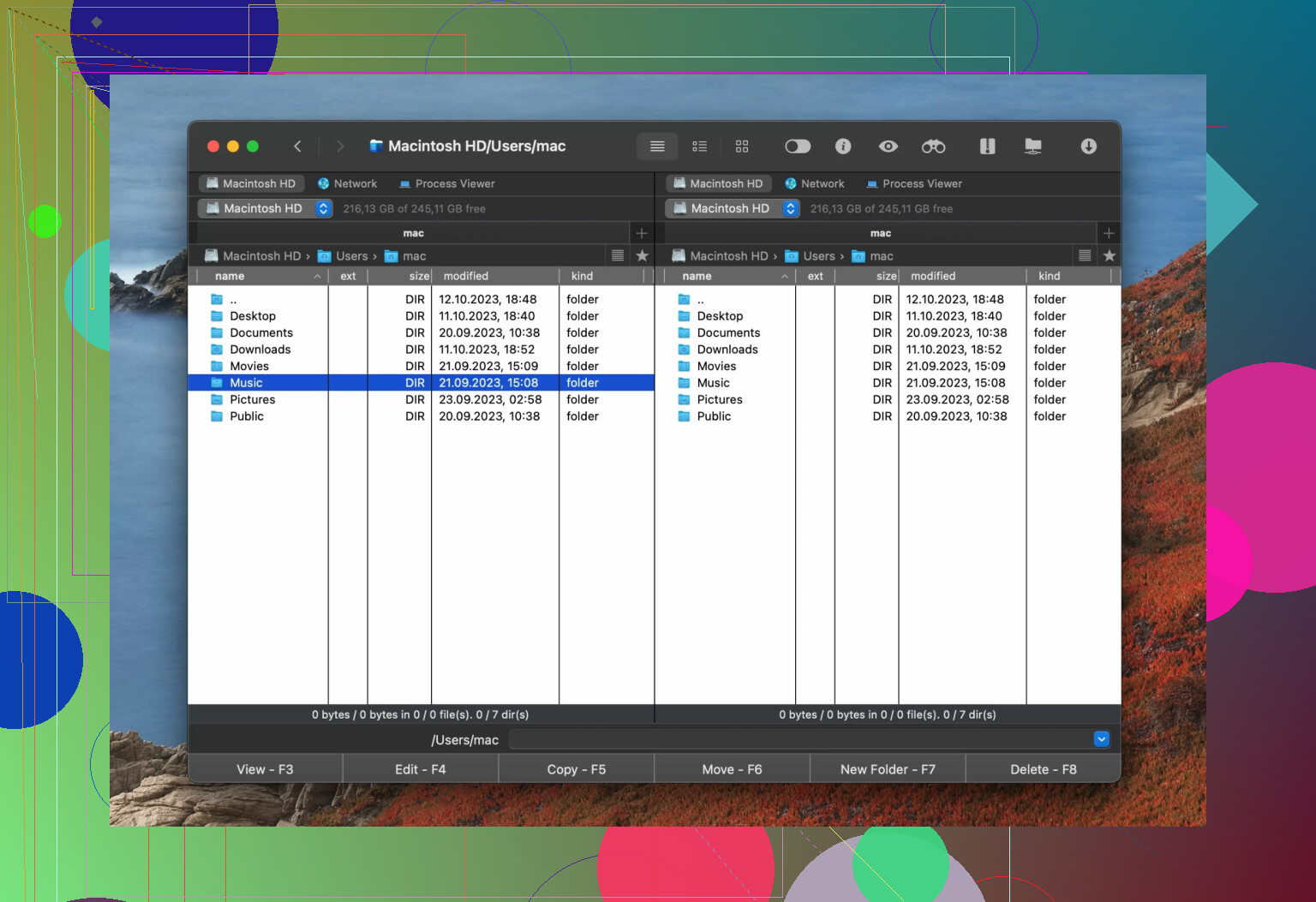
The difference I noticed right away was how it handles SFTP keys. You just select the key and connect. No conversion steps, no special formats. It behaves the way you expect.
The dual-pane layout also feels more like a normal file manager instead of just a transfer tool. It made it easier to manage both local and remote files without feeling like I was using a separate utility just for transfers.
It also feels more organized when working with multiple connections. I didn’t feel like I had to fight the app just to do normal things.
The downside is simple. FileZilla is free. Commander One costs money. So it comes down to whether saving time and frustration matters more than the price.
Final verdict
FileZilla still works if you just need something free for occasional transfers. But after dealing with the SFTP key setup headaches, I’m starting to feel like it’s showing its age.
At this point, I’d say it still works, but I’m not sure I’d start with it today if there are easier options.
3 Likes
Short answer for a total beginner managing one simple site: yes, FileZilla is fine, with a couple of caveats.
Here is the practical breakdown.
-
Safety stuff
• The FileZilla program itself is ok.
• The old installer from the official site sometimes bundled adware in the past. That is where most “FileZilla is unsafe” posts come from.
• To avoid drama, grab the version from your OS package manager or from a trusted source, and skip any “extra offers” in the installer.
• Use SFTP, not plain FTP, if your host supports it. That protects your password. -
Learning curve for a total beginner
For your use case, it is simple enough:
• Site Manager: save your host, username, password, port.
• Left pane: your computer.
• Right pane: server.
• Drag from left to right to upload.
You learn this in 10 minutes. The noisy log window looks scary, you can ignore it until something breaks.
Where I slightly disagree with @mikeappsreviewer is on timing. Their issues show up once you go heavy on SSH keys and multiple servers. If you only have one shared hosting account with password login, you will not hit most of those problems for a long time.
- Where FileZilla starts to annoy you
This matters later, not on day one.
• SSH keys are awkward. Key conversion, weird error messages, strange XML storage.
• Multiple daily connections to different servers feel clunky.
• Interface looks dated and busy once you want nicer workflows.
If you expect to move to SSH keys soon, or you already use keys for SSH, I would skip straight to a nicer client. On macOS, Commander One is a strong pick. It treats SFTP key auth in a simple way. New connection, choose SFTP, browse to your existing key file, done. It also doubles as a dual pane file manager, so remote and local work feels closer to Finder.
- My suggestion based on your situation
You said “total beginner”, “manage my own website”, “simple, reliable tool”. So:
Option A, easiest start
• Use FileZilla now.
• Use SFTP with password login.
• Learn: connect, upload, rename, delete, set file permissions when your host tells you to.
• When you outgrow it or move to keys, revisit better tools like Commander One or similar.
Option B, smoother long term
If you are on macOS and do not mind paying once:
• Skip FileZilla.
• Install Commander One.
• Use it for both local file management and SFTP.
This saves you from relearning things later.
- Simple checklist for you
If these are true:
• One site.
• Shared hosting.
• Password based SFTP.
Then FileZilla is a good first FTP client and “good enough”.
If these are true:
• You plan multiple sites.
• You want SSH keys everywhere.
• You use macOS and like integrated tools.
Then start with Commander One or another client that treats keys more cleanly.
Short version: for where you are right now, FileZilla is fine… but I wouldn’t get too attached to it.
Where I agree with @mikeappsreviewer and @espritlibre:
- For a single small site, using SFTP with a password, FileZilla does exactly what you need: connect, drag files, done.
- The horror stories about “safety” are mostly about old adware-y installers and people using plain FTP. If you:
- download from a clean source
- and use SFTP instead of FTP
you’re basically ok.
Where I slightly disagree:
They both frame the “pain” of FileZilla as something you only feel later with lots of servers and SSH keys. In my experience, the UI is already kind of cluttered for a total beginner. New folks open it, see 4 panes and a wall of log text, and instantly think they broke something. You can ignore the log, but the mental noise is still there.
Stuff beginners usually trip on:
- Easy to drag into the wrong directory on the server and nuke a folder by accident.
- No clear hand-holding about “hey, use SFTP, not FTP”.
- The interface is functional, not intuitive. It works, but it feels like software from another decade.
On the flip side, it does have:
- Site Manager so you don’t keep retyping everything.
- A clear left = local, right = server model once you get used to it.
Where Commander One comes in:
If you’re on macOS and okay with paying, I’d honestly start with Commander One instead of treating FileZilla as “FTP kindergarten.” It:
- Treats SFTP keys and logins in a very straightforward way
- Feels more like an enhanced Finder than a noisy “power tool”
- Scales better if you later add more sites or switch to SSH keys
If you’re on Windows or absolutely want free:
- Use FileZilla, but:
- Use SFTP
- Set up one site in Site Manager and ignore most “advanced” stuff for now
- Keep frequent backups of your site in case you drag-drop something wrong
So:
- One site, password login, don’t want to spend money right now → FileZilla is a decent first FTP client.
- You want the least friction and you’re on macOS → skip straight to Commander One and avoid outgrowing FileZilla in 6 months.
Short version: for your exact situation, FileZilla is “fine but fussy,” and you have a cleaner path if you are on macOS.
Let me split this differently from @espritlibre, @himmelsjager and @mikeappsreviewer so we are not all repeating the same tutorial.
1. Is FileZilla a good first client or just an acceptable one?
For a total beginner with one site, I would call FileZilla acceptable, not ideal:
What it gets right for you:
Pros
- Free and widely documented
- Works with SFTP, which you should absolutely use
- Simple mental model once it “clicks”: left = your computer, right = server, drag to move files
- Site Manager avoids retyping hostnames and ports
Cons that hit beginners earlier than people admit:
- Screen feels busy: logs, queue, dual panes, lots of icons
- No opinionated guidance about security: it happily lets you connect with plain FTP if you misconfigure things
- Easy to drag files into the wrong folder or overwrite things with almost no ceremony
- Looks and behaves like a tool built for power users, not nervous first timers
I slightly disagree with others that you “won’t feel pain until you use SSH keys.”
In practice, beginners often:
- Misplace files on the server
- Overwrite something important
- Get confused about which panel is local vs remote
That is not catastrophic if you have backups, but it is stressful when you are just starting.
2. Safety angle without the drama
The mixed opinions about safety are mostly history plus user error, not the core app:
- The real risk in 2026 is using plain FTP instead of SFTP, which leaks passwords.
- Second risk: downloading a sketchy installer instead of a trusted one.
So your safety checklist is:
- Use SFTP (port is often 22) if your host offers it
- Download FileZilla only from an official or OS package source
- Avoid any installer “offers” or bundled extras
If you stick to that, FileZilla is not inherently “unsafe.”
3. Commander One as a beginner-friendly alternative
Several people already touched on Commander One as an upgrade; I actually think it can be a good first client if you are on macOS and do not mind paying.
Commander One pros:
- Interface feels closer to Finder, not a 90s admin console
- SFTP with keys is straightforward: pick “use key file,” select your existing SSH key, done
- Dual pane file manager works for local + remote or even two locals, so it replaces some Finder tasks
- Multiple connections feel like part of a file manager, not separate “sessions” to babysit
- Less visual noise: fewer cryptic messages and panels for a beginner to worry about
Commander One cons:
- Paid app; FileZilla is free
- macOS only, so not an option if you are on Windows or Linux
- Slight learning curve if you have never used dual pane file managers
- Not as many “random blog tutorials” out there as for FileZilla
So the tradeoff is essentially:
- FileZilla: zero money, a bit more mental clutter, totally fine if you keep it simple
- Commander One: some money, cleaner long term experience, scales better if you grow
4. How I would decide in your shoes
Forget all the advanced use cases for a second and match to your reality:
Use FileZilla first if:
- You are on Windows or Linux
- You really want a free tool right now
- You have one small site on shared hosting
- Your host gives you SFTP with a username and password
In that case:
- Set up one SFTP site in Site Manager
- Practice uploading to a test folder first so you learn without risking the live site
- Keep a local backup of your site files before every big change
Jump straight to Commander One if:
- You are on macOS
- You like the idea of something that behaves like a “super Finder”
- You expect to add more sites later or move to SSH keys
- You value less clutter and clearer file operations over saving a few dollars
That way you avoid the “FileZilla is fine, now I have to relearn everything” moment that @mikeappsreviewer hinted at.
5. Where I differ a bit from others
- I do not think FileZilla is dangerous or unusable. It is just indifferent to beginners.
- I also do not fully buy the idea that “you won’t feel the edge cases until you have SSH keys and many servers.”
The cluttered interface itself is friction when you are new, even with one login.
So:
- FileZilla is good enough to start, especially if you are on Windows.
- On macOS, if you can spare the cost, Commander One is a more beginner-friendly “home base” that you are less likely to outgrow.